All rights reserved. The reproduction of this document, also partially, is allowed only with authorization by alpitronic s.r.l.
Stack Status
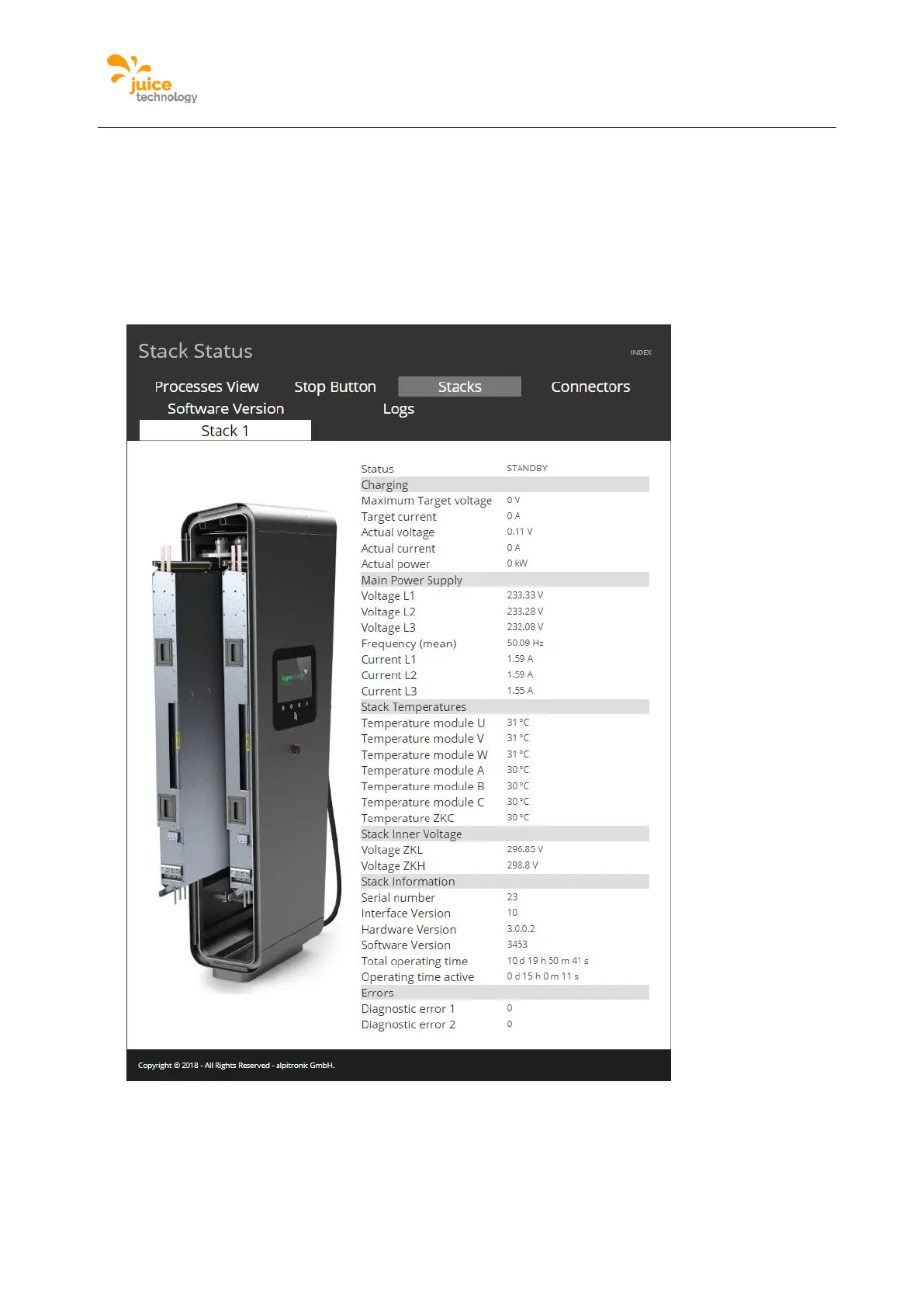
The menu stack status shows the CAN-bus interface of each power-stack in the charging
station, this is display information regarding the input currents, output currents, temperatures
and technical operational data.
Location:
Click on ‘STATUS’ from the main menu and following the top menu click on ‘Stacks’, beneath
appears another menu with the list of stacks present.
Figure 39: Example of the Stack webpage
Software Version
The menu software version shows the current version of the binaries running in the charging
station.


 To Next Page