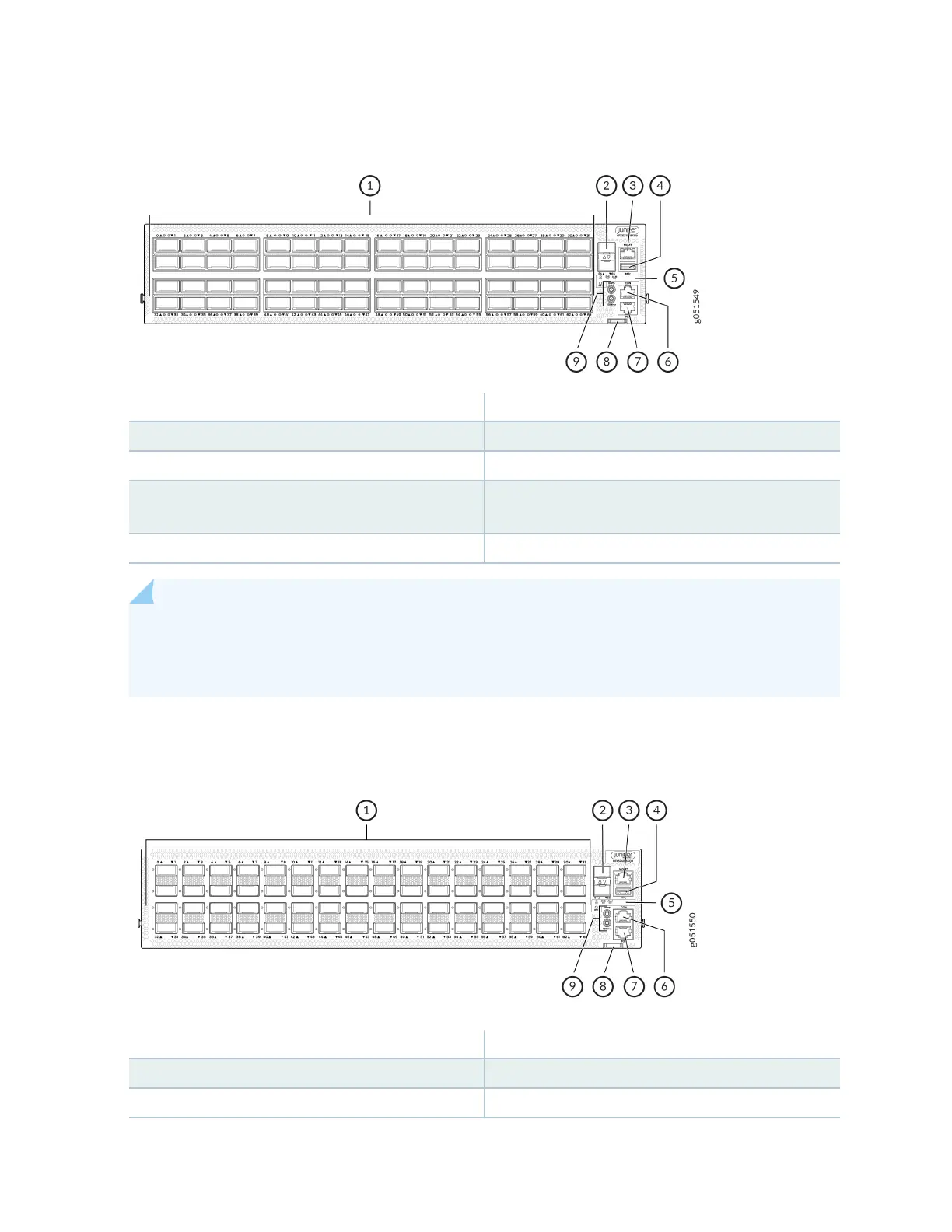
Figure 6: QFX5240-64OD Port Panel
1—
Network ports panel
6—
RJ-45 console port (CON)
2—
SFP+ ports
7—
TOD (Time of Delay)
3—
RJ-45 management port (MGMT)
8—
Chassis serial number pull-out
4—
USB port
9—
Clock input and output connectors (10 MHz
and 1 PPS)
5—
Status LEDs
NOTE: When you use the Reset buon, only the device gets rebooted and there is no change to
the exisng conguraon of the switch. The device does not return to the factory-default
conguraon.
Figure 7: QFX5240-64QD Port Panel
1—
Network Ports
6—
RJ-45 console port (CON)
2—
SFP+ ports
7—
TOD (Time of Delay)
3—
RJ-45 management port (MGMT)
8—
Chassis serial number pull-out
18













 To Next Page