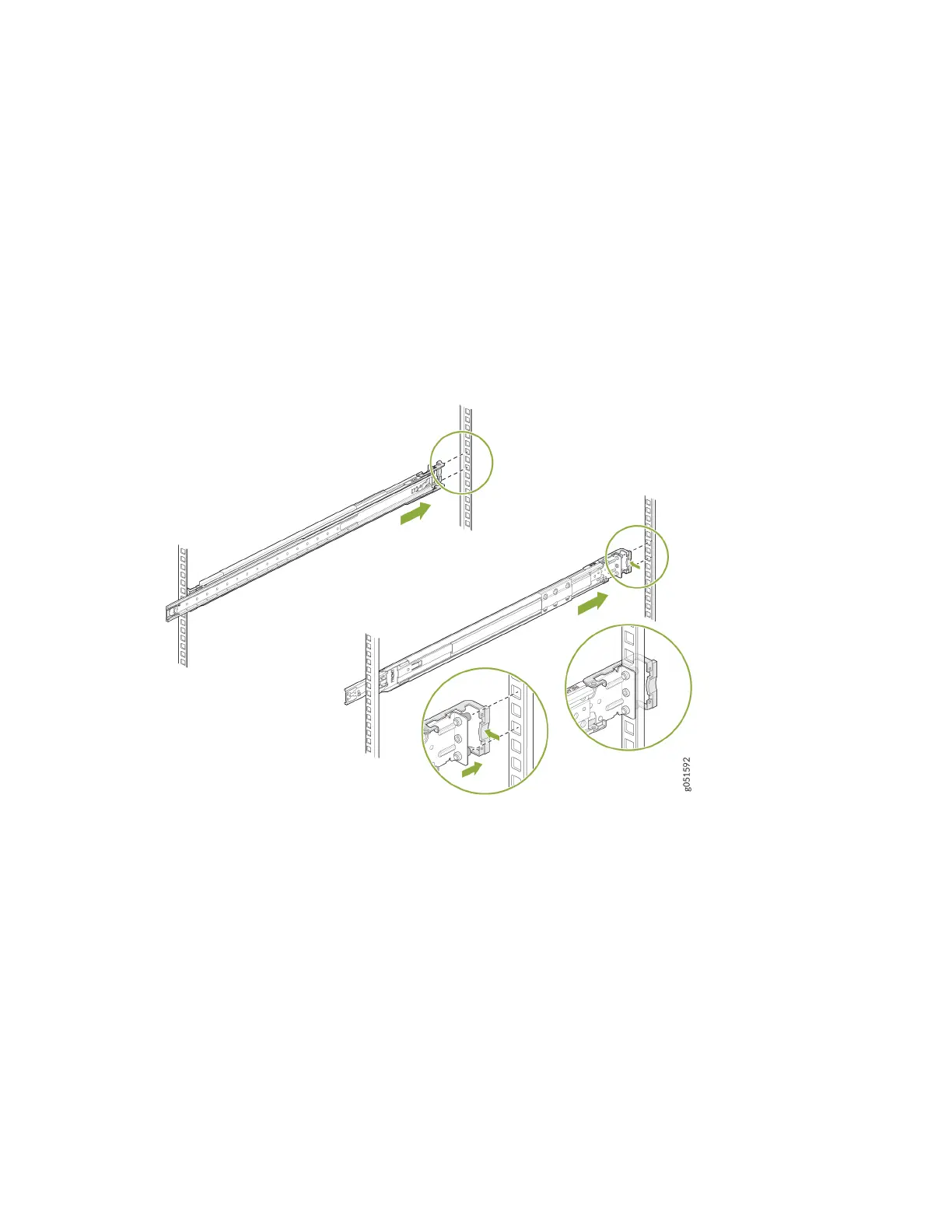
Install the Slide Rail Assembly in the Rack
1. Move the latch on the rear end of the slide rail assembly to the open posion.
2. Align the rear end of slide rail assembly with the rear rack-post holes that you want to use.
The mounng pegs on the outer rail enter the rear rack-post holes from the inside of the rack post.
3. Push the outer rail rear mounng pegs into the rear rack-post holes. You will hear a click sound.
4. Move the latch to the close posion.
The rear end of the outer rail wraps around the outside of the rear rack post.
5.
Adjust the slider rail length and push the front-mounng pegs on it into the front rack-post holes.
You will hear a click sound.
76













 To Next Page