Kavo 3D eXam ® Operators’ Manual
K990400 16 April 2008
8-8
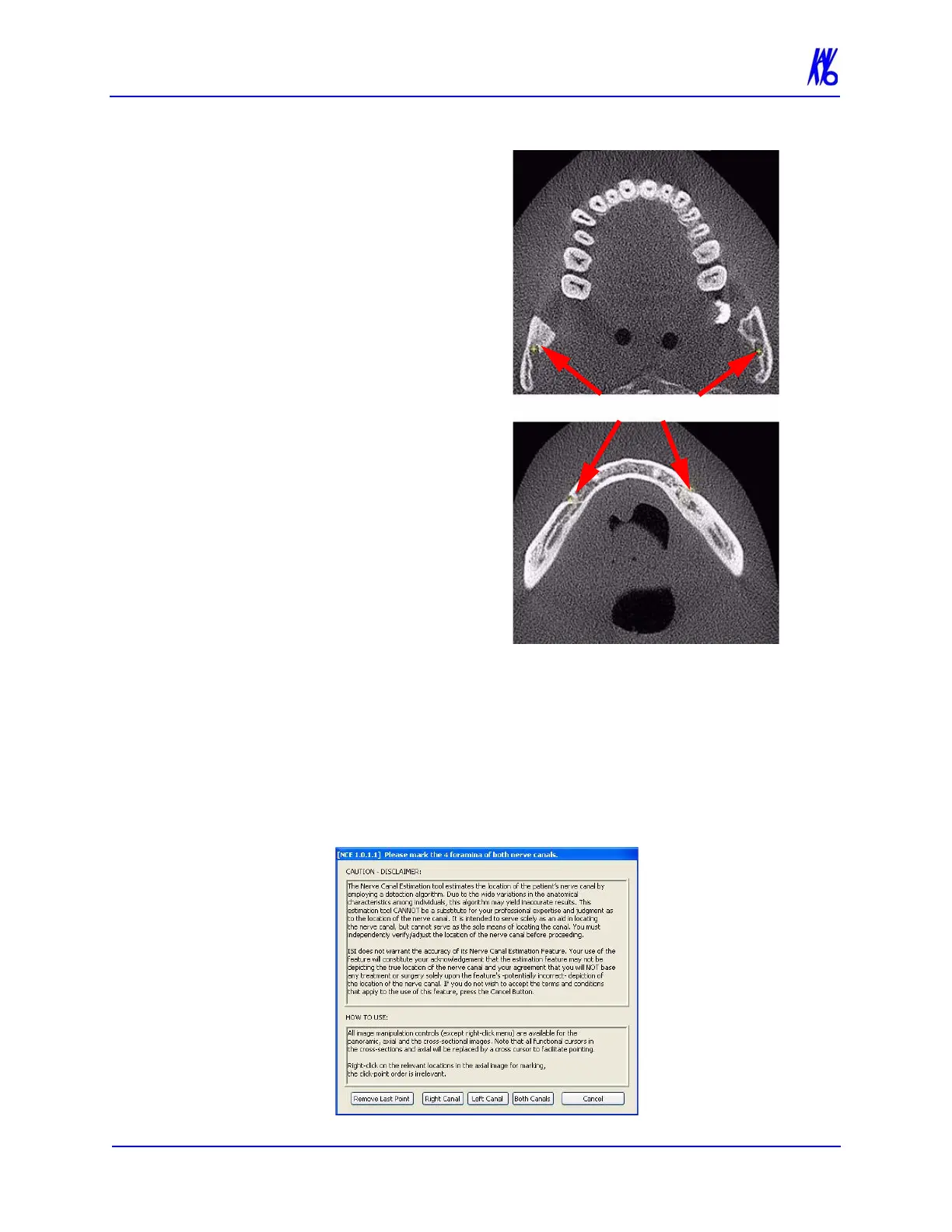
2. Manipulate the axial view
to locate the anterior left
and right nerve canals.
3. Right-click to mark the
relevant points on the
axial view. The click and
point order is irrelevant.
A cross is displayed
marking each point
selected on both the axial
and panoramic map view.
4. To remove a point, click
Remove Last Point.
Points are removed in
last-created to first-
created order.
5. Repeat steps 2 through 4
to mark the posterior left
and right nerve canals.
NOTE: To quickly move from anterior to posterior foramina, hold
down the Ctrl key and scroll the mouse wheel 2 to 3 times. From
there, fine tune the position with the mouse wheel.
6. When all points are selected for right, left or both canals, one or
all of the following buttons are displayed. Click desired button
to confirm the marking of the selected nerve canal(s). The canals
are calculated and displayed on the panoramic map view.



 To Next Page