K990400 16 April 2008
Detail Screens
8-9
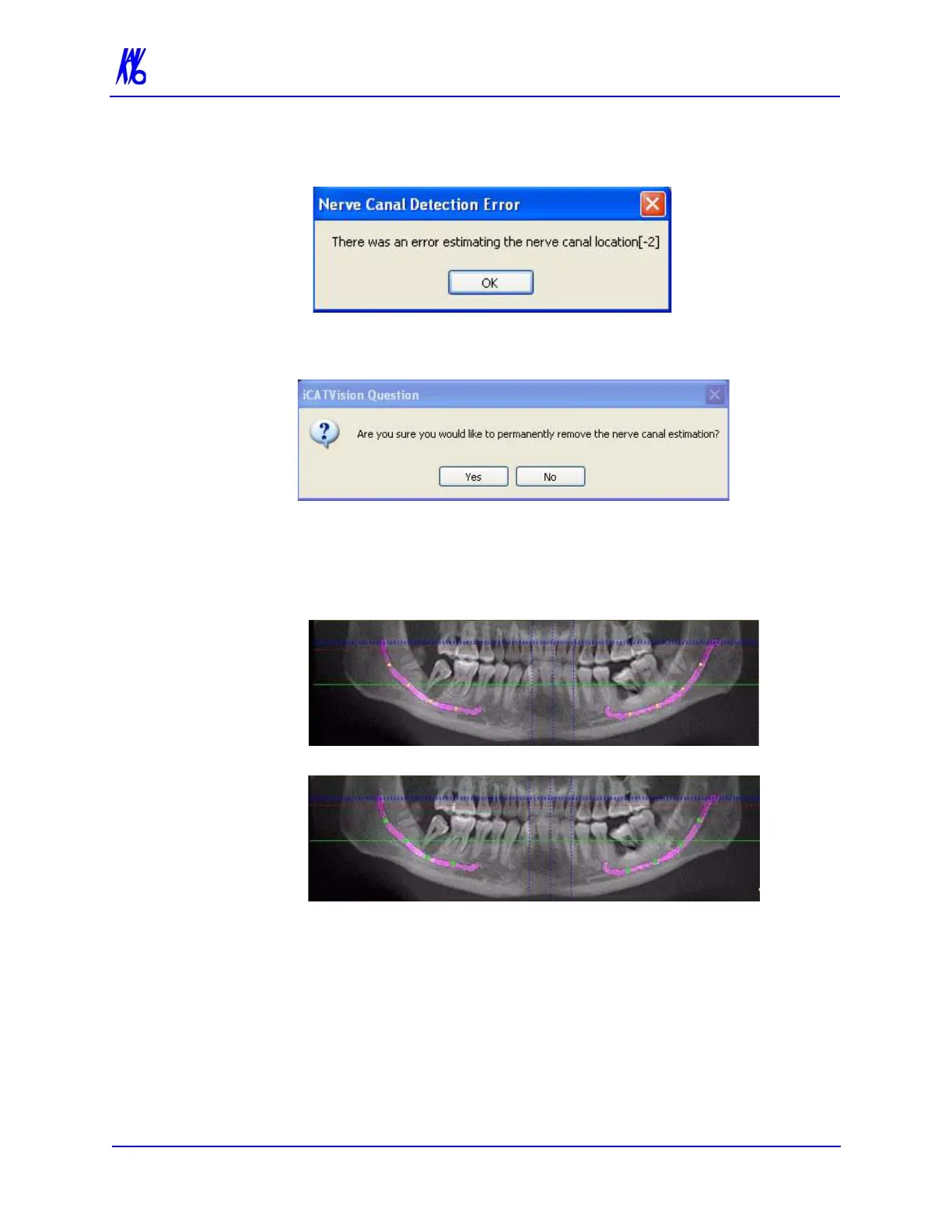
7. If there is an error calculating either of the nerve canals, a dialog
is displayed. Click OK on dialog..
a. To begin the entire canal estimation again, click Cancel. On
the resulting dialog, click Yes to remove the estimation..
b. If one of the canal estimations was calculated, and you want
to confirm it, continue with next step.
8. On the panoramic map view, click the yellow circles to verify
the nerve canal estimation. Each circle turns green when verfied.
NOTE: The canal location should be visually verified along the
length of the canal. It is recommended that the overlay is removed,
and the pan contour line is adjusted if necessary to clearly visualize
the canal. Once the canal is distinctly visualized, the accuracy of the
estimated path can be confirmed, or adjusted if necessary.
BEFORE POSITIONS ARE VERIFIED
AFTER POSITIONS ARE VERIFIED



 To Next Page