2. Parts configuration and each function
MKC-710 17
2-2-1.Basic key operation
<Select menu>
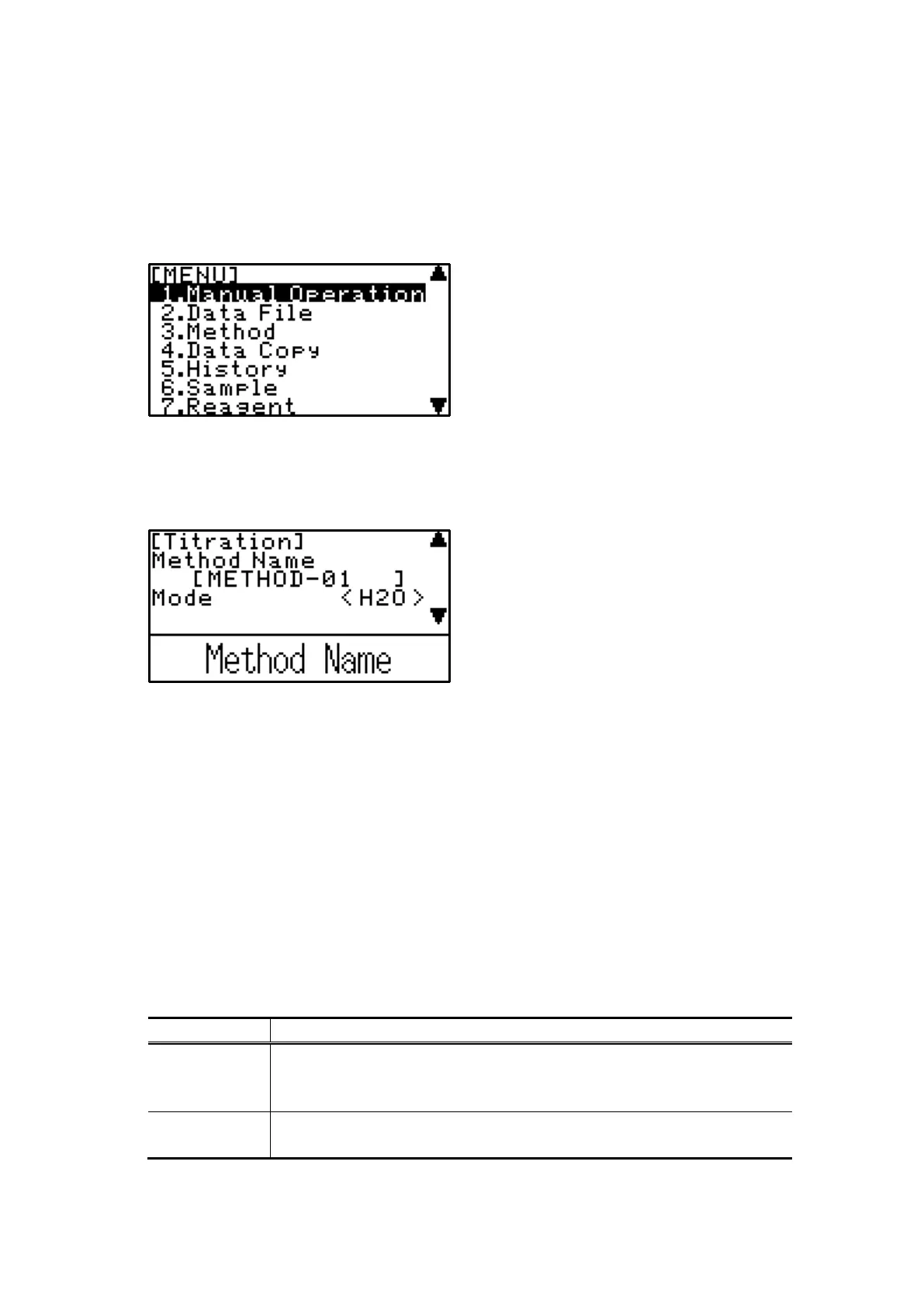
Menu screen displays when [MENU/HOME] is pressed. To select an item on the menu,
move the cursor with [n], [p] and confirm with [ENTER].
▲▼ shows that the following screen exists.
<Select parameter>
To move parameters, use [n], [p]. When an item on the screen is shown by < ○○○
> parenthesized, it must be selected by key entry. To show item for selection, use [m],
[o] and confirm with [ENTER].
<Entry of parameter and character>
Parameters shown by [△△△] in parenthesis on the screen are set the alphabetic with
[↑][↓] after moving the cursor with [↑][↓] and pressing [ENTER] or [←][→]. The
movement of inside [ ] is operated with [←] [→] and confirmed with [ENTER]. The
character is changed with [↑] in order in the following tables, and with [↓] to the
opposite direction in the following tables. Input only the number due to the position of
“ . ” are fixed when inputting the number.
ex)To input C at the uninput cursor position, press [↑] 3 times. Moreover, to input [2]
at the uninput cursor position, press [↓] 16 times. [-] is input with [↑][↓] when
inputting the number after moving to the left with [←]. Input only the number due to
the position of “ . ” is fixed when inputting the number after matching the digit with
[←][→].
Table.2-2-1-1
(space)→A→B→C→D→E→F→G→H→I→J→K→L→M→N→O→P
→Q→R→S→T→U→V→W→X→Y→Z→0→1→2→3→4→5→6→7
→8→9→ . →-→+→/→×→ ( → ) →%→(space)
(space)→0→1→2→3→4→5→6→7→8→9→-→(space)


 To Next Page