KONE NanoSpace™
Owner’s Manual
88 (196) OM-01.03.086
(B) 2016-01-11
© 2014 KONE Corporation
All rights reserved.
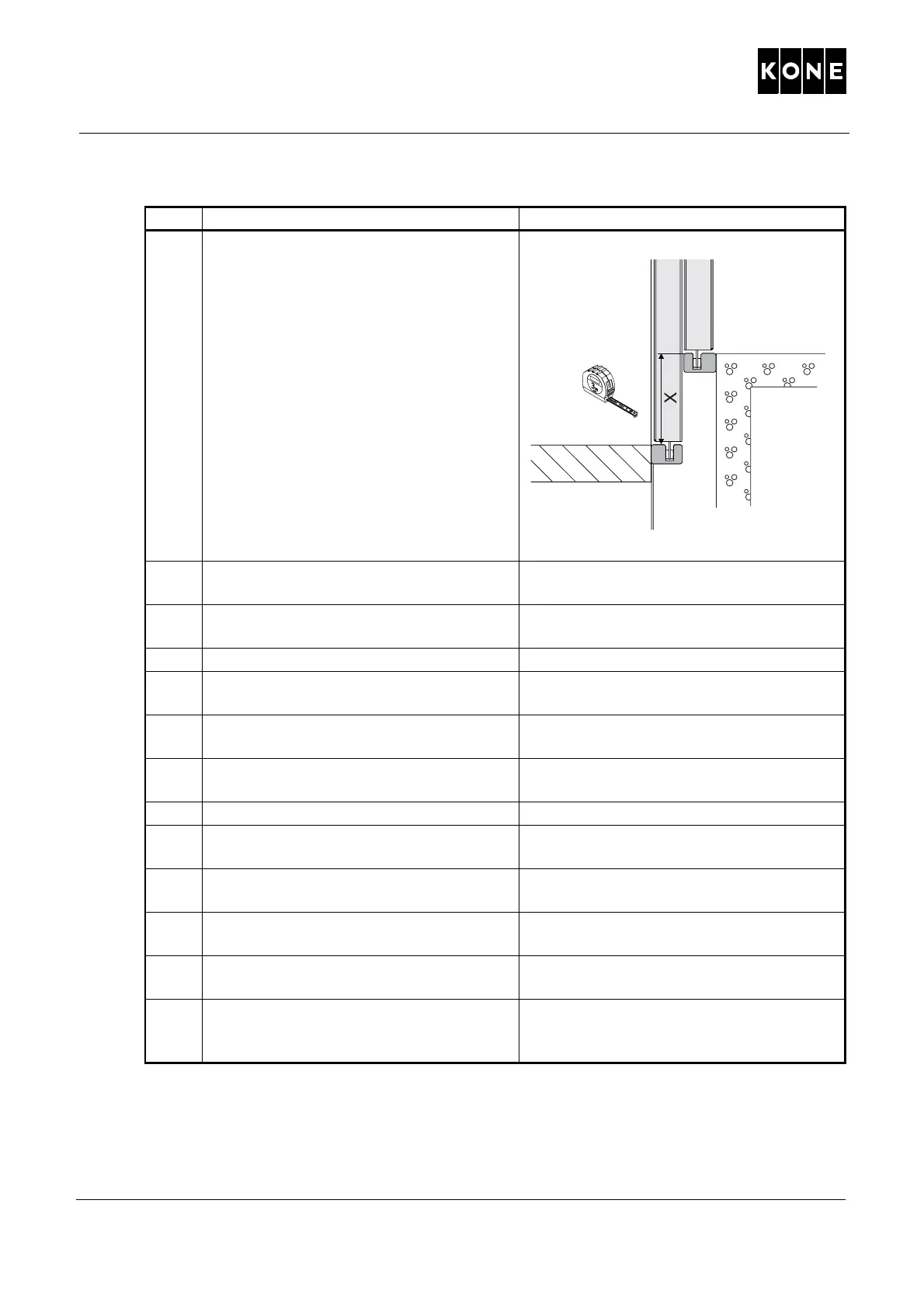
8 Open the bottom floor landing door and
measure the vertical sill-to-sill distance
(X) to verify the limit switch location.
NOTE! Opening the lan
ding doors and
car doors can be heavy when the
elevator is in the door zone area.
Use tape measure for the measurement.
Record the measurement to note book.
Check that the measurement
correspo
nds to the layout drawings.
After measurement, close the doors.
9 Go to the Maintenance Access Panel
(MAP).
10 Check that the Recall Drive Feature
(RDF) is on.
POS 270.
11 Switch on the main switch (220).
12 Drive the elevator car on RDF to the
flo
o
r level
13 Enable door opening. LCEUI switch
263.
14 Switch off the Recall Drive Feature
(RDF).
POS 270.
15 Make a landing call.
16 When doors are open, switch on the
Recall Drive Fe
ature (RDF).
POS 270.
17 Remove the test weights from the
elev
ator car
18 Drive the elevator car upwards on RDF
away from the pit saf
ety device zone.
19 Switch off the Recall Drive Feature
(RDF).
POS 270.
20 Make notes of the test. After completing all tests, record the test
date
and all results in the elevator’s log
book at once.
Step Action Illustration/Note



 To Next Page