Installing and Setting up the Machine > Installing Software
62
Using the web installer
Install a software by using a web installer downloaded from our website.
1
Download a software from the website.
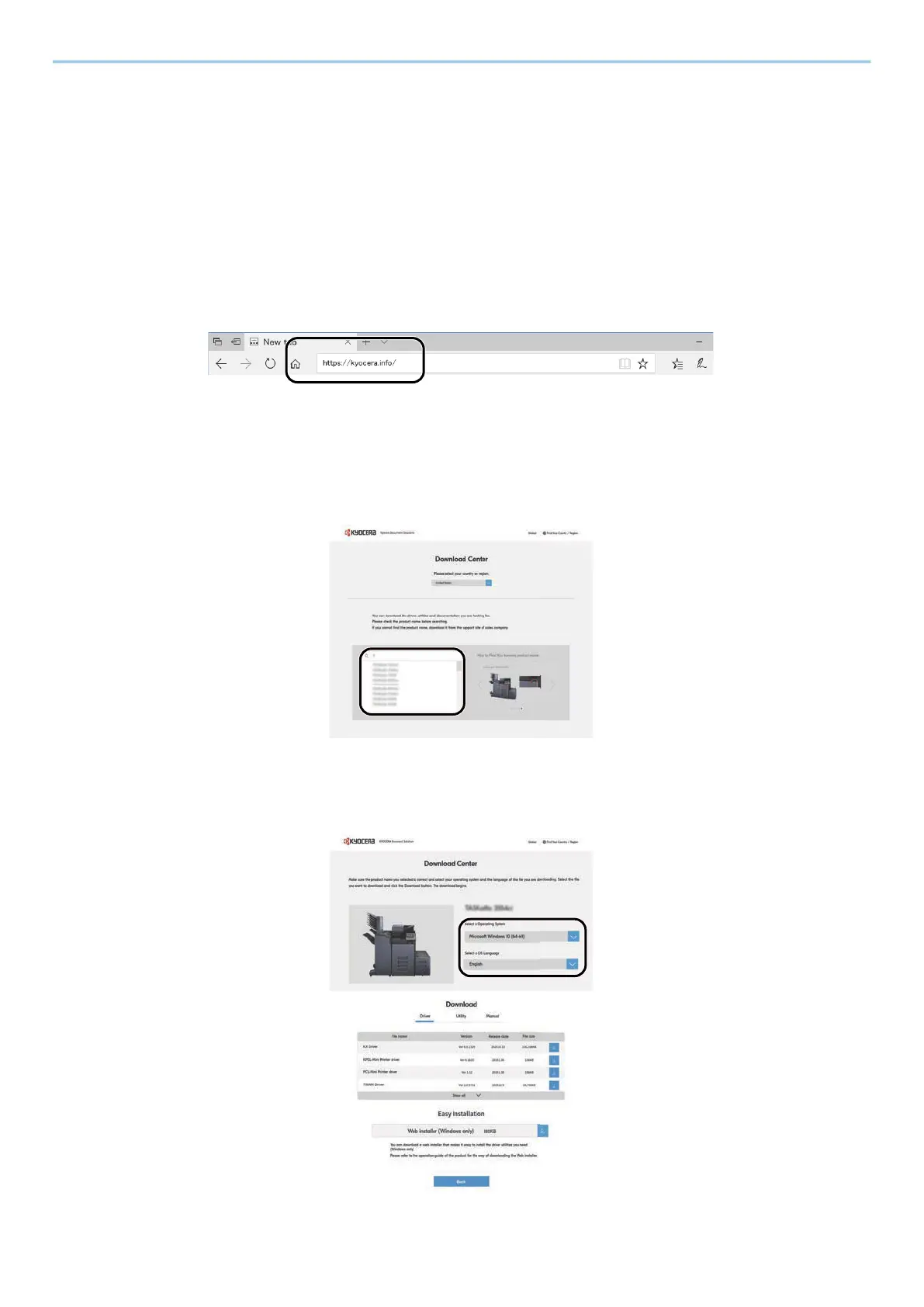
1 Launch your Web browser.
2 Enter "https://kyocera.info/" into the browser’s address bar or location bar.
3 Enter and search the product name, and select this product from the candidate list.
4 Change the selected operating system and its language setting as needed.



 To Next Page
 Loading...