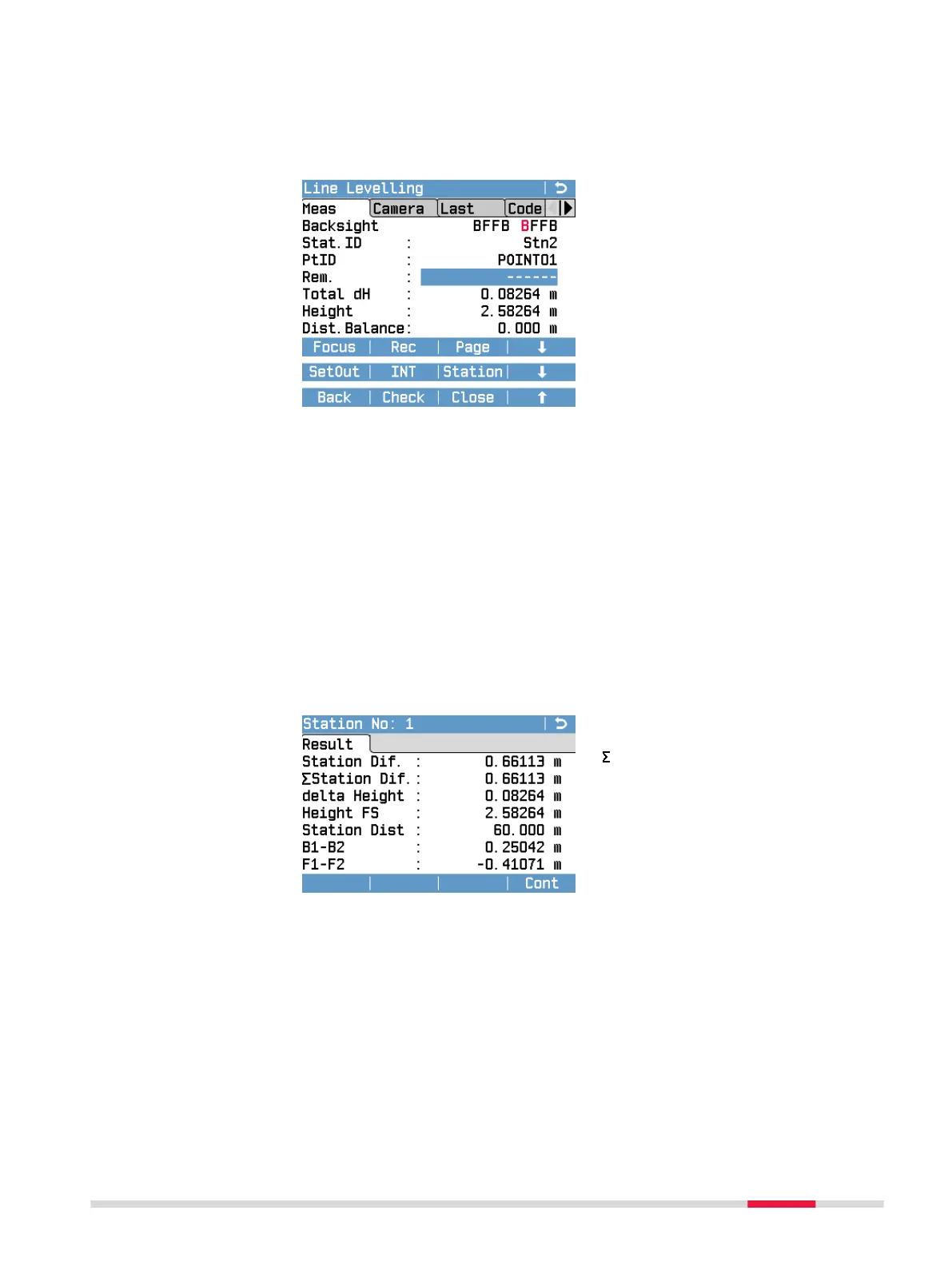
First Backsight Screen (Station2)
The eld Stat.ID displays the ID of the next station. In the Backsight/
Foresight eld, the rst viewing direction of the next station is highlighted in
red.
Total dH: Height difference
between start and current back-
sight.
Height: Height of current backsight.
As soon as all measurements of a station are completed you can access the
functions SetOut or INT. For a detailed overview about when these functions
are available, refer to Availability of the Softkeys SetOut and INT. For a
detailed description of the SetOut and INT functions, refer to 7.2.2 Measure-
ment Procedure for Q-Level.
After nishing all backsight and foresight measurements of a station, the fol-
lowing three softkeys are available on the screen of the next station:
Station: To show the result screen of the previous station.
Check: To check the height of the last measured point against the height of a
known point (xpoint).
Close: To start the calculation of the end of the line.
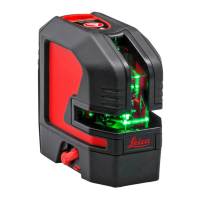
Station Result Screen
Station Dif.: Station difference in
distance on current station
Station Dif.: Sum of all station
differences in distance at current
station
delta Height: Height difference
between backsight and foresight.
Height FS: Height of the foresight
point.
Station Dist: Distance measured
on the current station (backsight +
foresight).
B1-B2: Difference between the two
backsight height measurements.
F1-F2: Difference between the two
foresight height measurements.
Programs 67


 To Next Page