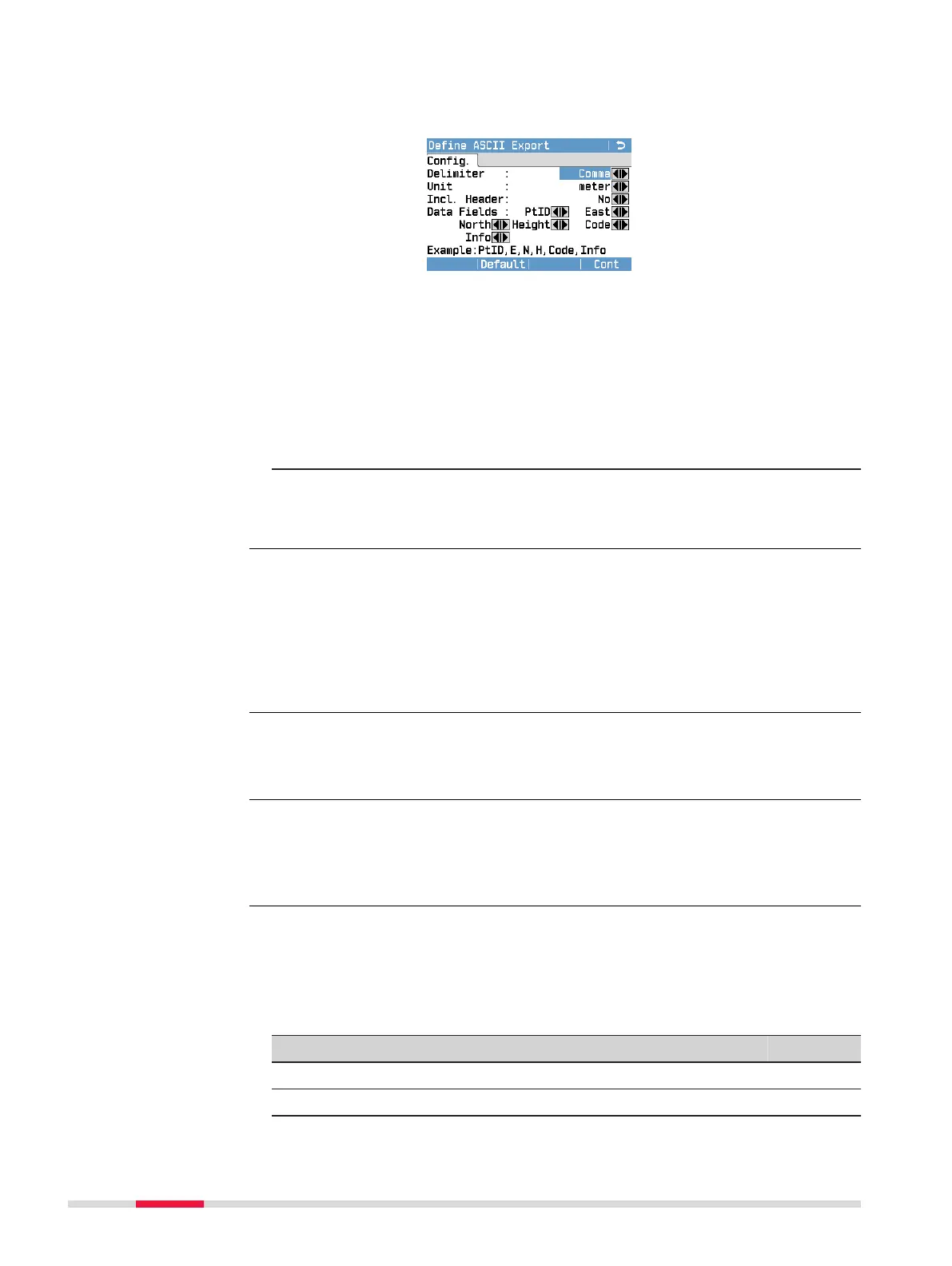
ASCII: American Standard Code for Information Interchange.
Free format. Usage and order of variables and delimiter
can be dened during import.
Dene the delimiter value, the units and the data elds
of the le and press Cont.
GSI: Leica Geo Serial Interface. Fixed format. Select between
GSI 8 and GSI 16. Refer to Exportable job data formats
for an explanation of the formats.
User
dened:
Any uploaded user dened format. To create a user
dened format, use the Format Manager. For details on
how to upload a format le, refer to 13.3 Importing
Data.
4. To start the data export, press Cont or Send.
After the data has been exported successfully, a message is dis-
played.
Measurement data are stored in chronological order – line by line - on the
instrument.The XML data format and other format les do not output data
chronologically but sort the data in separate blocks. During the data export in
XML data format or other format les, the instrument has to search the whole
memory until the required data is found. Therefore, the data transfer time
varies between formats. The GSI data format has the best transfer speed-per-
formance.
A ’+’, ’-’, ’.’ or alphanumerical characters should not be used as delimiter val-
ues in ASCII les. These characters can also be part of the point ID or coordin-
ate values and if so, will generate errors where they occur in the ASCII le.
All jobs, formats, codelists and congurations will be stored in the backup
folder created on the USB memory stick. The job data will be stored as indi-
vidual database les for each job, which can then be imported again. Refer to
13.3 Importing Data.
Job data can be exported from a job in GSI, ASCII and XML le types, or any
other user-dened ASCII format. A format can be dened in the Format Man-
ager tool delivered with the instrument. Refer to the online help of the Format
Manager tool for information on creating format les.
Example job data output
PtID East North Height Code Info1-8
POINT01 -2.0940 -59.9634 0.3003 MAIN_ROAD
POINT02 -4.1879 -119.9269 -0.0934 MAIN_ROAD
☞
☞
☞
Exportable job data
formats
90 Data Management



 To Next Page