DSS-1000 User Manual
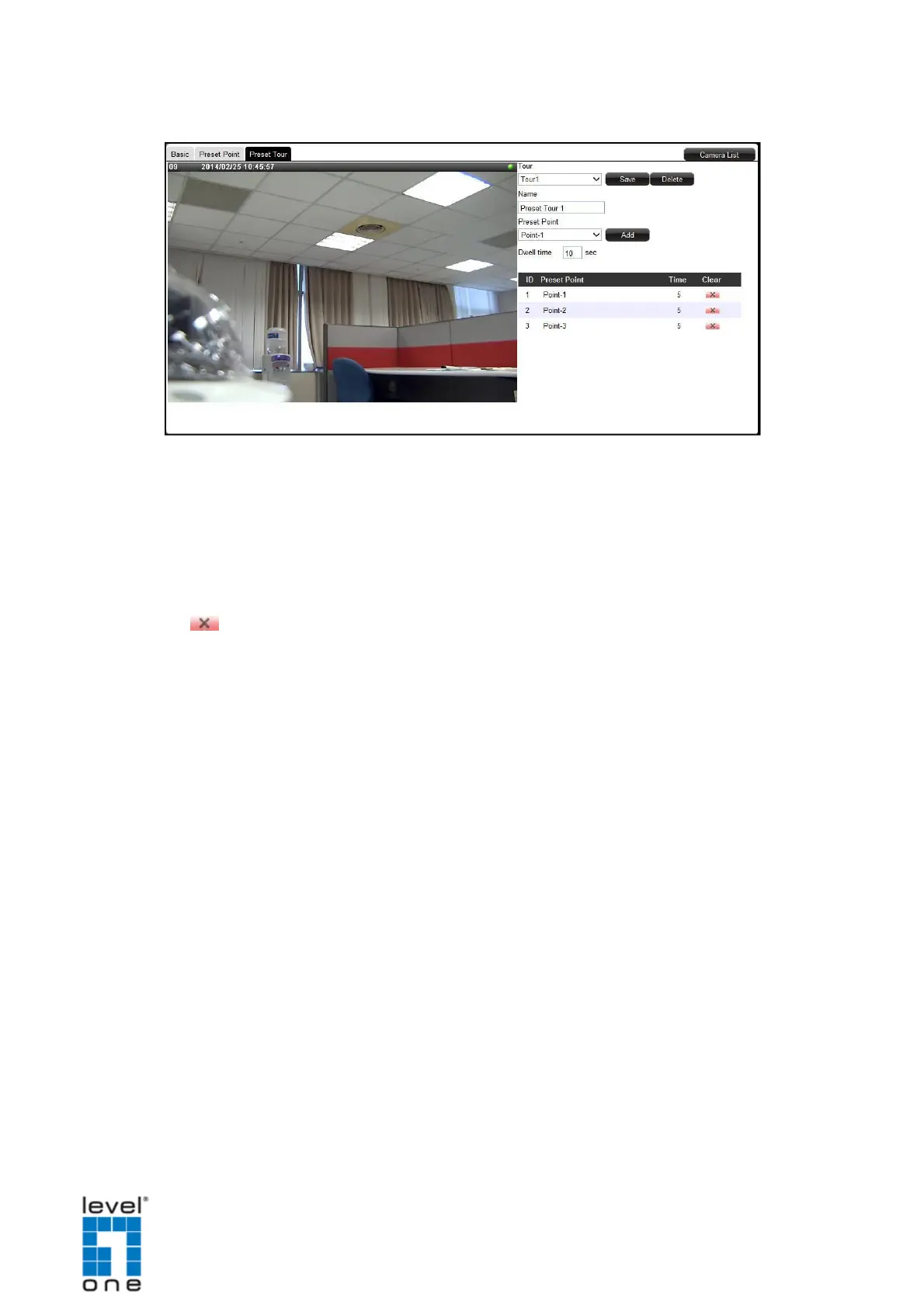
7. Repeat steps 5 ~ 6 to add more preset points.
TIP: To change the order of preset point sequence, drag a preset point up or down the list.
8. When done, click Save.
How to Delete Tours
On the Preset Tour page tab of the selected camera, click the corresponding
Delete icon of the preset point to delete. The name becomes blank to indicate the preset
point has been deleted
114


 To Next Page