DSS-1000 User Manual
The Menu Panel
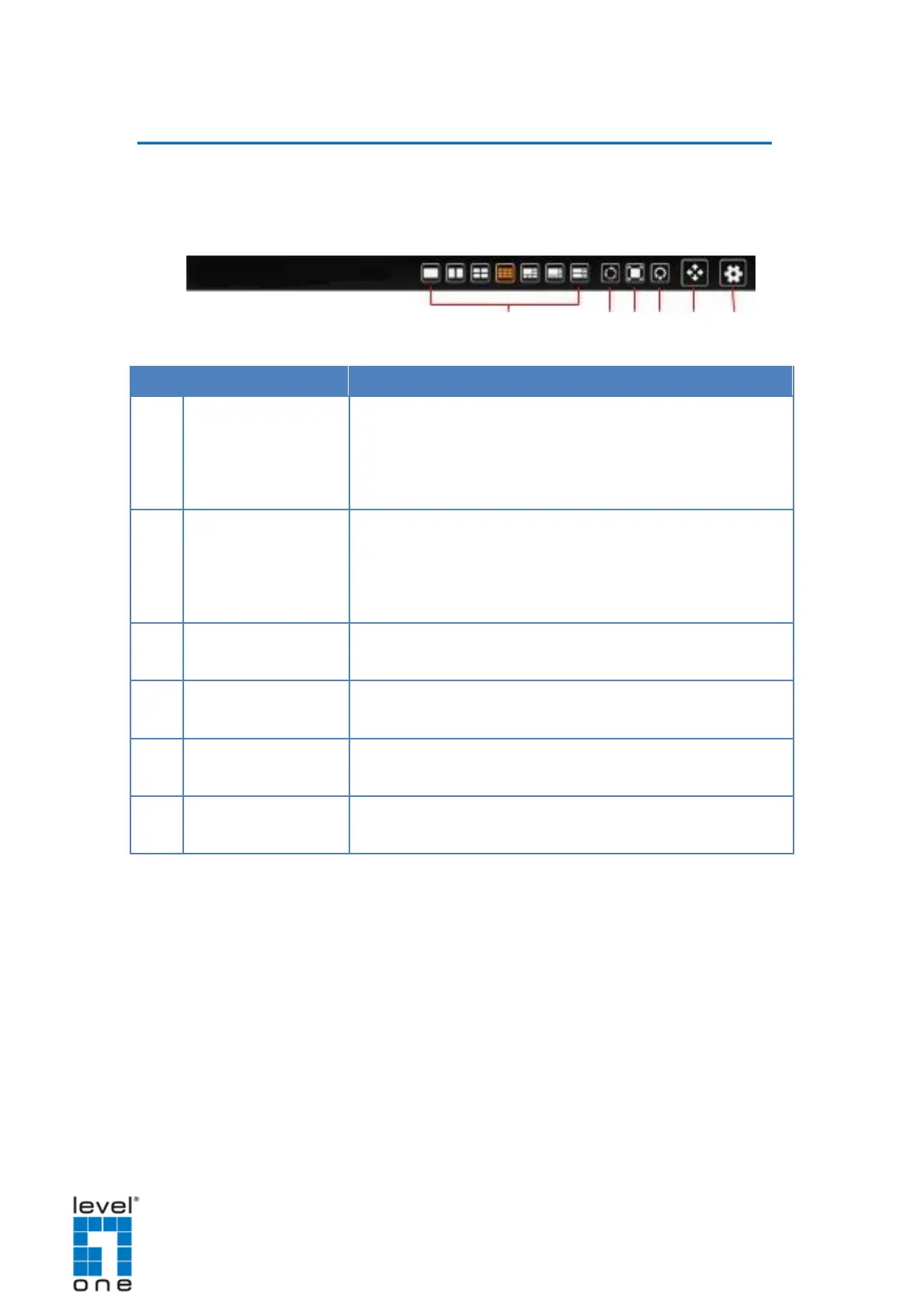
Move the mouse cursor towards the bottom of the screen to display the Menu Panel.
From the Menu Panel, users can modify the channel layout, start viewing channels on
patrol, stretch image, reposition the channels, and access the Setup screen.
Click an icon to change the layout of channels. The current
layout is indicated by an orange icon. Moving the mouse over
the icon displays the icon name. See Changing the Layout
Sequence Patrol allows users to view the one or more
channels at a time and patrols with a specific interval time.
Viewing Channels by Patrol on page 31.
Click to stretch or un-stretch the video.
Click to reposition the channels according to channel
sequence. See Repositioning Channels on page 31.
Click to display the PTZ control panel. See 2.4 Using the
PTZ Control Panel on page 35.
Click to access the Setup screen. See 2.5 Accessing the
28


 To Next Page