DSS-1000 User Manual
Saving Backup Settings
It is recommended to make regular system backup in case of unexpected disasters or
accidents.
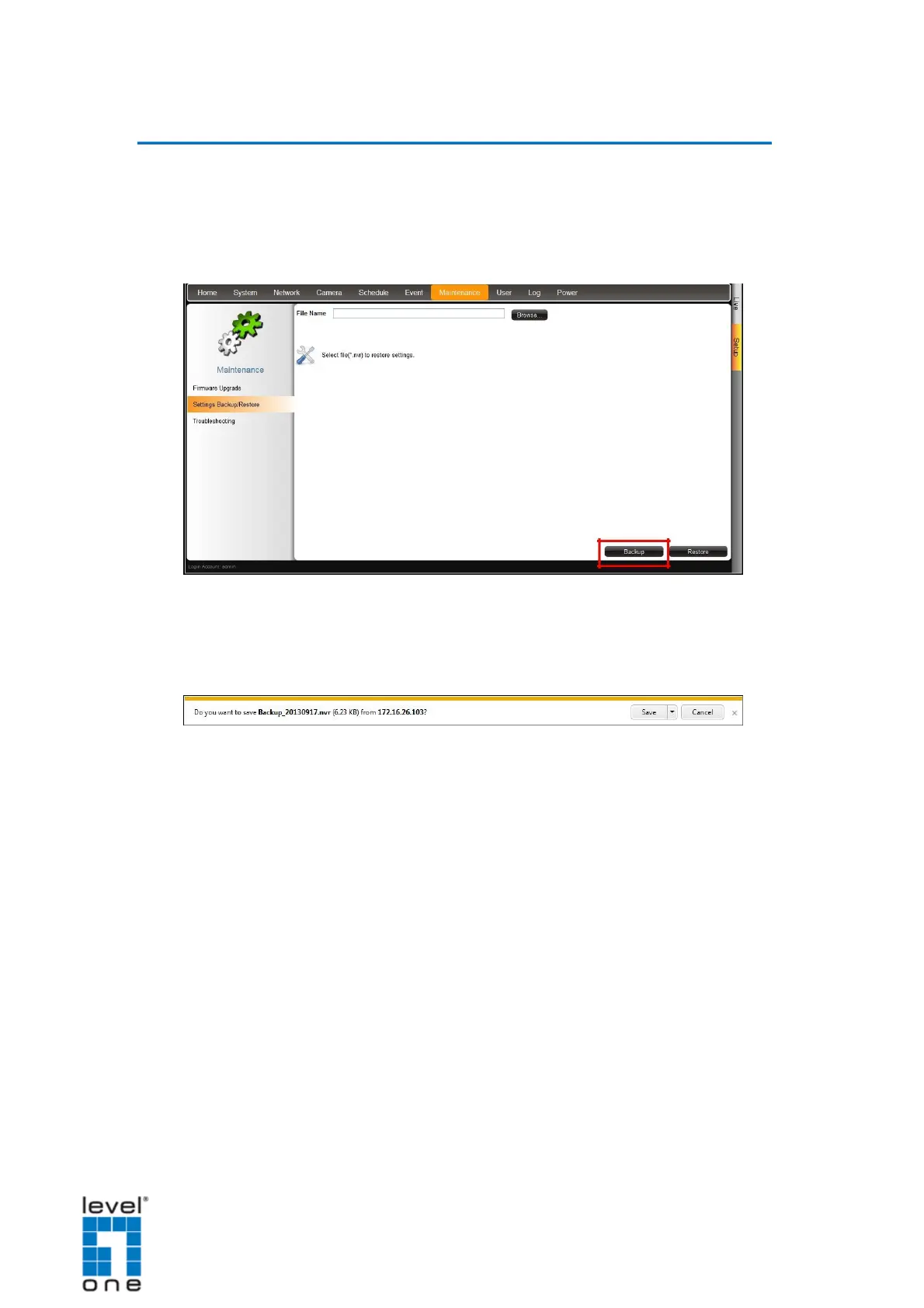
1. On the Setup screen, click Maintenance > Settings Backup/Restore.
2. Click Backup.
3. A pop up message appears. DSS-1000 creates a backup file of the whole system
settings as Backup_[yyyymmdd].nvr file. Save the file to the hard disk or to a USB disk
connected to the remote computer.
The backed up settings include the following properties: (1) System Settings including
System Name, Date & Time, Network, and Mouse, (2) Camera Settings, (3) Schedule
Settings, and (4) Event Management.
125


 To Next Page