DSS-1000 User Manual
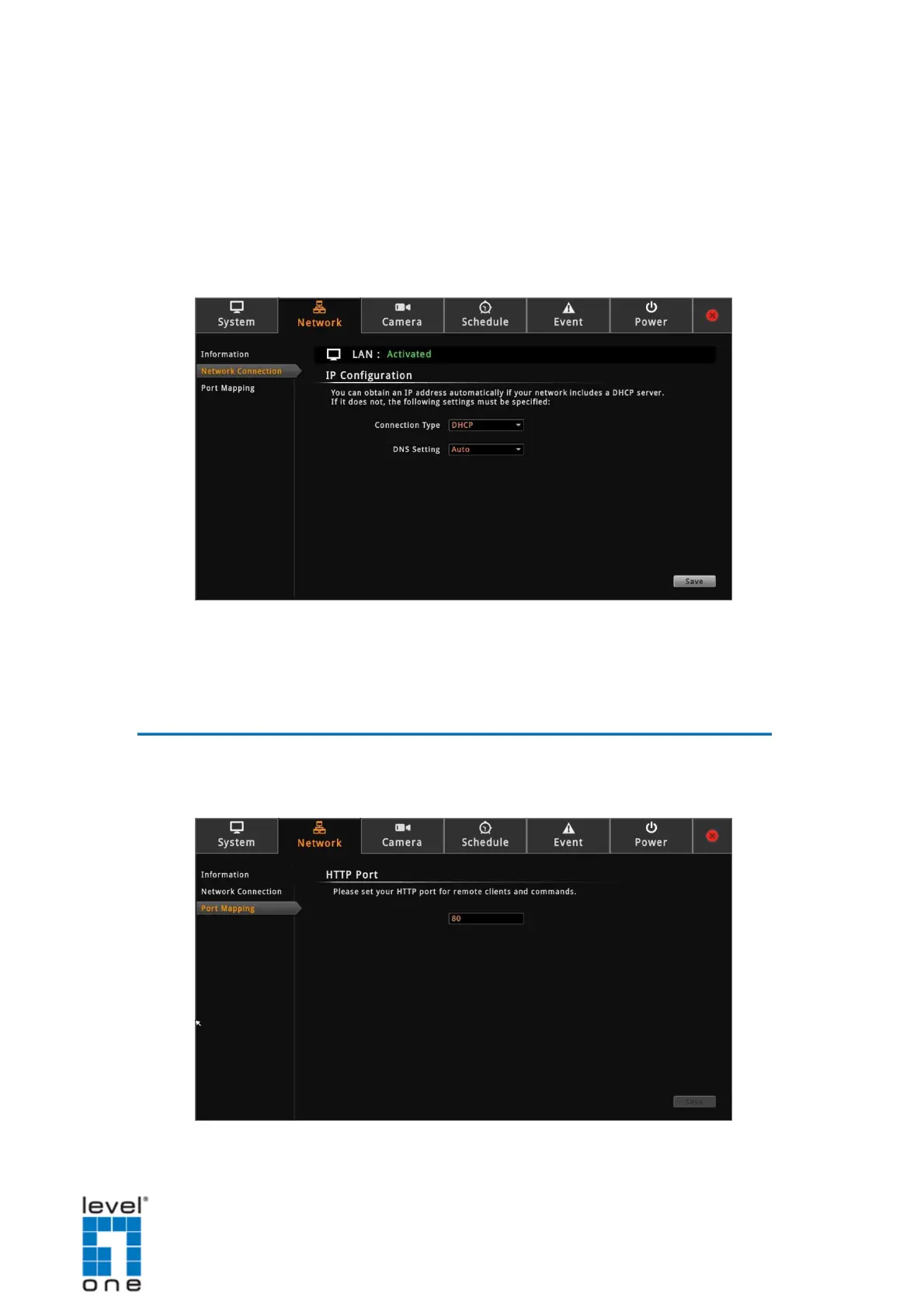
Obtaining the IP Address Automatically
If your network has a DHCP server, DSS-1000 will automatically be assigned an IP
address. However, in case DSS-1000 does not detect the DHCP connection, perform the
following procedures to obtain the IP address:
1. On the Setup screen, click Network > Network Connection.
2. On Connection Type, select DHCP.
3. Leave the default DNS Setting as Auto“” .
4. Click Save. Connection is complete when LAN showsActivated“” .
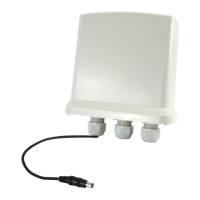
Configuring Port Mapping
By default, DSS-1000 port number is 80. To change this value, click Network > Port Mapping
on the Setup screen.
51


 To Next Page