DSS-1000 User Manual
Date and Time
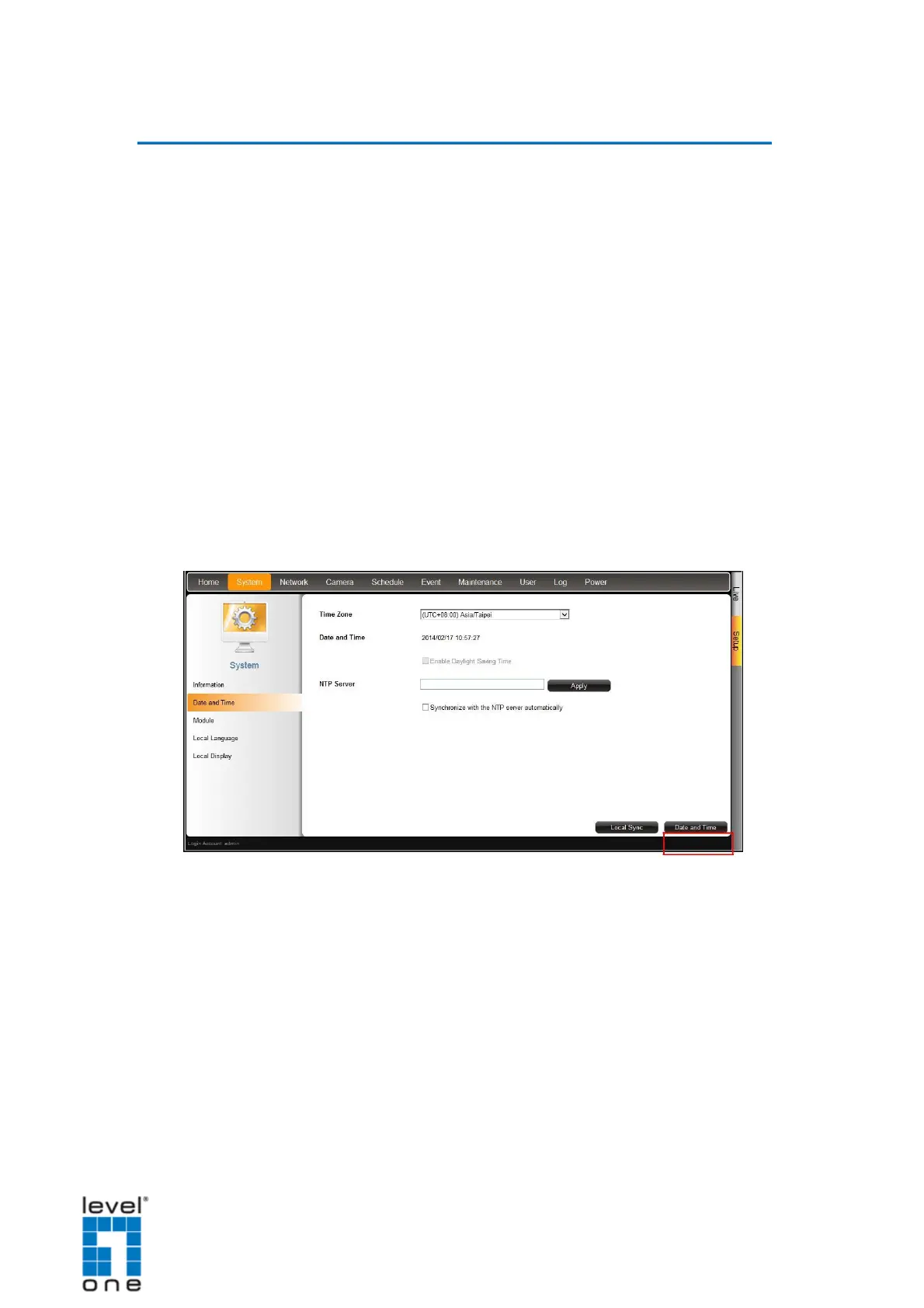
The Date and Time page allows you to manually change the system date and time or sync
with an NTP server.
Automatically Set the Date and Time
Select the time zone to automatically set the date and time.
1. On the Setup screen, click System > Date and Time.
2. On Time Zone, select the desired time zone. The system date and time
automatically changes according to the current date and time of the time zone.
3. If applicable, check the Daylight Saving box. Note that this box becomes enabled only
if the Daylight saving time can be applied to the selected time zone.
Manually Change the Date and Time
1. On the Setup screen, click System > Date and Time.
2. Click the system date and time button.
93


 To Next Page