DSS-1000 User Manual
Modifying Camera Settings
In some cases, you may need to modify the camera connection and streaming properties.
To do this, follow the procedures below:
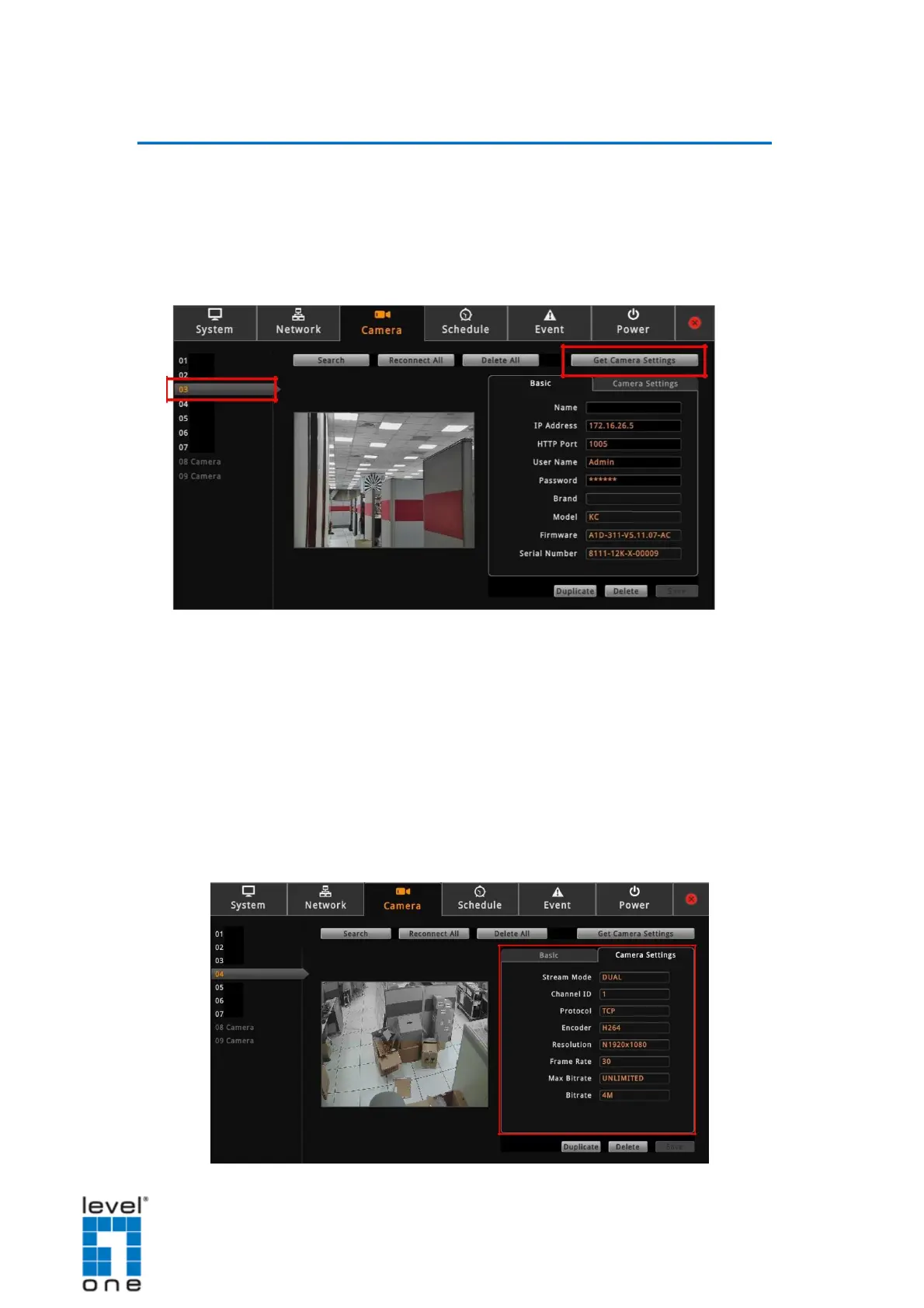
1. On the Setup screen, click Camera.
2. Select the camera from the Camera List panel.
3. Click Get Camera Settings.
4. To modify the connection properties, click the Basic tab. Modify the Name, IP Address,
HTTP Port (port used by remote IE clients), User Name and Password, as needed.
NOTE: The Name is the camera name displayed on DSS-1000. This name is not saved
or shown on the camera side. The maximum length is 32 alphanumeric characters,
symbols are not allowed. In case of a space in between the characters, DSS-1000
automatically removes that space.
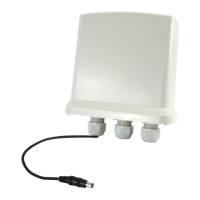
5. To modify streaming properties, click the Camera Settings tab, and modify the settings.
61


 To Next Page