DSS-1000 User Manual
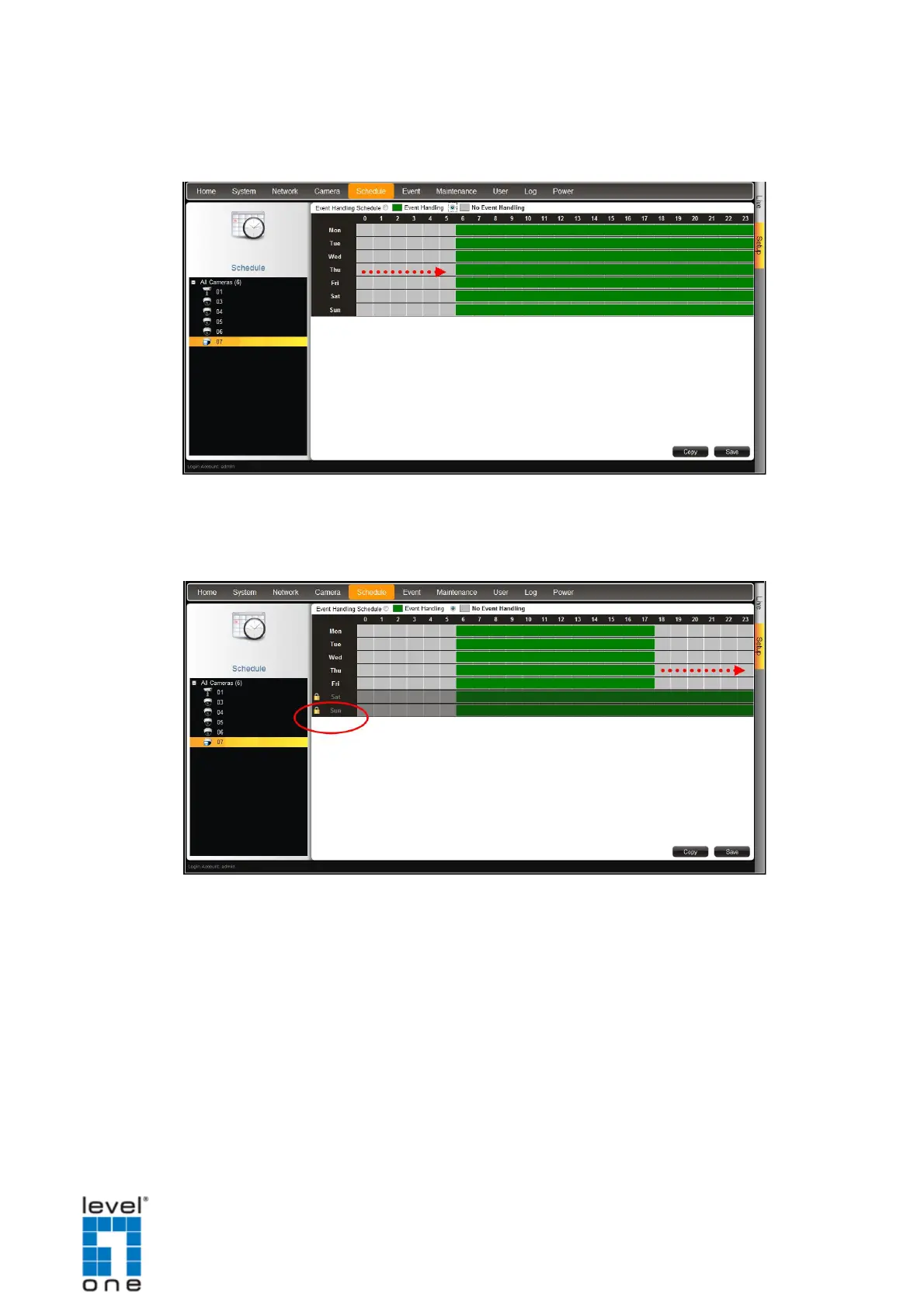
4. Drag the mouse over the time table to select the time period. By default, the
schedule affects all the days of the week.
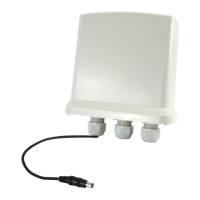
5. To exempt a particular day from time selection, click the day. A lock icon appears. In the
example below, Saturday and Sunday are locked so both days are not included in the
time selection.
6. When done, click Save.
TIP: Instead of manually modifying the event trigger on all cameras, users can copy
the schedule to other channels. See Copying Event Schedule Settings on page 123.
121


 To Next Page