DSS-1000 User Manual
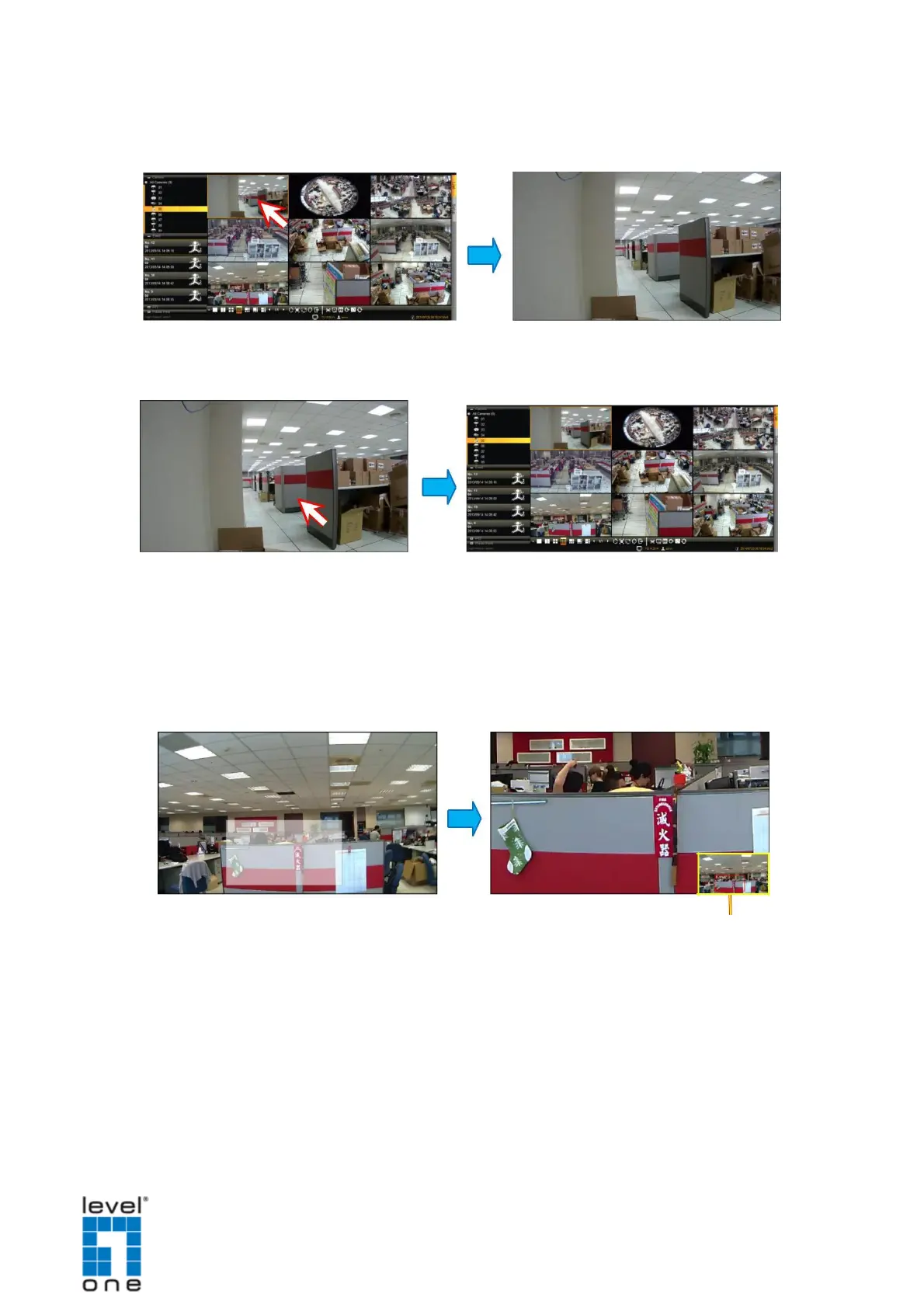
Viewing Channels in Full Screen
Double-click a channel to view the channel in full screen.
Double-click again to switch back to the previous layout.
Zooming In
With the mouse icon over the channel window, scroll the mouse wheel up or down to zoom
in or zoom out the image.
Or, to zoom in on an area, click and drag the mouse to box the area to magnify.
The red box indicates the
area that is zoomed in.
The whole camera view is shown on the lower right corner and the zoomed area is
indicated by a red box.
See also, Using Optical / Digital PTZ on page 85.
81


 To Next Page