Replacing the pick roller assembly and the separator pick roller
116
Maintenance
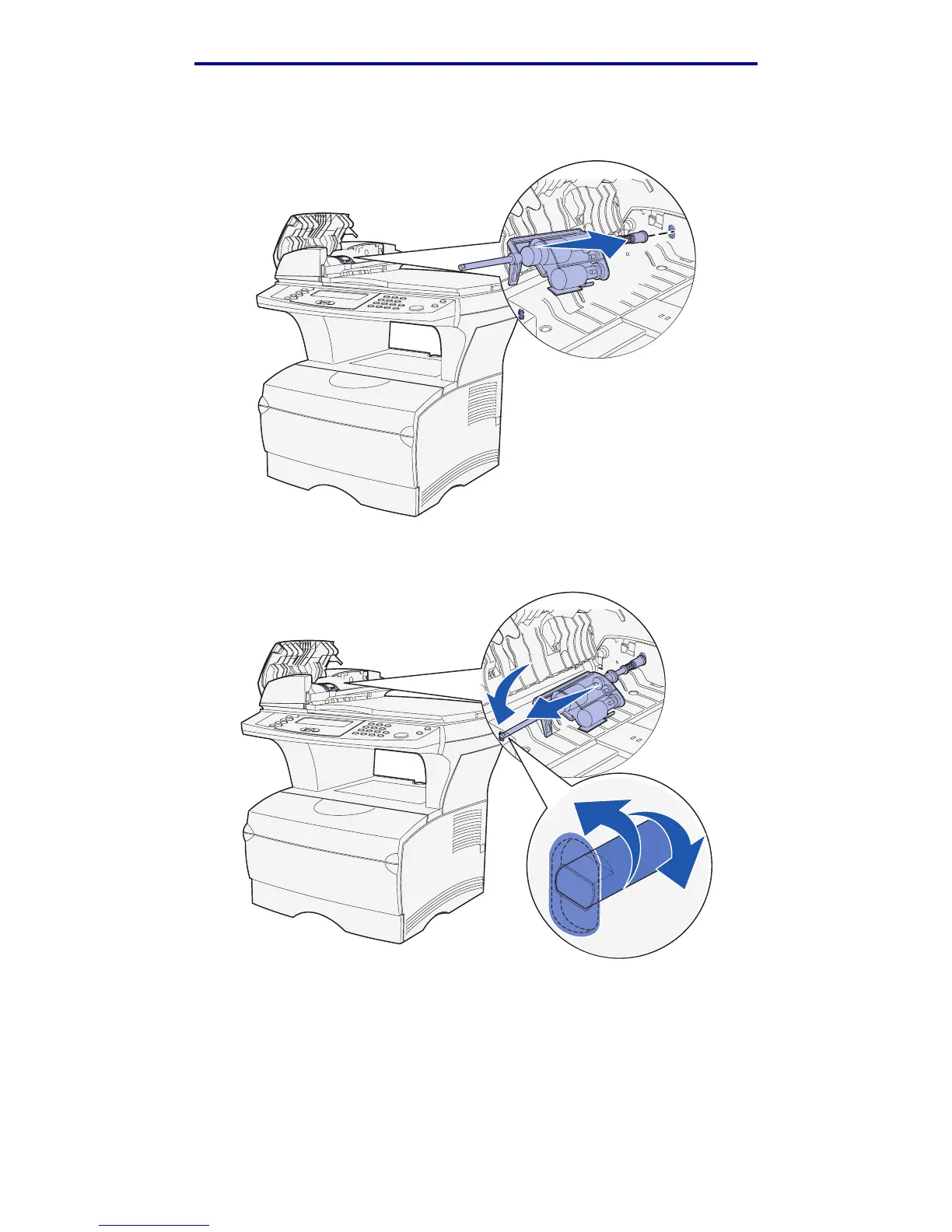
13 Grasp the pick roller assembly and install the larger end on the right side of the ADF in the
hole. Push the assembly to the right.
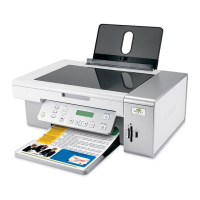
14 Align the other end of the pick roller assembly with the hole on the opposite side of the ADF
and place the end into the hole. Turn the assembly gently to make sure it is in place properly.
15 Close the top cover of the ADF.
16 Turn the MFP on.


 To Next Page