Repair information 4-143
7526
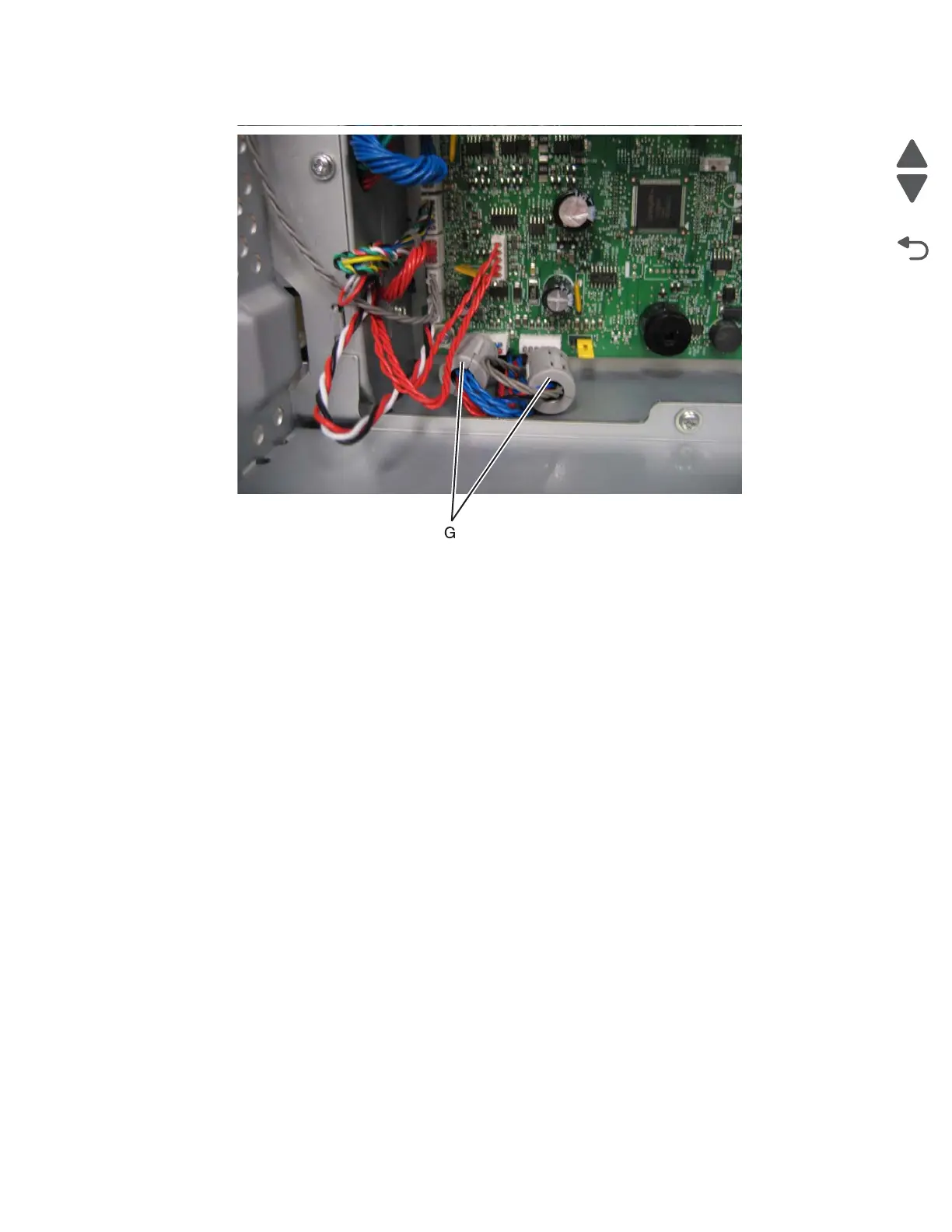
13. Reattach the toroids (G) to the cables.
14. Replace the rear frame cover.
15. Replace the waste toner assembly.
16. Replace the toner cartridges.
17. Replace the transfer module with the photoconductor units.
18. Close the front access cover.
19. Replace the paper tray.
20. Open the ADF (scanner) cover and slide the scanner lock to the open position.



 To Next Page