38 iGrowSeries 100 Installation Manual 960-0001-20
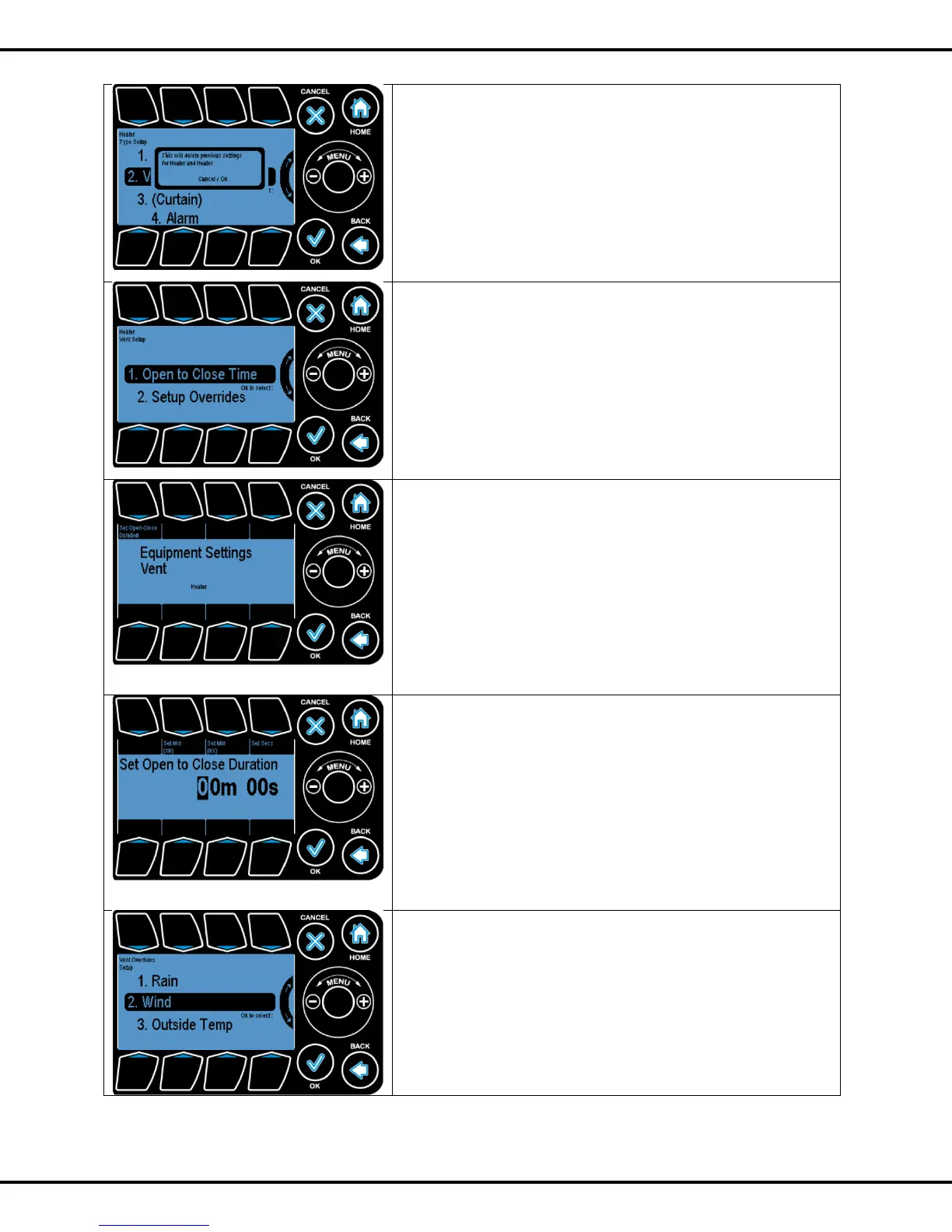
In order to change the type to some other type like, from
On/Off to Vent as shown in the figure, we get a warning popup
as shown in figure.
Vents require 2 consecutive output channels (1&2, 3&4, 5&6,
7&8). The first channel (odd numbered) must be wired to
Open vent, and the other (even numbered) to CLOSE it.
On selecting a vent the user needs to do the setup of the
following:
• Open to Close time
• Overrides
To highlight the sub options use wheel or Buttons #1 and #2
and OK to select the options
The Vent Open- Close Time is the time in minutes and
seconds that it takes for the vent to go from full closed to full
open position and vice versa.
On selecting the Set Open-Close Duration the following
screen comes up.
By pressing Button #1 user can to go Set Open/Close time
duration option.
The screen enables to set the Open- Close Duration.
Buttons (#2, #3, and #4) are used to highlight the fields and
the Wheel is used to increment and decrement the field
values.
Note: To determine the vent open/close time turn the manual
toggle switch on and use a clock or stopwatch to time the vent
as it goes from its fully closed to open position.
Navigating back to the Setup Overrides menu, you get this
screen. These overrides are important for safe and effective
vent operations. To highlight the sub options Wheel or
Buttons #1 - #3 can be used. Options can be selected by
pressing OK.
Note: The weather station or some of its core components
need to be installed to setup these overrides.



 To Next Page