LS SERIES SERVICE MANUAL
ISSUE 4.0 PROGRAM INFORMATION 5
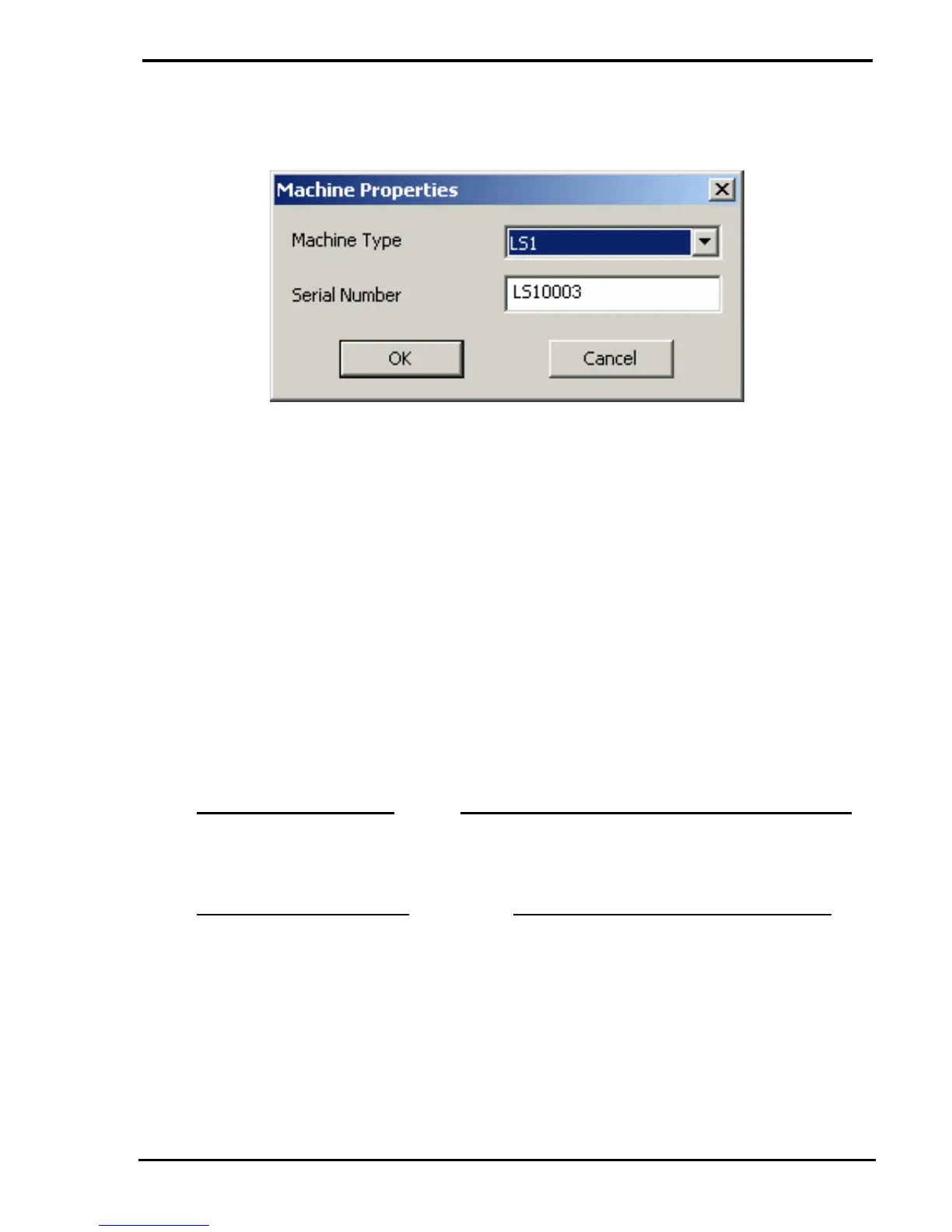
e Select "Machine Properties" then click on the OK button to display the "Machine
Properties" screen.
f Select the Machine Type using the top drop down box.
g Enter the Machine Serial Number (if incorrect) in the lower field.
h Click on the OK button to close the "Machine Properties" screen.
i Click on the OK button to close the "Engineer Options" screen.
j Right mouse click on the software console then select "Disconnect".
k Wait until the software console re-connects then right mouse click on the
software console and select "About"
l Check that the Machine Type and Serial Number are reported correctly
3.2 VERSION V1.0 - ISSUE 0
INITIAL RELEASE FOR LS1 and TA1 - June 2011
3.3 VERSION V1.0 F - ISSUE 1
INITIAL RELEASE FOR FT1 - June 2011



 To Next Page