LogTag TRIX-8/TRIX-16 Work Instruction Manual Revision 9.20 Page 17/53
1.6 Mounting in case/ swaging interface contacts rivets
Equipment Required:-
• Hydro-pneumatic riveting press
Procedure:-
1. Install contacts & PCBA into case.
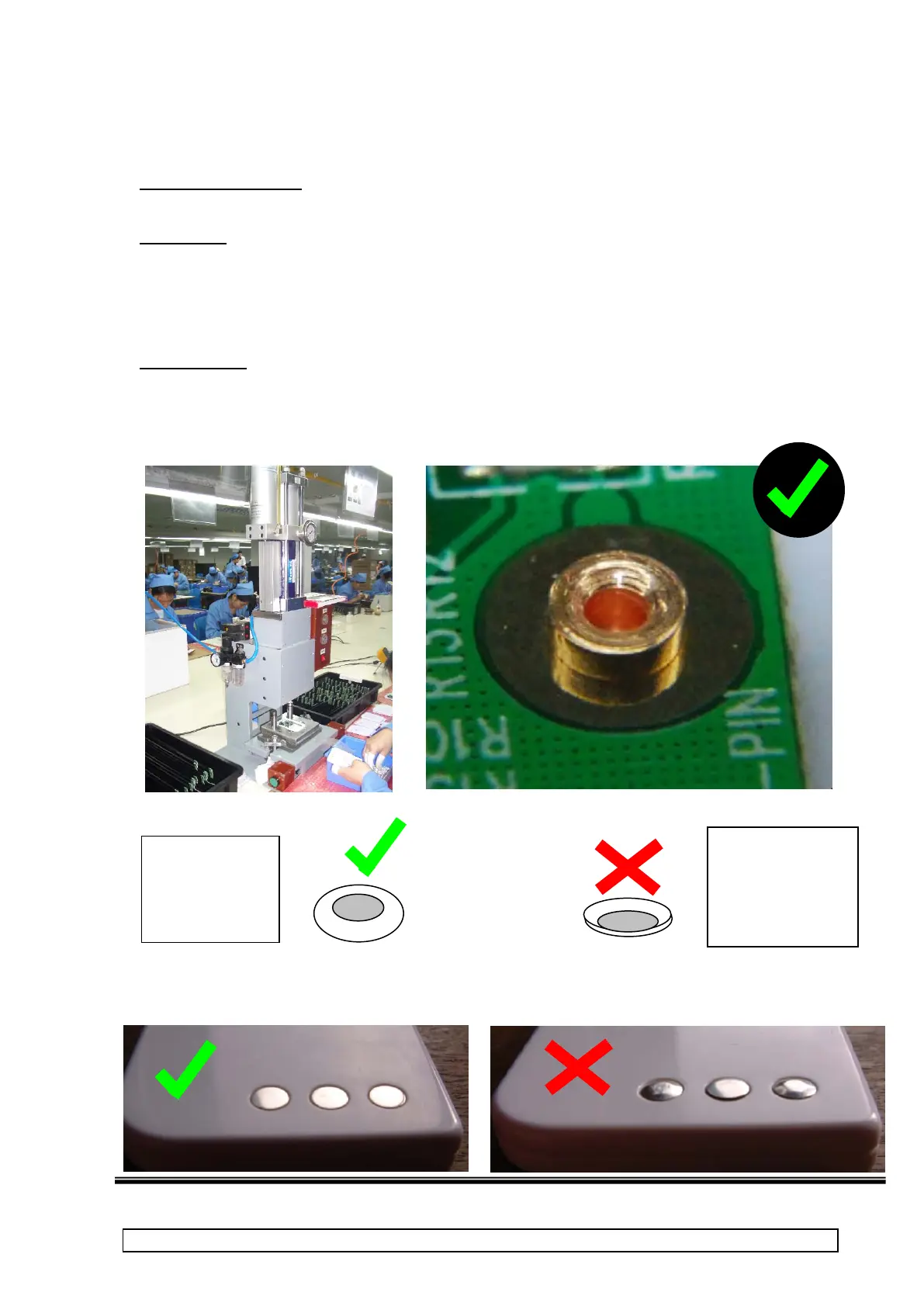
2. Place into plastic guide in riveting press and position swaging tool over middle contact to be swaged
over.
3. Operate riveting press to swage over contact end so that it retains PCB.
4. Repeat for other two contacts (if riveting press is single)
Special Notes:
• The polished aluminium base of the guide ensures that the face of the contact is not marked. (Ensure
base plate is clean at all times)
• The contacts should be placed so that they are not crooked before they are swaged into place.
• DO NOT APPLY ANY SHOCK TO PCB DURING THIS OPERATION.
On outside of case, contact faces should be flat, undistorted and flush with face of case.
swaged over
smoothly.
Electrical contact
with pad on PCB
over smoothly.
Electrical
contact with pad
on PCB is good



 To Next Page