LogTag TRIX-8/TRIX-16 Work Instruction Manual Revision 9.20 Page 16/53
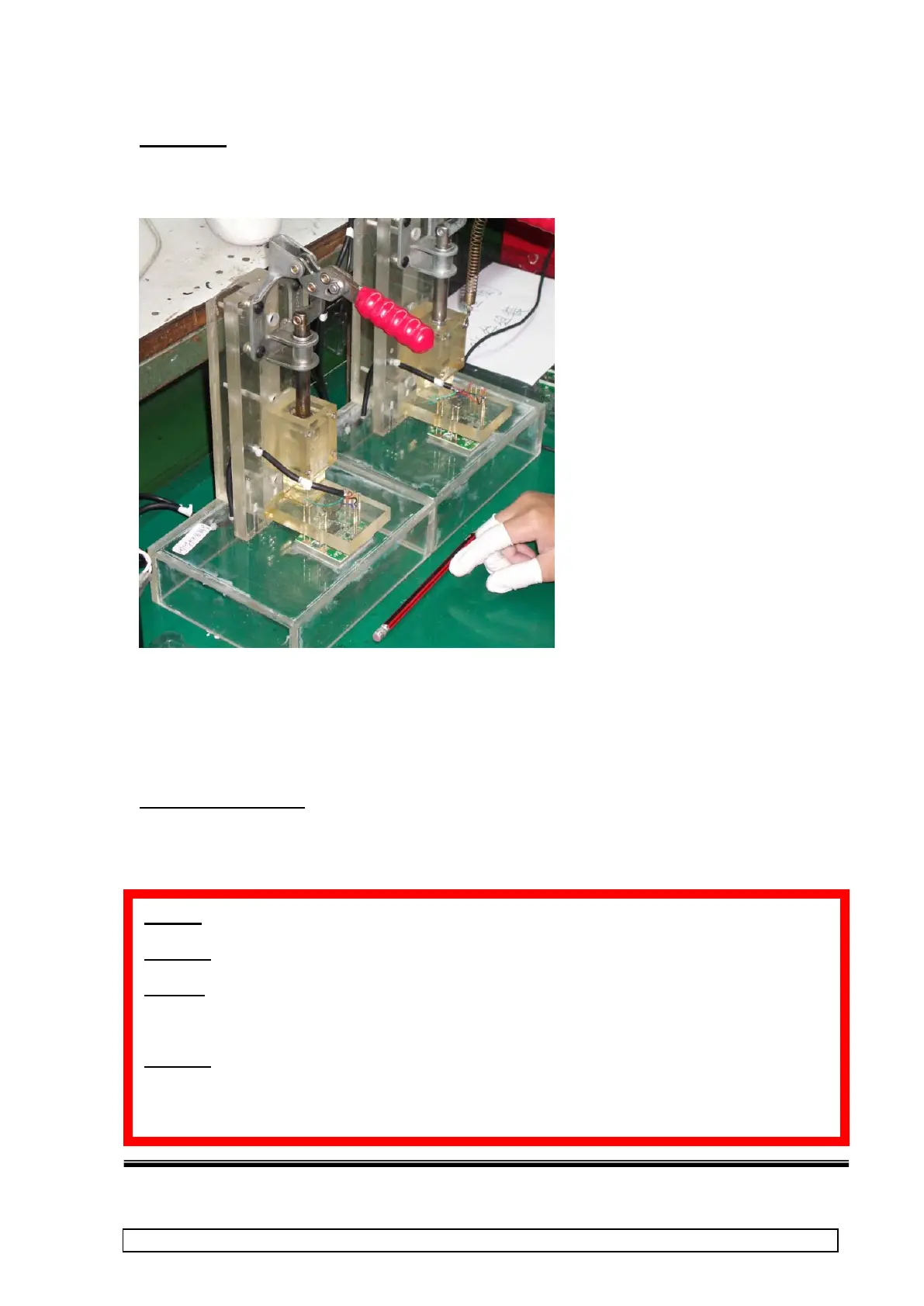
Procedure:-
1. Place PCBA into test fixture. Test should automatically run. Ensure PCBA is placed the correct way
around!
2. Test/calibrate takes approx 65~70 seconds.
3. Observe that all tests are OK (no Corrective Action window appears)
4. Remove PCBA from test fixture when prompted.
All PCBA with “OK” screen should be passed to the next stage.
CORRECTIVE ACTION
If a PCBA fails this test then attach a process fault card to PCBA and fill in details.
Place in separate marked container for service check. Rejected PCBA’s must be clearly identified and ept
apart from accepted PCBA’s
ALWAYS use the Close button to exit program
DO NOT reset or switch off computer while it is running PCBA Test otherwise production log files
may become corrupted and/or serial numbering will produce duplicate serial numbers which will
cause rejected product later in production process!!
ALWAYS Allow tests to complete for a PCBA. If the test is aborted, software closed or the PCBA
removed before a test is completed then it will not pass subsequent tests in later production
because the test software places a software QC mark in the PCBA’s memory at the end of the test.



 To Next Page