LogTag TRIX-8/TRIX-16 Work Instruction Manual Revision 9.20 Page 52/53
APPENDIX 7: SERIAL NUMBER FILE MAINTENANCE
All LogTag Recorders are programmed with a unique serial number during the PCBA test.
This unique serial number is formed from the year of manufacture, the week of the year, the unique ID of
the test fixture controller and the current index count value of the Logtag PCBA being processed.
The last serial number programmed is stored in the files denoted “SerialNum-LogTag-0x.dat” (where ‘x’ is
the test controller ID) in location “
C:\Documents and Settings\All Users\Application Data\LogTag Production” on the
test computer.
Eg:-
For Test controller ID #1 the related serial number tracking file is called SerialNum-LogTag-01.dat
For Test controller ID #2 the related serial number tracking file is called SerialNum-LogTag-02.dat
For Test controller ID #3 the related serial number tracking file is called SerialNum-LogTag-03.dat
For Test controller ID #4 the related serial number tracking file is called SerialNum-LogTag-04.dat
If the production software is stopped and restarted during production the software maintains the correct
serial number sequence by reading and writing to these files.
NOTE
If during the production run there is a need to transfer the PCBA test to a different test computer the
serial number file must also be transferred.
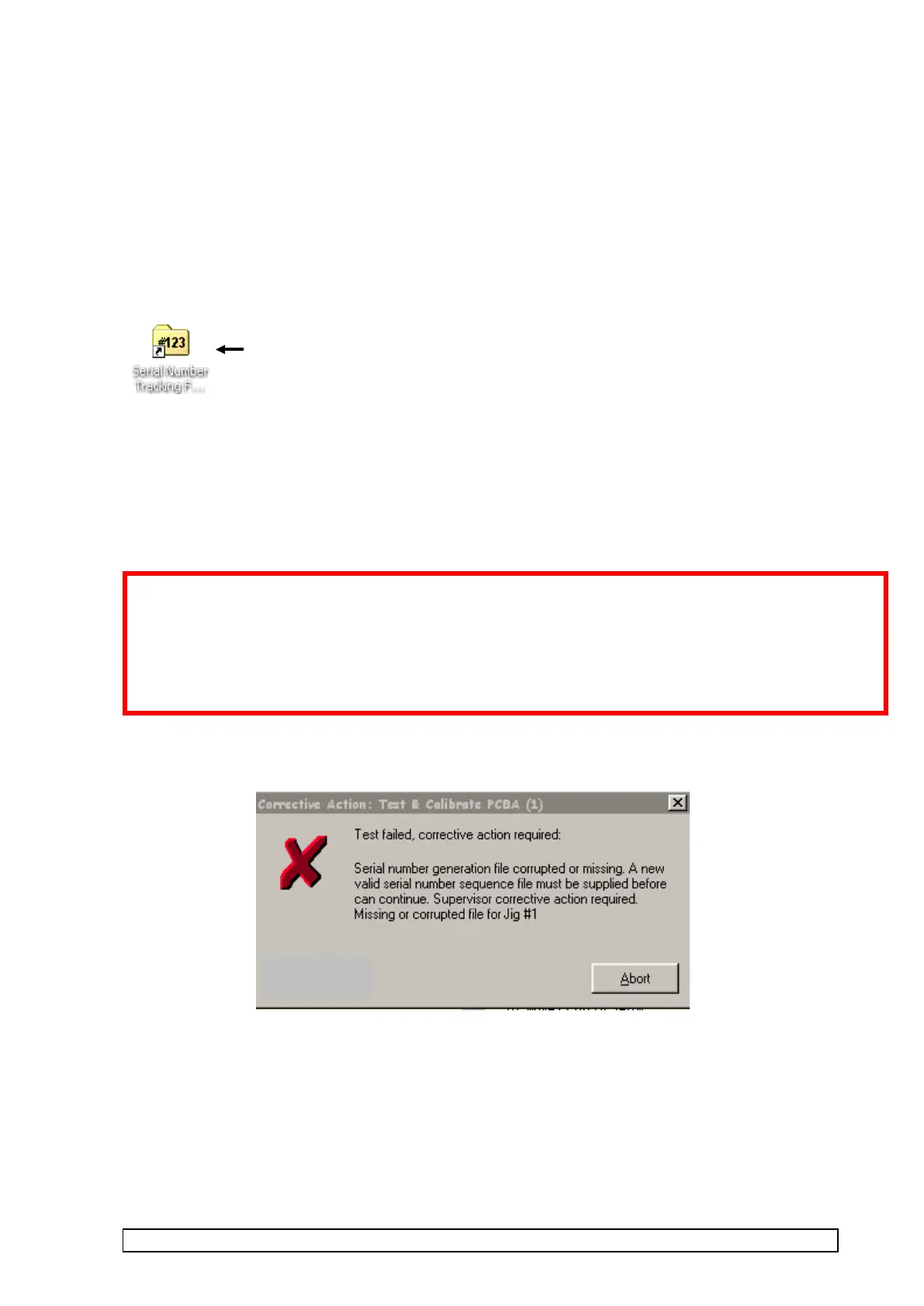
If this is not observed then the following message will be displayed on the screen when the test software is
run and an event recorded in the production data files.
If the serial number file for the given test fixture controller is not present then the following error message
will appear when the test is run:-
If the PCBA test is being transferred to another computer during a production run and the related serial
number tracking files that were present on the old computer are not transferred at the same time then the
serial number sequence is not being maintained and may cause duplication of serial numbers.
DUPLICATION OF SERIAL NUMBERS MUST NOT HAPPEN!
On a new installation of test software the serial number files must be installed.
This icon shortcut is installed on the desktop and points to the above location



 To Next Page