Page 8-46 LTV
®
1200/1150 Ventilator Service Manual p/n 18603-001, Rev. C
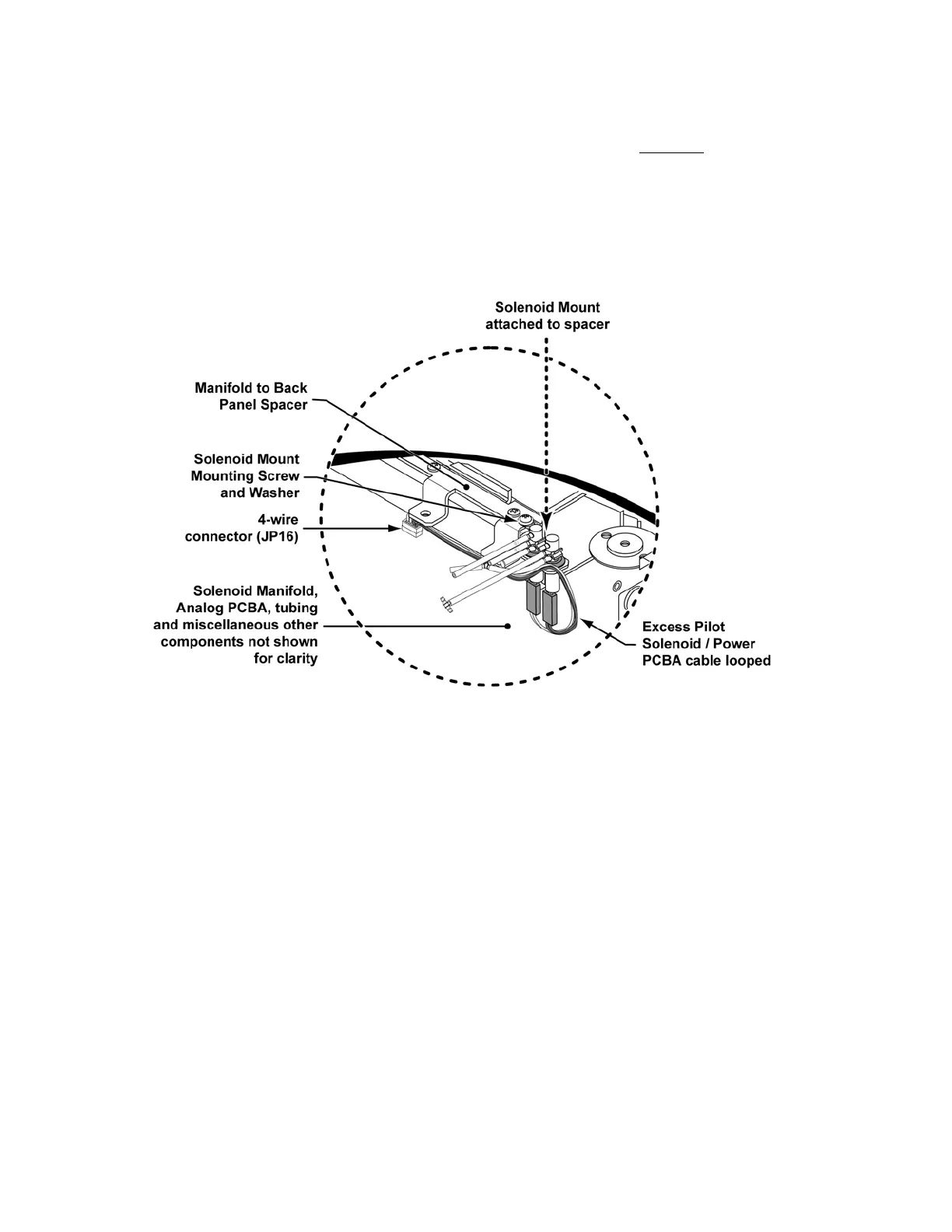
3) Align and lower the Solenoid Mount assembly into the cavity between
the Solenoid
Manifold and the Flow Valve assembly.
• as the assembly is lowered into position, loop and position the excess Pilot
Solenoid / Power PCBA cable as shown in the illustration
4) Attach the Solenoid Mount assembly to the end of the Manifold to Back Panel
Spacer using the screw (P/N 17682-103, 4-24 X 3/8” pan-head) and washer (P/N
18032-001) on the Solenoid Mount.
5) Align and hold the Solenoid Mount parallel to the Solenoid Manifold (so that it does
not touch it) and torque tighten the screw to 120 in-oz (0.84Nm).



 To Next Page