p/n 18603-001, Rev. C LTV
®
1200/1150 Ventilator Service Manual Page 8-109
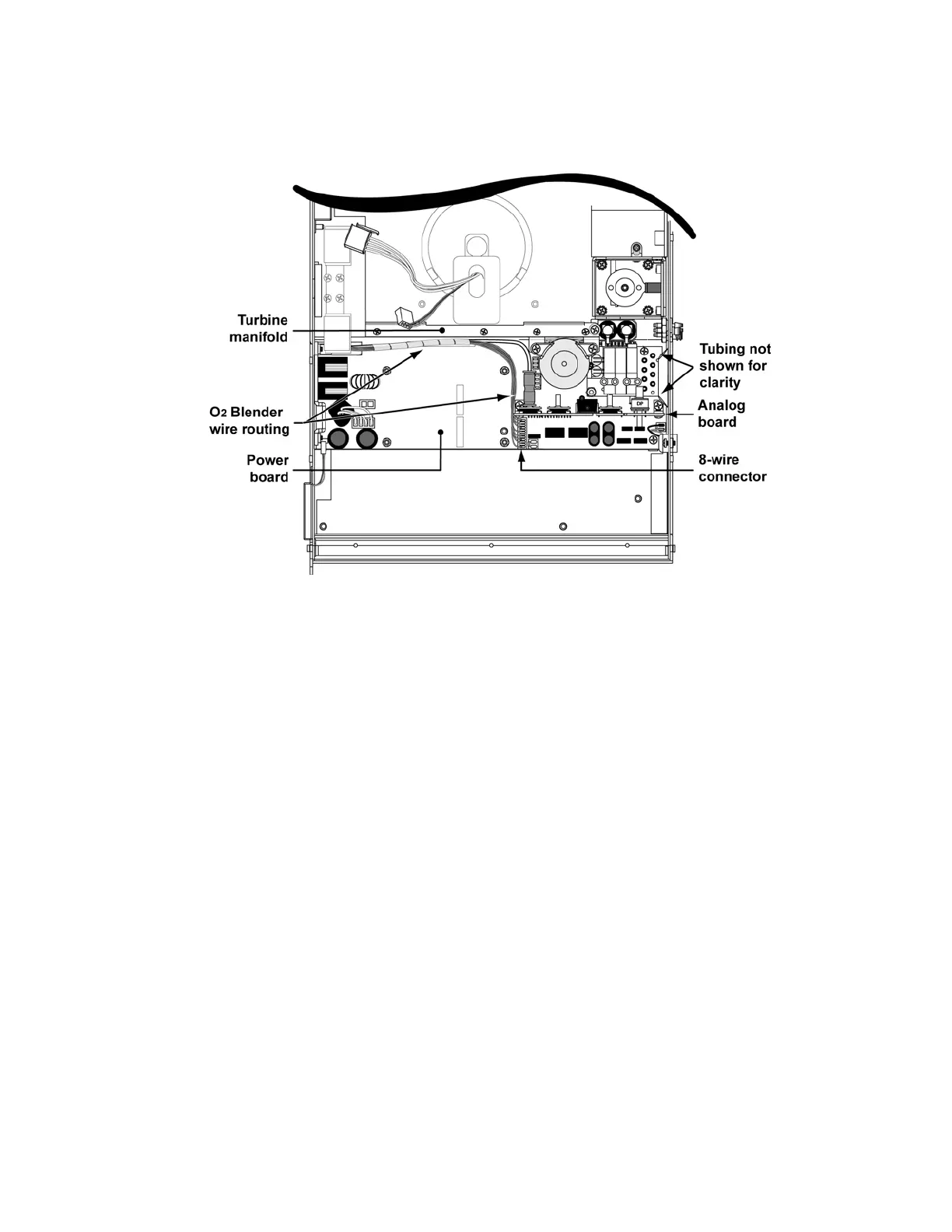
15) Reconnect the 8-wire blender connector. Tuck the wrapped wires and oxygen tube
down along the side of the turbine manifold against the power board (LTV
®
1200 only).
16) Verify the power board mating connector pins are straight and place the Motor PCBA on
the four threaded stand-offs on the power board and orientated such that the connector
pins on the power board are indexed into the matching connector holes in the Motor
PCBA.
17) Using finger pressure, press down on the Motor PCBA at the location directly above the
pins and connector for the power board.



 To Next Page