Page 8-130 LTV
®
1200/1150 Ventilator Service Manual p/n 18603-001, Rev. C
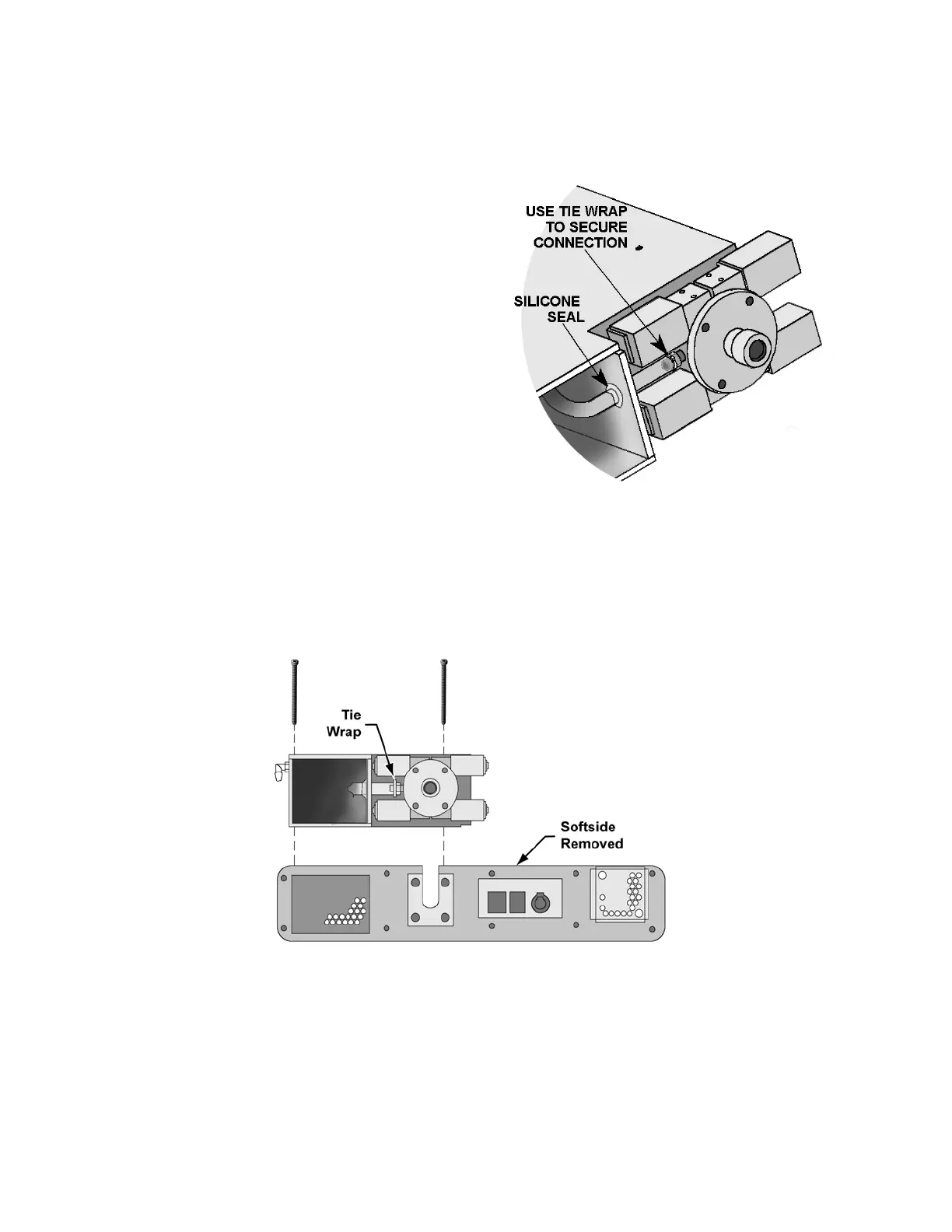
To connect the new Turbine Manifold to the Oxygen Blender or O
2
Block:
1) Handle the manifold and blender carefully so
as not to break the silicone seal around the
oxygen tube entering the manifold. If this
seal is damaged, repair with RTV silicone
adhesive.
2) Cut the cable tie around the tube connection
to the oxygen blender (LTV
®
1200) or O
2
Block (LTV
®
1150). Separate the oxygen
blender or O
2
Block and turbine manifold.
3) Make a loose loop with a cable tie and slide
it over the tube that connects the turbine
manifold to the oxygen blender (LTV
®
1200)
or O
2
Block (LTV
®
1150). Connect the tube
to the barbed fitting on the oxygen blender
or O
2
Block.
4) Using a cable tie tool, tighten the cable tie to
2 tension. The cable tie tool should trim the
tail off close to the connector.
To install the Turbine Manifold and Oxygen
Blender or O
2
Block:
1) Slide the turbine manifold and oxygen blender (LTV
®
1200) or O
2
Block (LTV
®
1150) into
place. Be sure not to catch any tubing or wiring under the manifold while it is being
installed.



 To Next Page