215620 198 Revision A
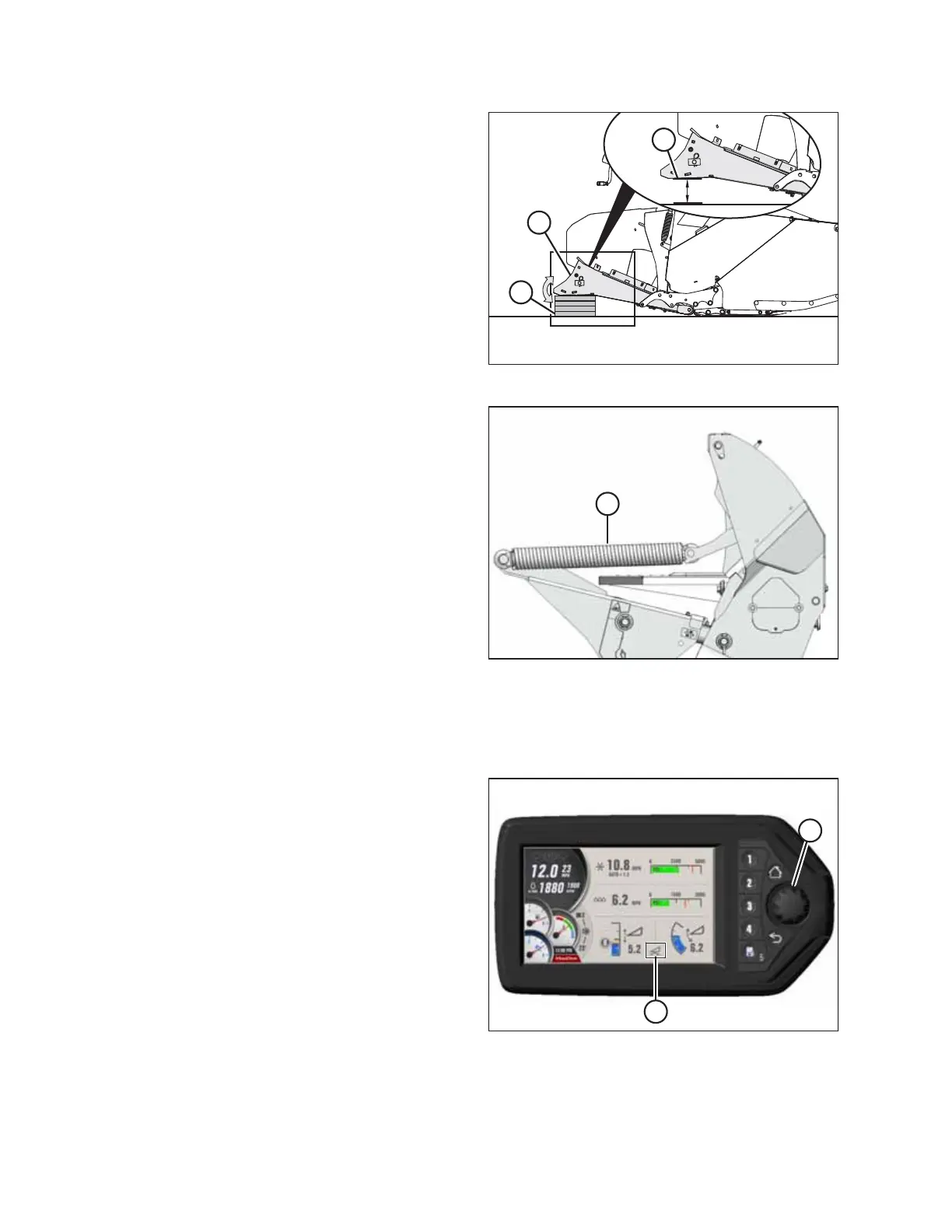
Figure 5.176: Header Support
5. Lift header support (A) and place 2 x 4 in. blocks (B) under
the header support. A total of four 2 x 4 in. blocks (B) will
be necessary to raise the boot up into the field position.
Ensure that the boot’s bottom edge (C) is parallel with the
ground.
NOTE:
Do NOT stack blocks (B) crosswise; doing so can make the
header unstable when you are attempting to connect the
header and the windrower. Stack blocks (B) so that they are
aligned with each other.
6. Repeat Step 5, page 198 on the opposite side of the header.
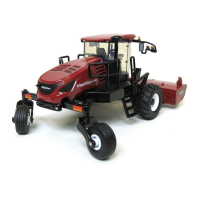
Figure 5.177: Header Float Springs
7. If you are lowering the header lift legs WITH a header or
weight box attached to the windrower, proceed to Step
11, page 199.
If you are lowering the header lift legs WITHOUT a header
or weight box attached to the windrower, fully release the
tension in header float springs (A):
• If prompted by the Harvest Performance Tracker (HPT)
to remove the float, then remove the float and proceed
to Step 11, page 199.
• If not prompted by the HPT to remove the float, then
proceed to Step 8, page 198 to remove the float
manually.
IMPORTANT:
When lowering the header lift legs without a header or
weight box attached to the windrower, ensure that the
tension on the float springs is fully released. This will
prevent damage to the header lift linkages.
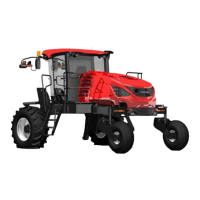
Figure 5.178: HPT Display
8. Press rotary scroll knob (A) on the to highlight the
QuickMenu options.
9. Rotate scroll knob (A) to highlight HEADER FLOAT
symbol (B), and press the scroll knob to select it. The Float
Adjust page appears.
ATTACHING A HEADER TO THE WINDROWER


 To Next Page