215620 66 Revision A
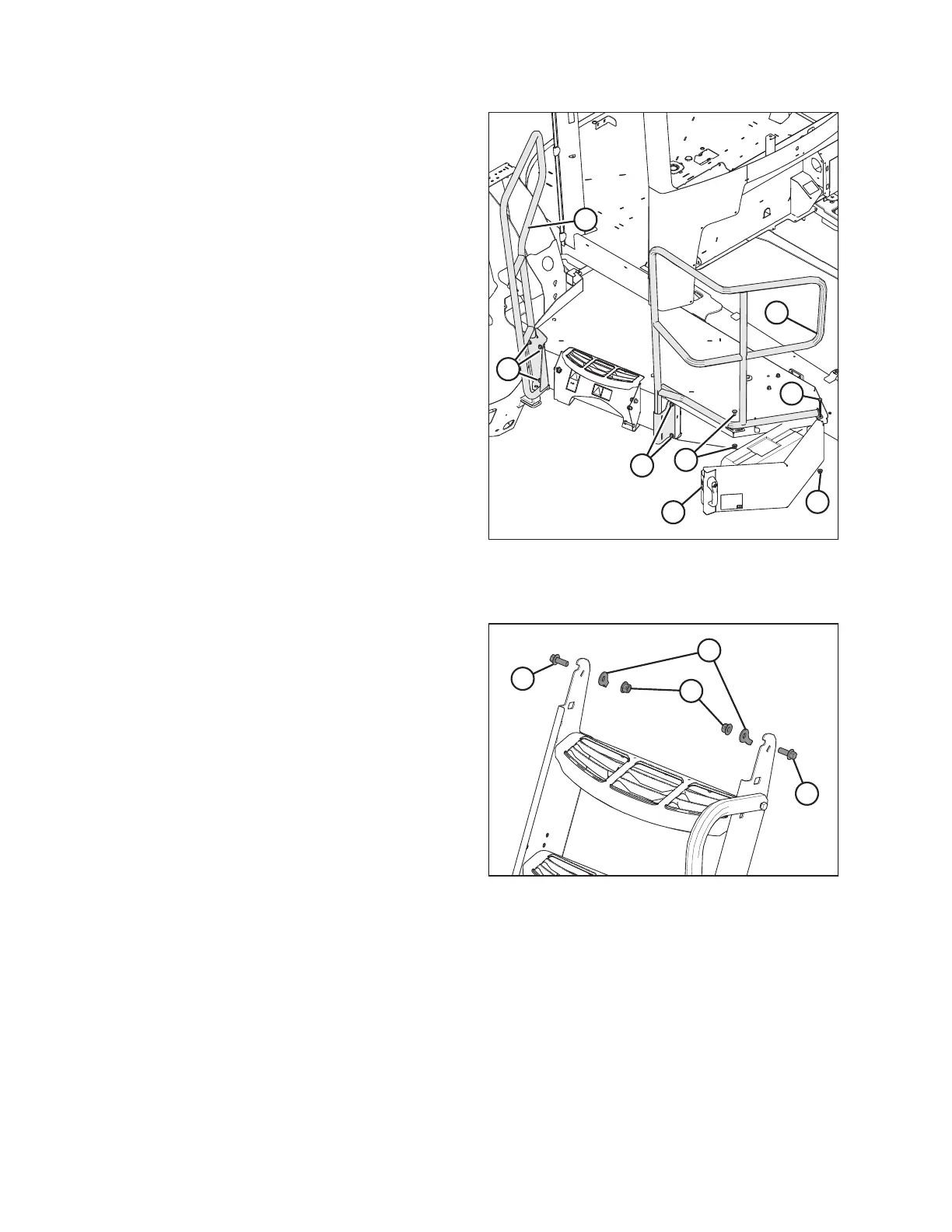
Figure 3.49: Installing Handrails
16. Set rear handrail (A) on platform and secure it as follows:
a. Install existing long hinge bolt (B) with nut.
b. Install two bolts (C) into the side platform. Torque bolts
to 95 Nm (70 lbf·ft).
c. Open toolbox tray (D) and install existing bolt and
nut (E) with the bolt head on top of the platform.
17. Set front handrail (F) on platform and secure it with three
existing bolts (G). Torque bolts to 95 Nm (70 lbf·ft).
Installing left platform steps
Figure 3.50: Left Platform Steps
18. Remove two nuts (A), lock clips (B), and bolts (C) from
the step.
ASSEMBLING WINDROWER



 To Next Page