215620 86 Revision A
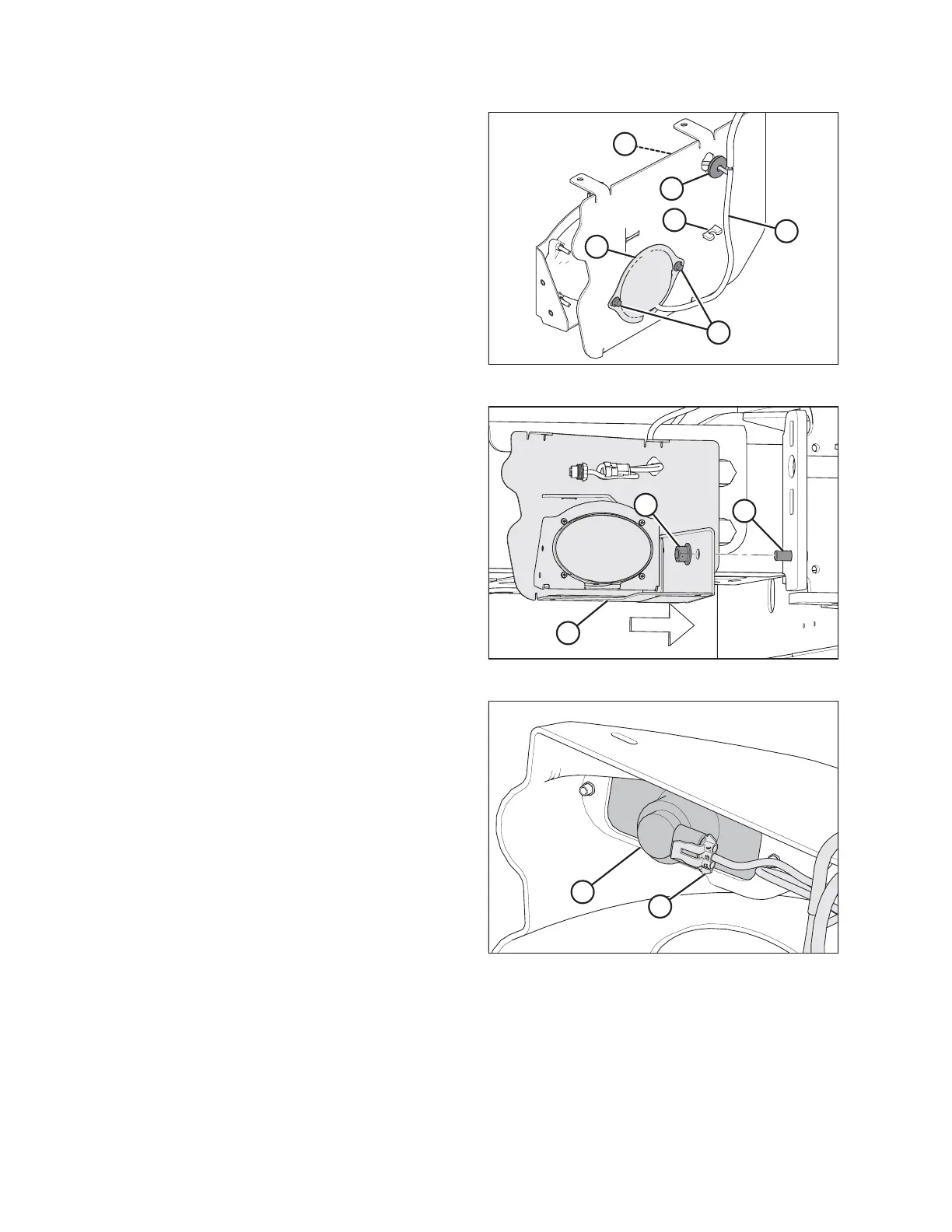
Figure 3.90: Right Light Support
5. Install seal (A) onto tail/brake light harness (B) and feed the
harness through the access hole. Seat the seal into the
access hole. Make the following electrical connections:
• Harness P210 to the right tail/brake light
• Harness P215 to the left tail/brake light
6. Replace cover (C) and secure it with bolts (D).
7. Press headlight harness (E) into clip (F) on the light support.
8. Repeat on opposite side.
Figure 3.91: Left Light Support
9. Mount light support (A) to stud (B) on rear pivot support
with existing nut (C). Repeat on opposite side.
Figure 3.92: Right Tail/Brake Light
10. Plug tail/brake light harnesses (A) into lights (B) on bezel
assembly.
ASSEMBLING WINDROWER



 To Next Page