Data handling – used to “kill” (discard) data from specified detectors.
Spray profile – lets the user define the path length of the laser beam
through the spray, providing a more accurate measure of the spray
concentration. Advanced options allows users to specify the spray plume
geometry, improving the accuracy of data analysis.
Specify any required parameters and click Next.
.
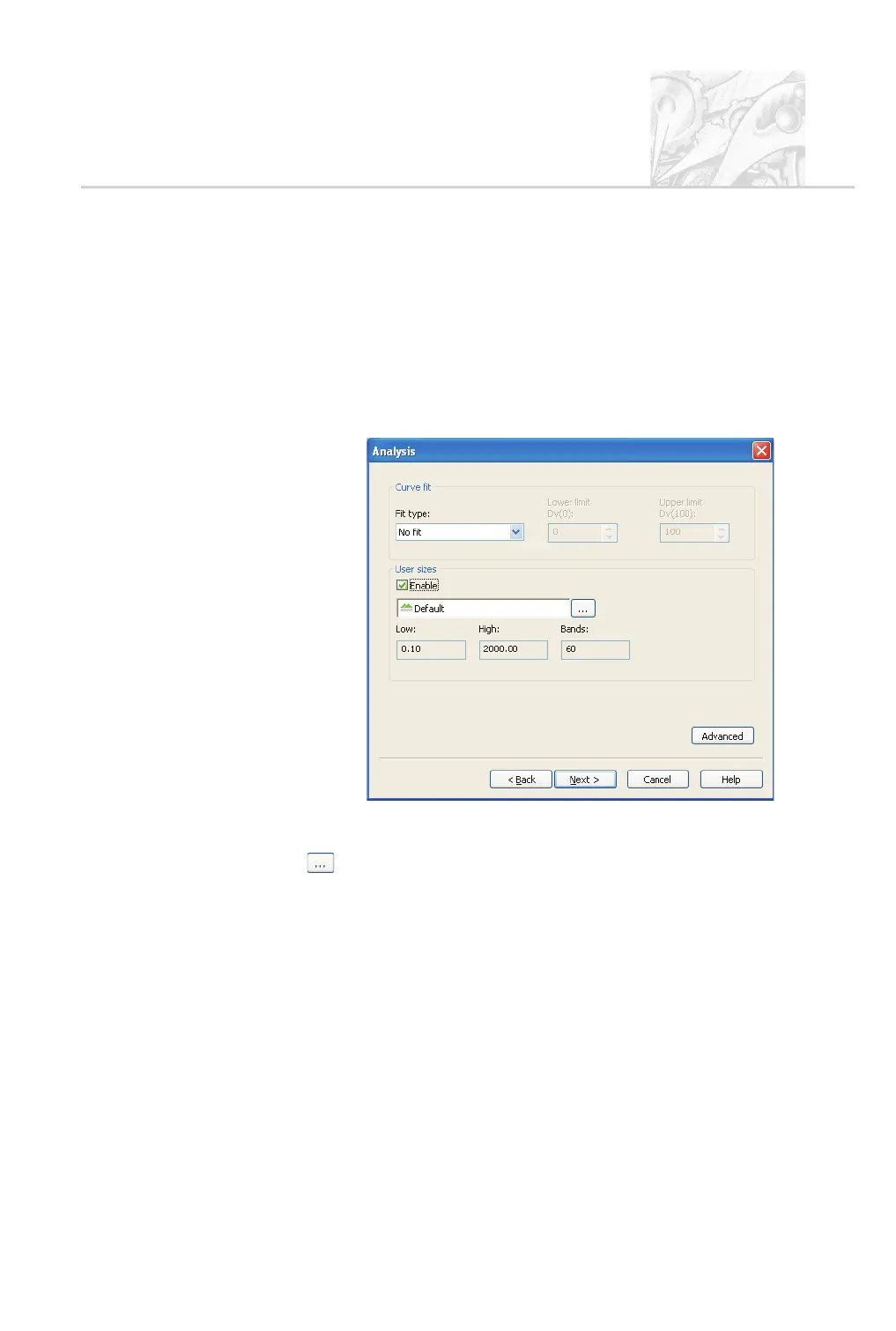
The second Analysis dialogue appears, as shown below. Only change the
Curve fit from No fit if the Rosin-Rammler or Log-Normal size distribu
-
tion models are to be used to interpret the recorded size distributions.
User size bands control the way data is aggregated; Chapter 6 has details.
To use a different set of bands, select the Enable check box and click the
button; Chapter 6 details the procedure.
.
If required to exclude small or large particles from the analysis, click the
Advanced button. Use the Minimum (µm) and Maximum (µm) pa
-
rameters to specify the lower and upper size limits. Click OK to return to
the Analysis dialogue.
.
Click Next.IntheDerived parameters dialogue shown below specify
the parameters which are relevant to the measurement. To remove each
parameter which is not needed, select it and click the Delete button. Next
use the Add and Modify buttons to set up the list. The online help shows
how to configure each type of parameter; Chapter 10 gives technical details
on how each is calculated.
CHAPTER 5
Spraytec Page 5.11



 To Next Page