Externally-triggered spray SOP
This section describes how to use the SOP wizard to create an SOP for use with
an externally-triggered spray, for example a fuel spray.
.
In the Welcome dialogue select the Default rapid template and click
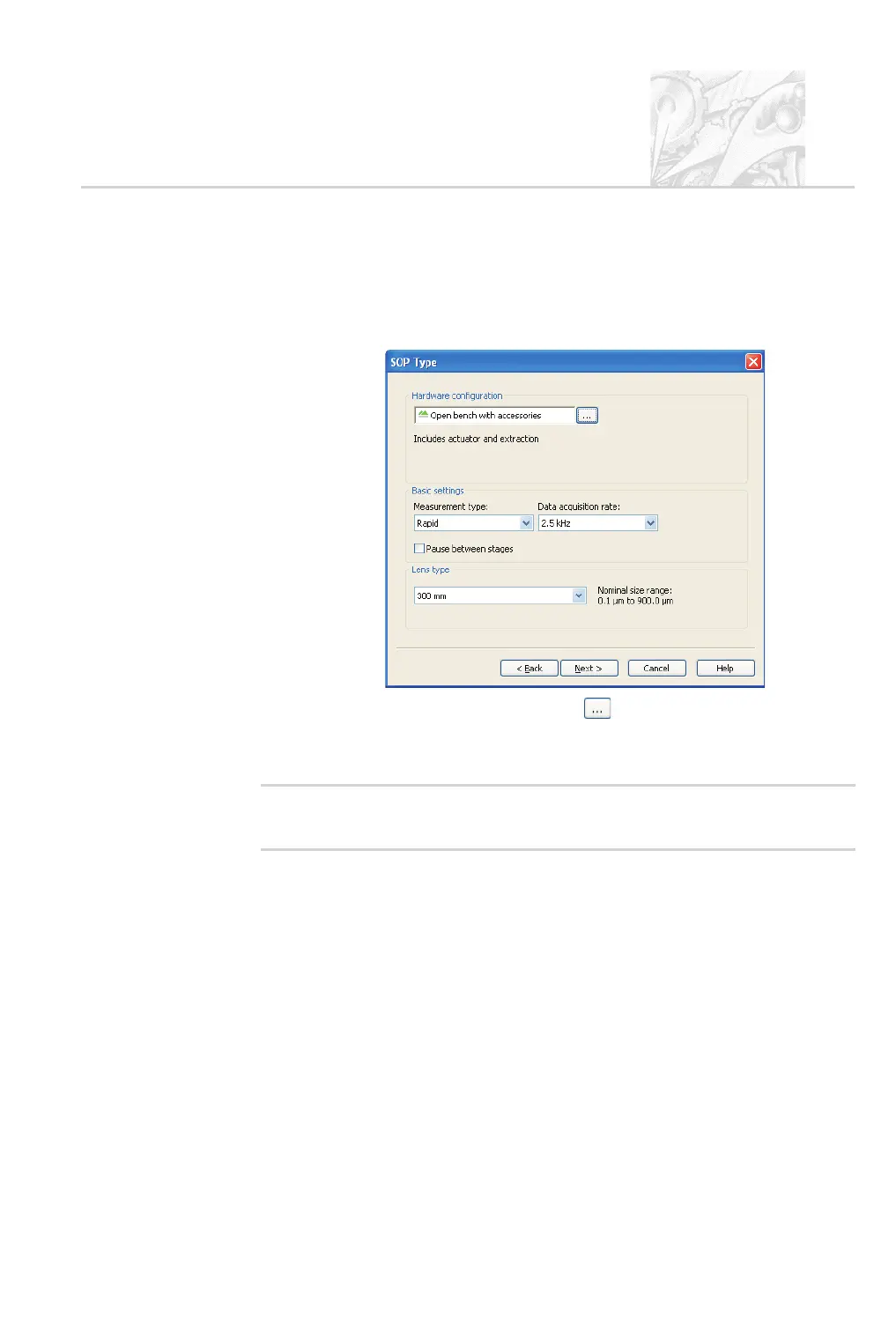
Next. The SOP Type dialogue is displayed:
Click the Hardware configuration button and select Open bench
with accessories. Keep the Basic settings measurement type Rapid and
the maximum Data acquisition rate (2.5 kHz). Click Next.
'
Note
.
The Lens type can only be changed on dual lens systems. Change to
the appropriate lens if required(also see Chapter 8).
.
In the Labels dialogue specify any required information on the spray, its
source and lot, etc. to allow the spray to be traced in the future. If required,
the operator can change/add to these when they run the test. Click Next.
.
In the Instructions dialogue type any instructions for operators to follow
at the SOP start or end. For either, select the relevant check box and type in
the instruction text below it. These instructions will pop up on the screen
when an operator runs the SOP. Click Next.
.
In the Actuator dialogue select the actuator to use from those listed. A set
of parameters for the actuator appears; set these according to the manufac
-
turer’s documentation.
CHAPTER 5
Spraytec Page 5.23



 To Next Page