Data handling – used to “kill” (discard) data from specified detectors.
Spray profile – lets the user define the path length of the laser beam
through the spray, providing a more accurate measure of the spray
concentration. Advanced options allows users to specify the spray plume
geometry, improving the accuracy of data analysis.
Specify any required parameters and click Next.
.
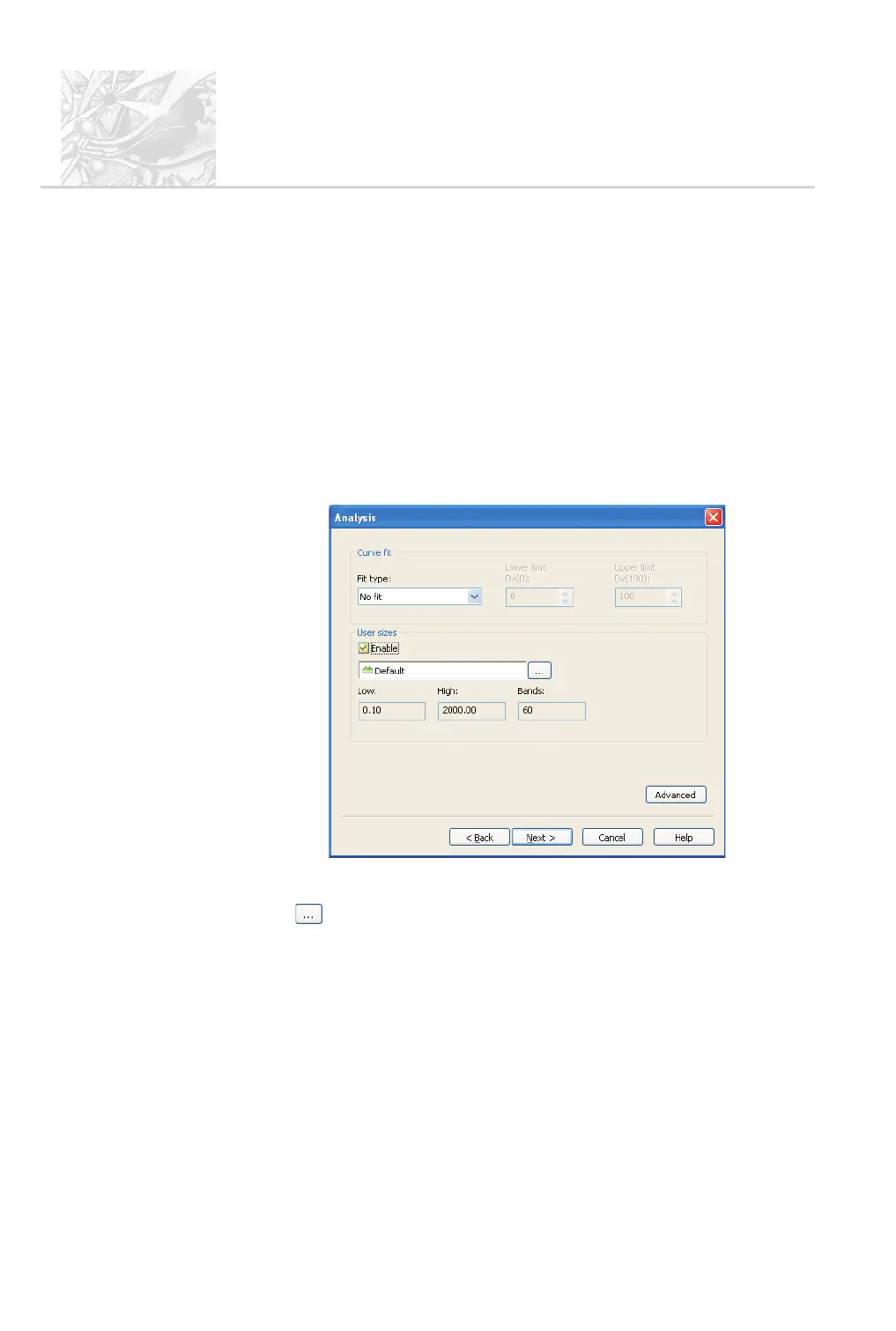
The second Analysis dialogue appears, as shown below. Only change the
Curve fit from No fit if the Rosin-Rammler or Log-Normal size distribu
-
tion models are to be used to interpret the recorded size distributions.
Chapter 10 has more information on this.
.
In the second Analysis dialogue, shown below, leave the Curve fit as No
fit.
.
User size bands control the way data is aggregated; Chapter 6 has details.
To use a different set of size bands, select the Enable check box and click
the button; Chapter 6 details the procedure.
.
If required to exclude small or large particles from the analysis, click the
Advanced button. Use the Minimum (µm) and Maximum (µm) pa
-
rameters to specify the lower and upper size limits. Click OK to return to
the Analysis dialogue.
.
Click Next. Use the Derived parameters dialogue to specify which pa
-
rameters are relevant to the measurement. Use the Delete button to re
-
move any parameters which are not needed, then the Add and Modify
buttons to set up the list.
CHAPTER 5
Spraytec
Page 5.26 MAN 0368



 To Next Page