.
Specify an external trigger with positive slope and high impedance. This
trigger can be grouped. To set this up, click the Advanced button to open
the Advanced settings dialogue. In the Group data by: list select Exter
-
nal trigger. Click Next.
.
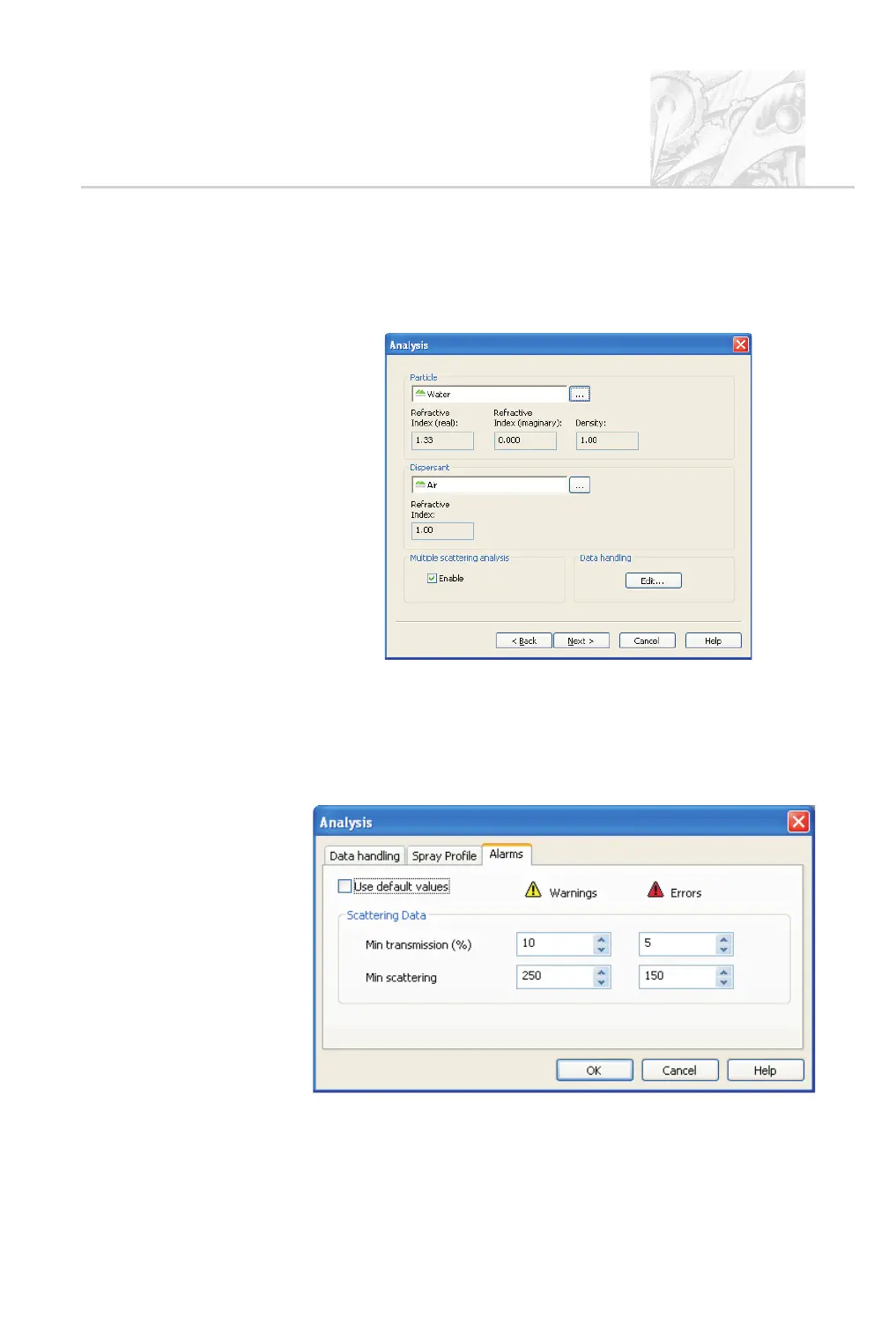
The first Analysis dialogue appears, as shown below:
.
Select water as the particle and air as the dispersant. Enable Multiple Scat-
tering Analysis, especially if testing a high concentration spray.
.
The Data Handling options allow for refining the measurement further
and are detailed in Chapter 6 and in the online help. There are three tabs:
Alarms – configures the system to log a warning or error if transmission or
scattering fall to specified levels:
CHAPTER 5
Spraytec Page 5.25



 To Next Page