32 Chapter 2: Connecting and configuring external peripherals to the unit
VGA display monitor
Connecting your
monitor
To connect to a VGA monitor:
1. Connect the monitor to the VGA output connector on the
Matrox 4Sight. If your monitor has a DB-15 connector, use
a standard DB-15 to DB-15 cable. If your monitor has
5 BNC-type connectors, use a standard DB-15 to 5-BNC
cable. To connect your monitor with a DB-15 to 5BNC,
please see steps 2 and 3. These cables are usually supplied
with your monitor.
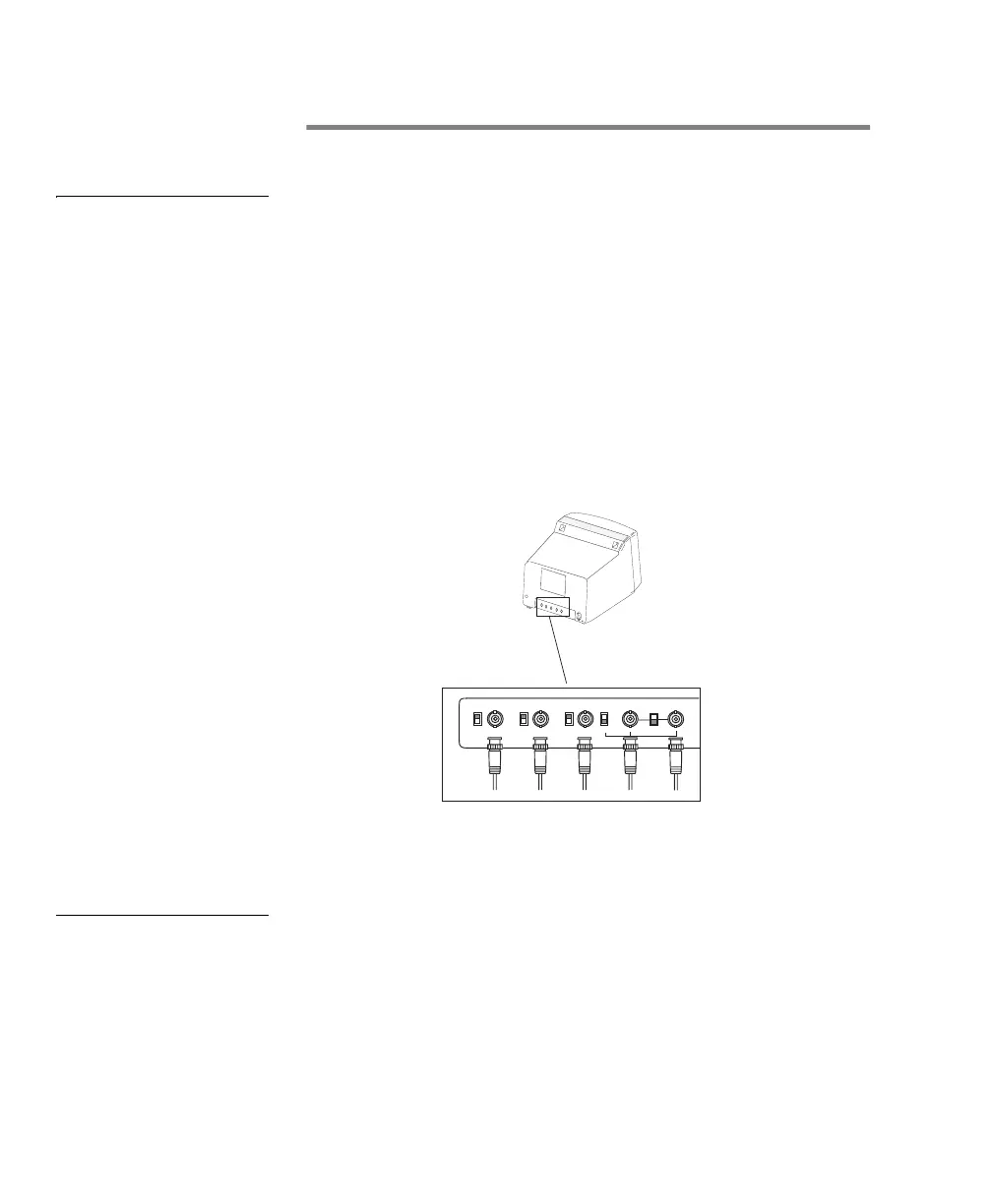
2. If your monitor has input impedance switches, set the
switches for the red, green, and blue inputs to 75 ohms, as
shown in the illustration below.
3. Set the switches for the synchronization inputs according
to your monitor’s manual. In most cases, these switches
should be set to high impedance and external sync mode.
Configuring your
display monitor
Under Windows NT Embedded, you can set your display mode
using the NTConfig utility. To do so, click on the ‘Display
Settings...’ button in the main NTConfig dialog box and choose
the appropriate display mode.
G
R
B
HSYNC
VSYNC
(BNC)
(BNC) (BNC)
(BNC)
(BNC)
INT
EXT
75757575
RED BLUE
GREEN
WHITE
or
GRAY
BLACK



 To Next Page