Connecting IDE devices 77
Connecting IDE devices
You can connect to any IDE device (such as a hard drive or
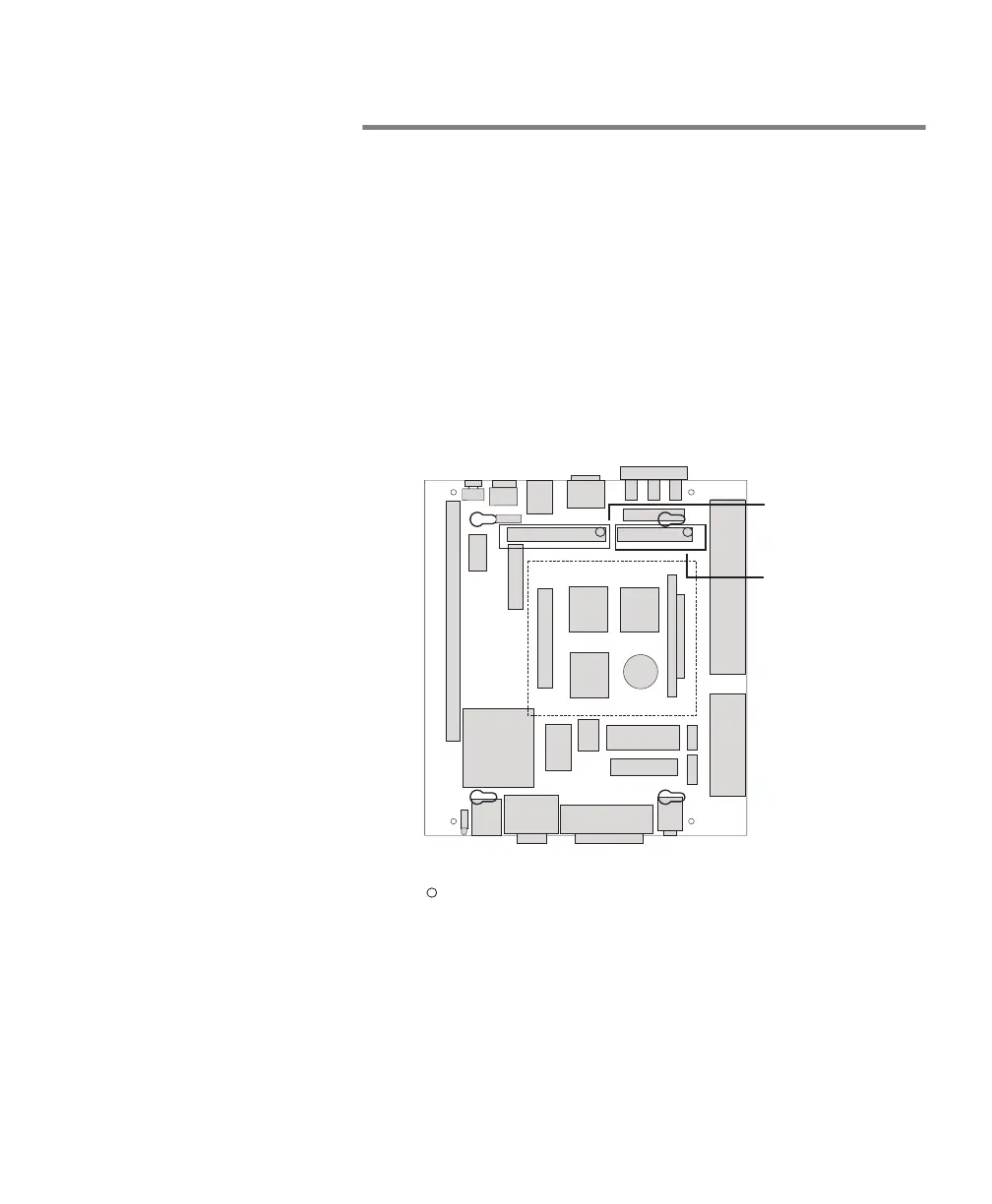
CD-ROM drive) through the IDE interface connector. You will
have to attach a 40-pin flat ribbon cable between the IDE
interface on the Matrox 4Sight motherboard (as indicated in
the following diagram) and the IDE device. You will also have
to attach a power cable to the power input connector on your
IDE device. Note that a few hard drives and CD drives require
more power than can be supplied by the 4-pin power plug on
the Matrox 4Sight motherboard. In this case, use an external
power source for your drive.
You can connect up to two IDE devices using a flat ribbon cable
that has three connectors. In this case, one of the devices must
be operated in master mode and the other in slave mode;
keeping in mind that there is no performance difference
between master or slave. These modes are selected through
jumpers on the IDE devices; for more information, refer to your
device’s documentation.
Back Panel
Front Panel
IDE interface
connector
ATA interface
connector
1
1
1
= Pin 1



 To Next Page