Comet Executive Gas Repair
7-21
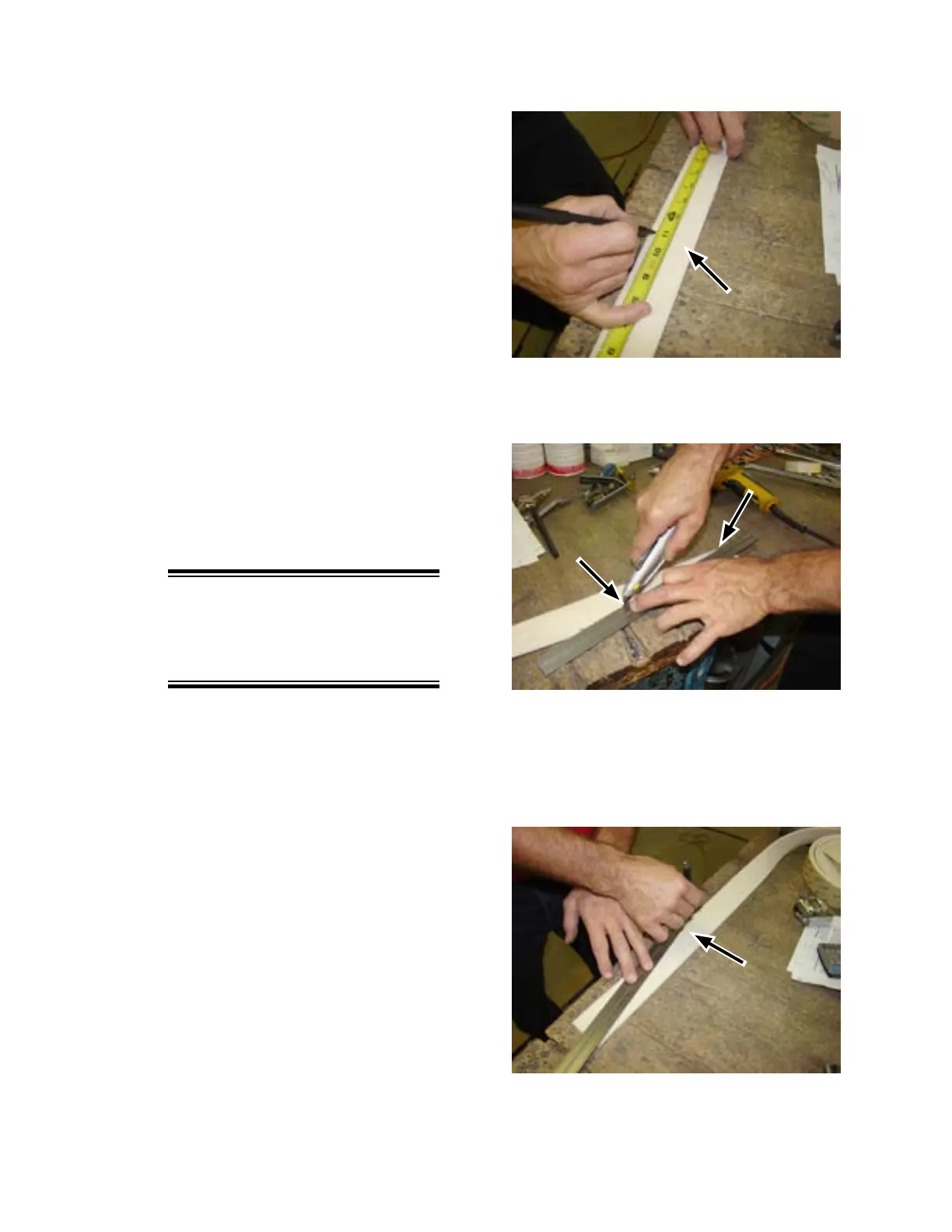
Figure 7-18: Make sure to trim to the specied
length.
Figure 7-19: Use a straight edge to mark the line
for cutting.
Figure 7-20: Make sure to trim from the bottom to
the upper right corner.
13. Remove the protective covering and clean
up the work area as necessary.
14. Prepare the new cover material for instal-
lation:
a) Place the cover material on a work
table and roll out a short section. The
end should be to your right.
b) Measure in 11” from the end and make
a mark on the bottom edge (Figure
7-18).
c) Use a straight edge to draw a line from
the upper right corner to the mark
(Figure 7-19).
d) Use a sharp utility knife or strong scis-
sors to cut along the line (Figure 7-20).
15. Remove the backing from the trimmed
section plus a small additional length.
NOTE: When installing the
spiral-wind cover, the material
edges must be aligned with no
gaps.
16. Starting from the left side of the machine,
carefully begin to spiral wind the cover
material onto the compression roll.
• Carefully align the trimmed edge with
the end of the roll.
• Turn the roll with its normal rotational
direction as you apply the material.
The spiral will “lean” toward the right.
• Make sure it goes on smoothly, and
completely covers the entire surface
of the roll with no gaps.



 To Next Page