47
o p e r a t i n g t h e a n a l y z e r
r
yes
no
1
2
0
5
6
4
8
9
7
yes
no
2
3
1
5
6
4
8
9
7
0
Used reagent module contains
biohazardous waste.
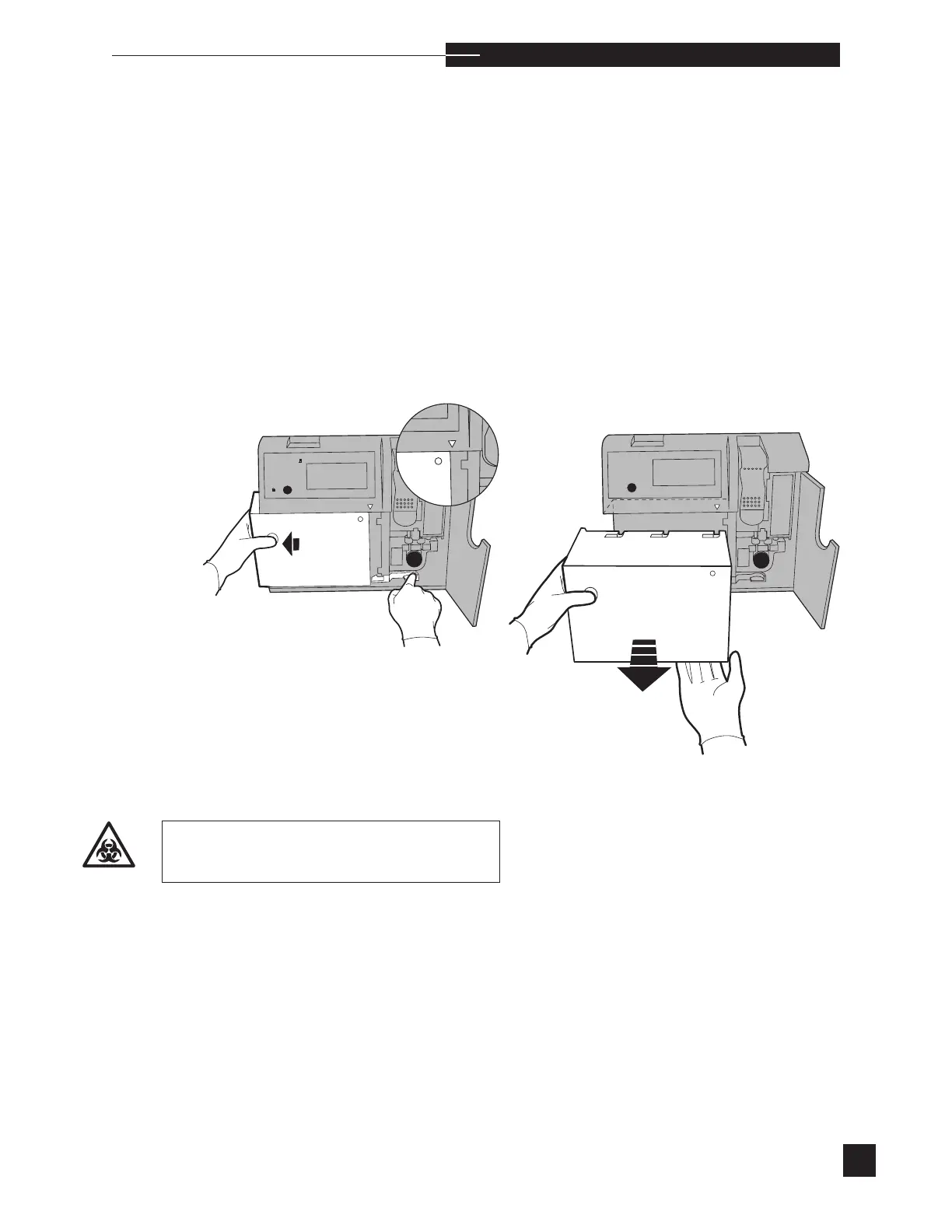
Reagent Module
If the EasyStat displays RGNT MODULE EMPTY or RGNT
MODULE EXPIRED, it is necessary to install a new reagent
module. Select REAGENT MODULE from the REPLACE
COMPONENTS menu. Fluid is automatically purged from the
sample path. The display prompts you to REMOVE REAGENT
MODULE. Open the access door. Push in the reagent module release
lever while holding the reagent module on the left side. Pull the mod-
ule to the left. When the guide arrow points to the edge of the reagent
module, pull the module straight out from the front of the analyzer.



 To Next Page