48
o p e r a t i n g t h e a n a l y z e r
H
Prior to installation, a reagent module must be stored at room temper-
ature for a minimum of four hours. When the center of the indicator on
the back of the reagent module becomes dark, the module has been
exposed to excessive temperature and must not be used.
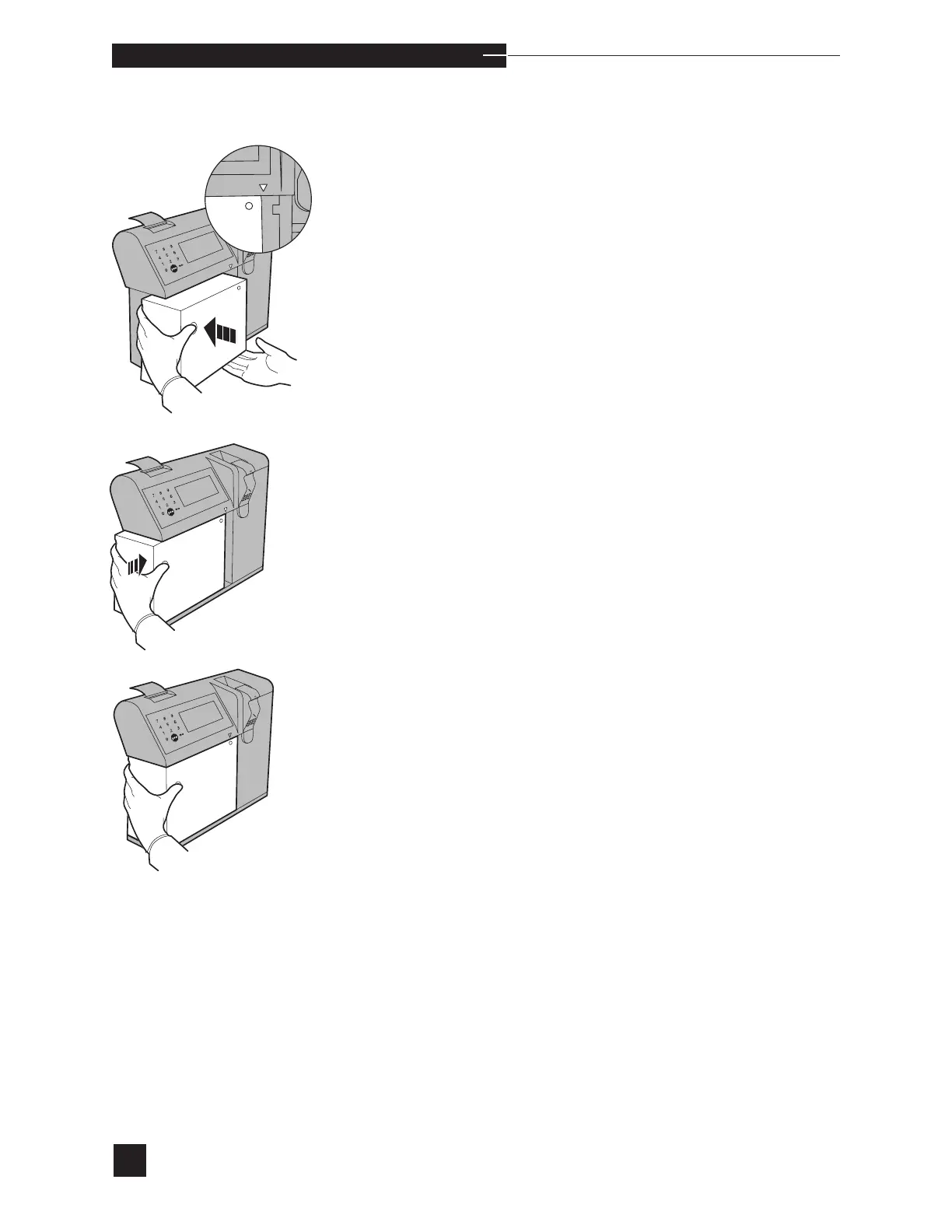
Place the new reagent module into the front of the analyzer. The
guide arrow must point to the right side of the reagent module.
Push the module straight back, then firmly to the right to lock it into
place against the valve module. Press YES to REPLACEMENT
COMPLETED?. The reagents are automatically primed from the
reagent module. When priming is complete, the display indicates the
detection of each fluid with PASS, then automatically returns to the
REPLACE COMPONENTS screen.
The reagent module contains encoded information which is read by
the analyzer upon installation of the reagent module. This information
includes: reagent pH, PCO
2
, PO
2
, Hct, Na
+
, K
+
, Ca
++
, and Cl
-
val-
ues, and install by date of the reagent module.
Electrodes
The best indicator that an electrode (pH, PCO
2
, PO
2
, Na
+
, K
+
,
Ca
++
, Cl
-
or reference) requires replacement is when the EasyStat
displays SLOPE ↑/↓ , mV OUT OF RANGE or DRIFT for
a single electrode. These messages generally indicate that the elec-
trode is not functioning correctly. For detailed information, refer to the
Troubleshooting chapter of this manual.
To remove or replace an electrode, select ELECTRODES from
the REPLACE COMPONENTS menu. Fluid is automatically
purged from the sample flow path. When the purge cycle is complete,
REPLACEMENT COMPLETED? is displayed. Proceed with
electrode replacement.
Failure to select the proper component from the REPLACE
COMPONENTS menu could result in multiple reliability issues,
including flow problems and/or slope, noise or drift errors.



 To Next Page