66
o p e r a t i n g t h e a n a l y z e r
TEST COMPONENTS
Select TEST COMPONENTS to test the operating status of the
pump, valve, sampler switches, door switch and reagent reader.
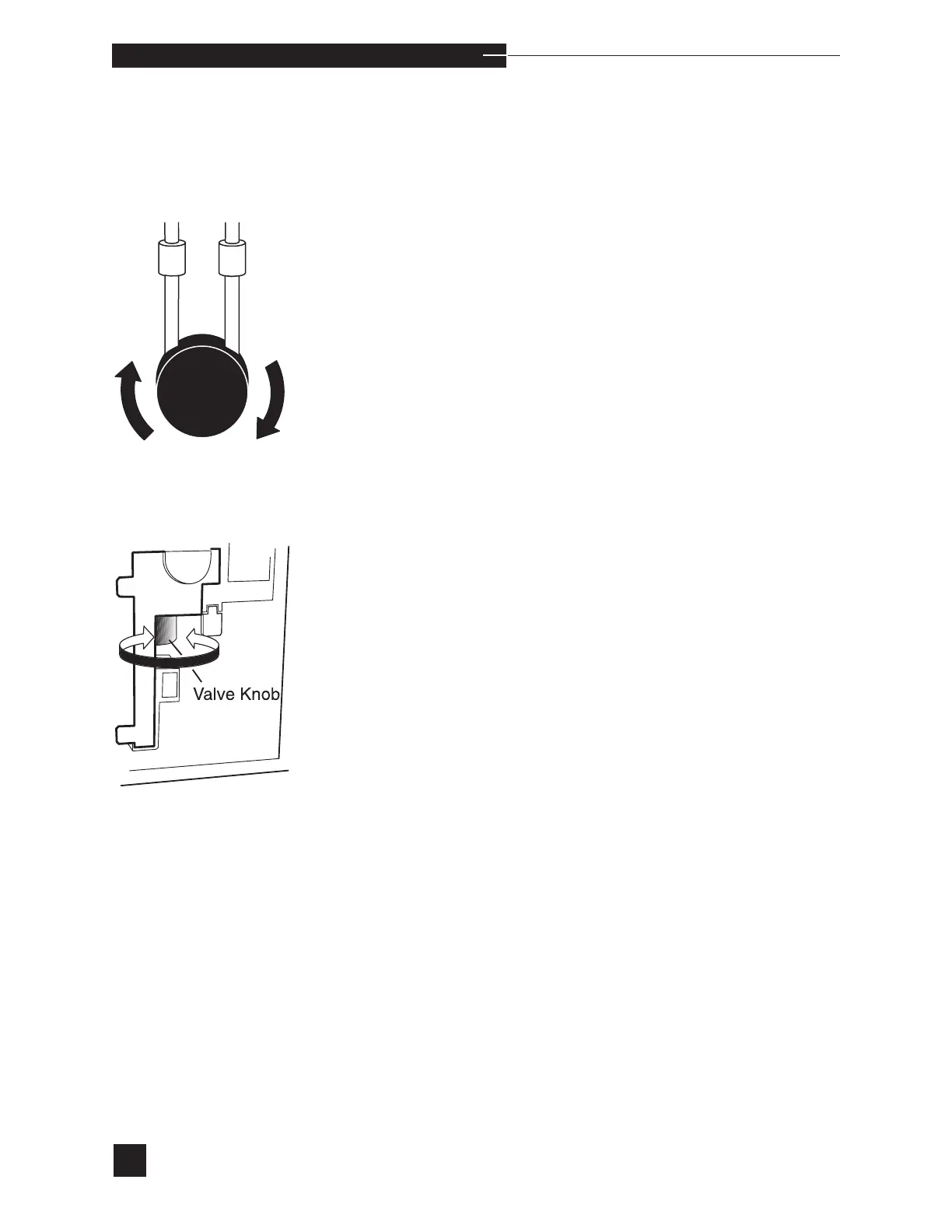
PUMP
Select PUMP to verify pump function. The screen displays
ROTATING..., then FULL ROTATION?. Look for pump
rotation. When full pump rotation occurs, press YES and PASS is
displayed.
When there is no pump movement or partial pump movement, press
NO and FAIL is displayed. Remove the pump tubing and repeat
the PUMP test. If the test passes, install a new pump tubing, cali-
brate the analyzer and resume operation. If the test fails, contact
your EasyStat dealer.
VALVE
Select VALVE to verify valve function. The screen displays
ROTATING..., then FULL ROTATION?. Look for rotation
of the valve knob. When full valve knob rotation occurs, press YES
and TESTING... is displayed. Internal testing verifies correct
valve positioning for the Calibrant A, Calibrant B, Rinse, Air and
Home positions. At test completion, PASS or FAIL is displayed.
When there is no valve knob movement or partial valve knob move-
ment, press NO and FAIL is displayed. Repeat the VALVE test. If
the test fails again, the valve may have an obstruction. Refer to VALVE
MODULE in Troubleshooting and follow the instructions for valve mod-
ule obstructions.



 To Next Page