17
.
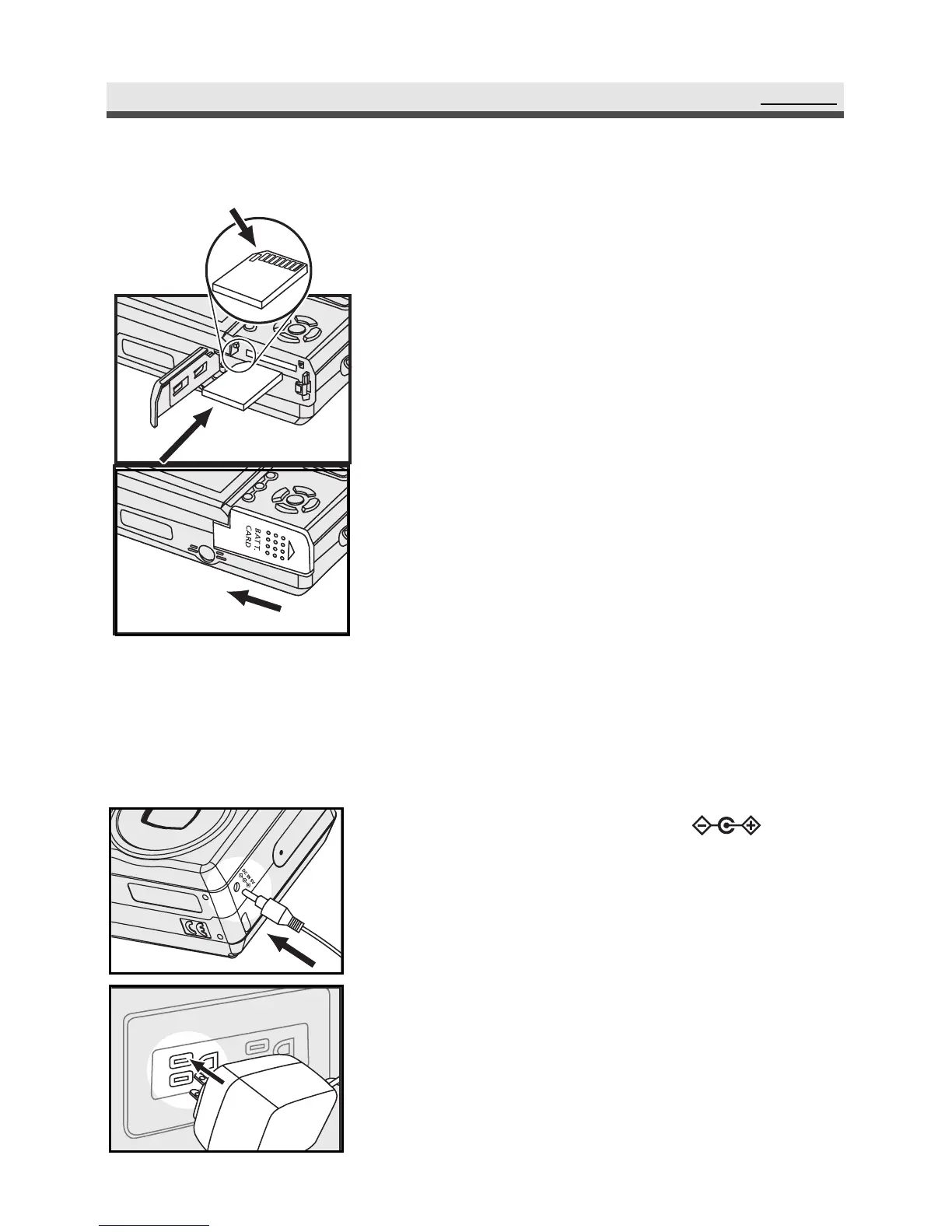
Inserting the memory card
SetUp
1
Connect the AC adaptor to
(the DC IN 5V ).
2
Connect the other end of the AC adaptor to
the power socket.
Note : Make sure to use only the AC adapter (5V)
supplied with the camera. Damage caused
by use of the incorrect adapter is not covered
under the warranty.
.Using the AC Adaptor
When reviewing pictures or operating the camera indoors, you can use the AC
adaptor as a power source to save the battery power.
Note : Be sure to close the battery / memory
card door firmly otherwise, you might not be
able to turn on the camera.
1
Open the battery/memory card door and insert
the memory card (connectors facing upwards).
2
Close and slide the battery/memory card
door in the arrow direction to fix it closed.



 To Next Page