84
Chapter6:AdjustingtheCameraSettings
.
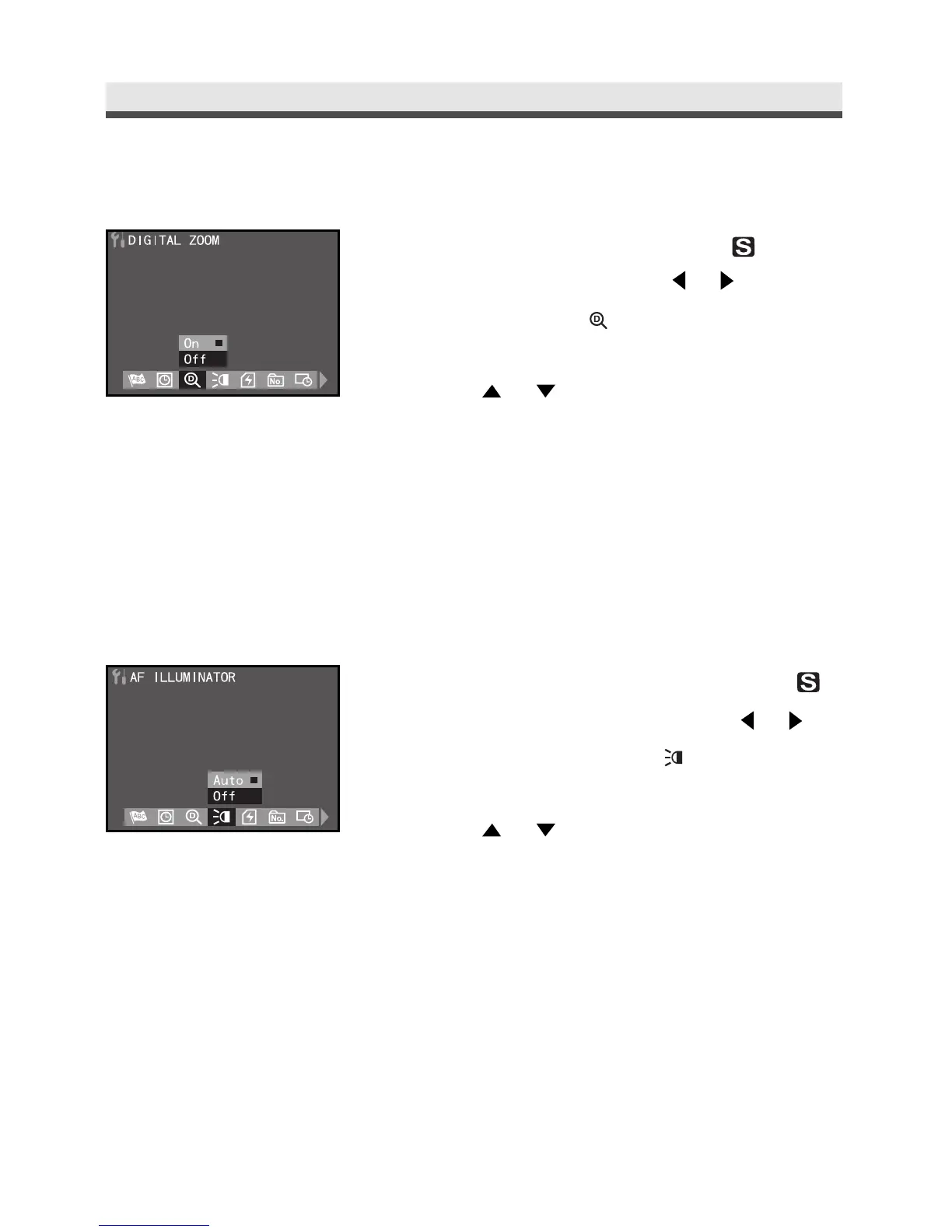
Setting Digital Zoom
1
Rotate the mode dial to Set-Up " " mode.
In the Set-Up menu, press or to select
DIGITAL ZOOM " ".
2
Press or to select "On" or "Off".
3
Press "OK" button to confirm the setting.
.
Setting AF Illuminator
1
Rotate the mode dial to Set-up Set-Up " "
mode. In the Set-Up menu, Press
or to
select AF ILLUMINATOR " ".
2
Press
or to
select "Auto" or "Off".
3
Press "OK" button to confirm the setting.



 To Next Page