52
Chapter2:TakingPicturesandRecordingVideoClips
.
Setting Saturation
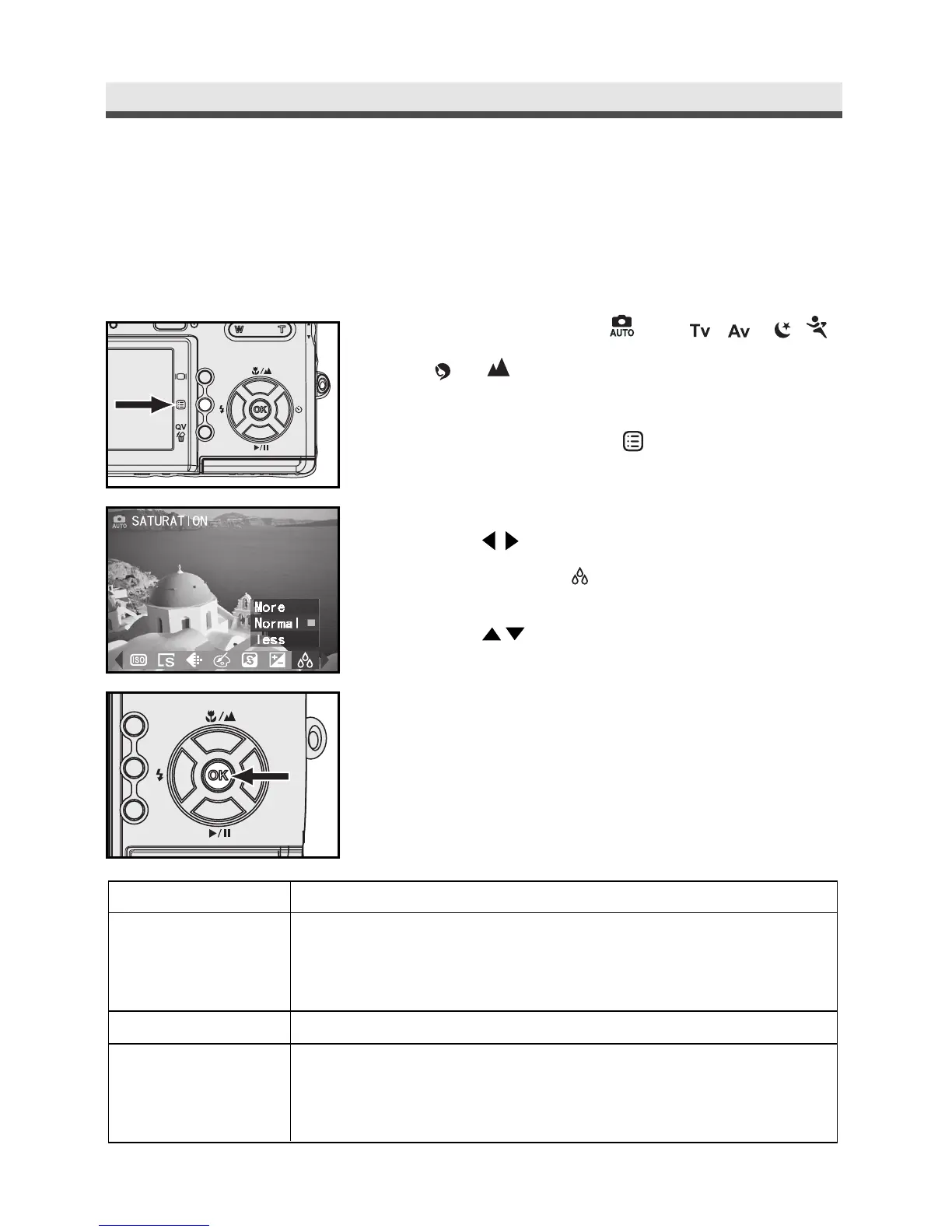
Saturation is the intensity and purity of colour. This option allows you to adjust
images to make them look more vivid or dull.
1
Turn the mode to , P ,,,,,
or .
2
Press Menu button " " to enter the
capture menu.
3
Press on the four-way key to select
SATURATION " "
.
4
Press on the four-way key to select
"More", "Normal" or "Less".
5
Press "OK" to confirm the setting.
Press Menu button back to still capture.
Mode
More
Normal
Less
Function
Make image more vivid. If you want your image to look
more vivid, we recommend that you use this mode.
Suitable for ordinary shots.
Make image more dull. If you want your image to look
gray, we suggest that you use this mode.



 To Next Page