24
Chapter2:TakingPicturesandRecordingVideoClips
Using Zoom
This camera provides you with 3x optical zoom and 7x digital zoom.
.
Optical Zoom
.
Digital Zoom
1
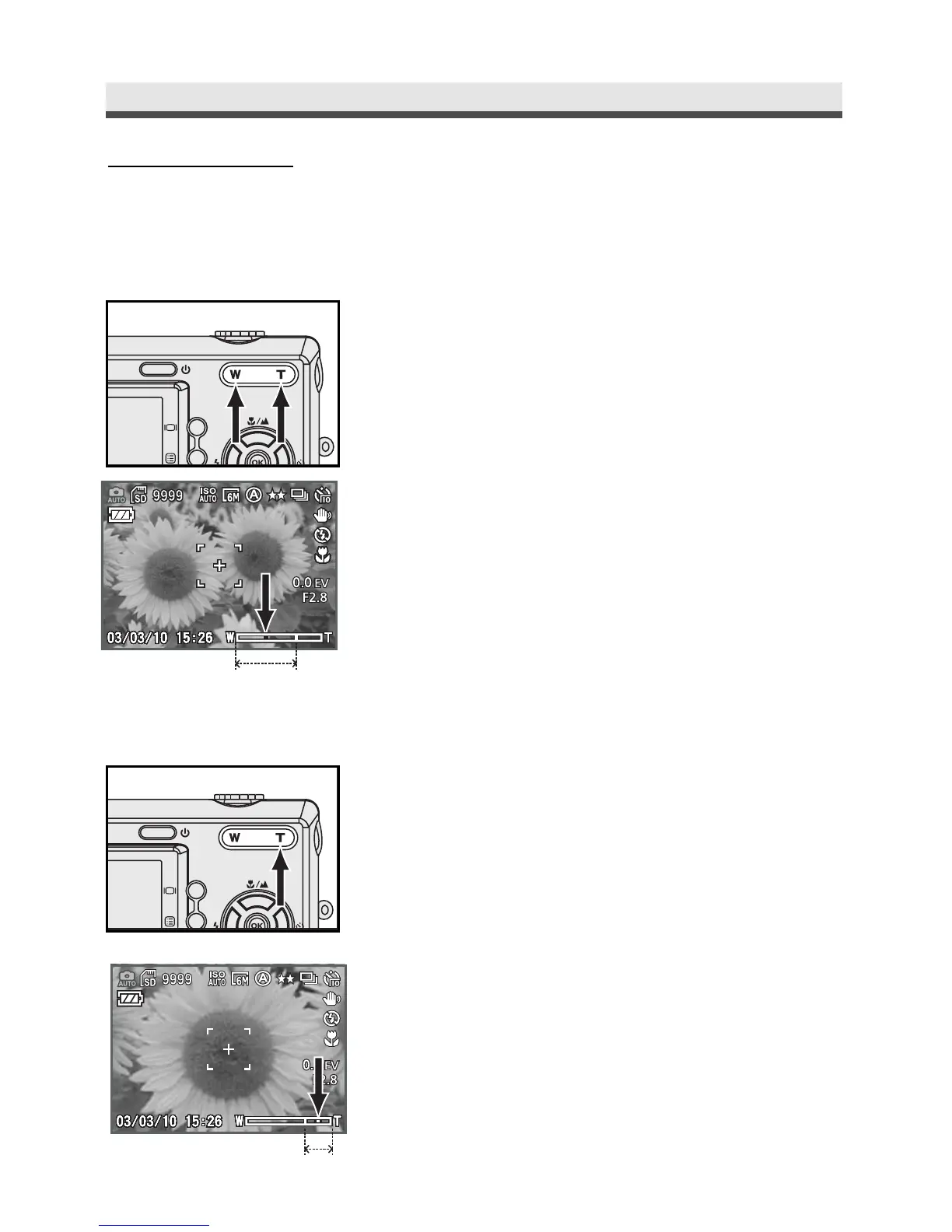
Press "W/T" buttons to zoom out and zoom
in.
2
You can see the zoom in / out indicator on
the LCD monitor. The optical zoom range is
from 1.0x to 3.0x.
1
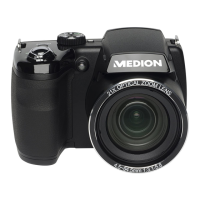
Press "T" button to Optical Zoom in to the
maximum level (3X), release & press "T"
button again to enter digital zoom mode.
2
A green frame surronds the area of the
image to be captured.



 To Next Page