41
.
Setting Sharpness
Adjusting settings of sharpness allows you to emphasise or soften the edges of
the image.
1
Turn the mode to " ".
2
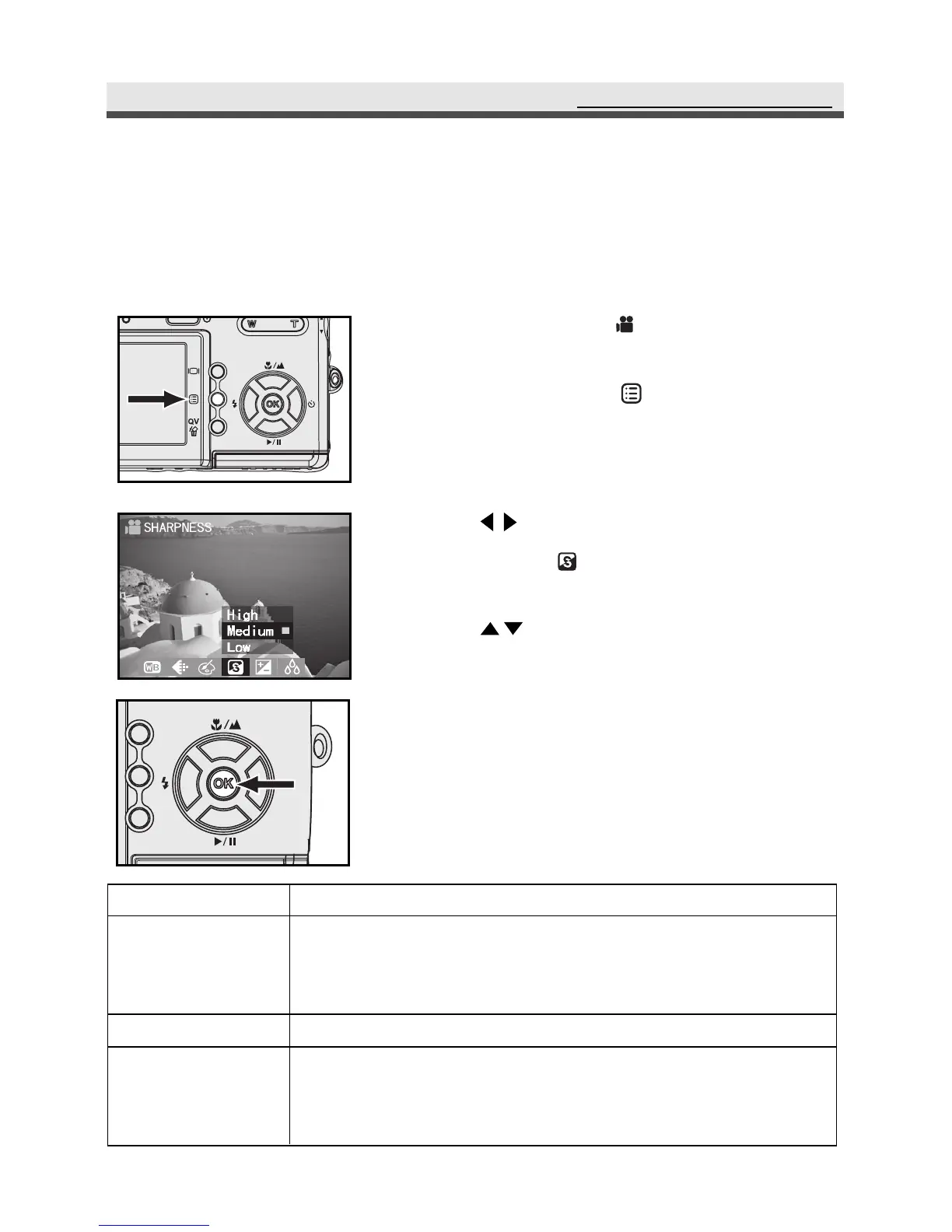
Press Menu button " " to enter the
video menu.
3
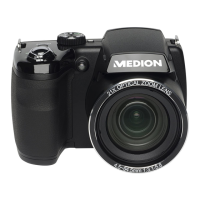
Press on the four-way key to select
SHARPNESS " "
.
4
Press on the four-way key to select
"High", "Medium" or "Low".
5
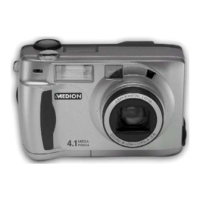
Press "OK" to confirm the setting.
Press Menu button back to video capture.
Mode
High
Medium
Low
Function
Emphasises the outline. If you want your subjects (such as
buildings) to have a clear and sharp outline, we suggest
you use this mode.
Suitable for ordinary shots.
Softens the outline. If you want your subjects (such as
people) to have a soft outline, we recommend you
use this mode.
RecordingVideoClips



 To Next Page