INSTALLATION
3-7
MA-5079-ENG MICRON GEAR ADHESIVE MELTER
in advanced systems, although the factory default values are perfectly valid for
operational purposes.
Programming working temperatures
The melters leave the factory with the following set point temperatures:
• 160 °C for the tank and the distributor.
• 160 °C for hoses and applicators.
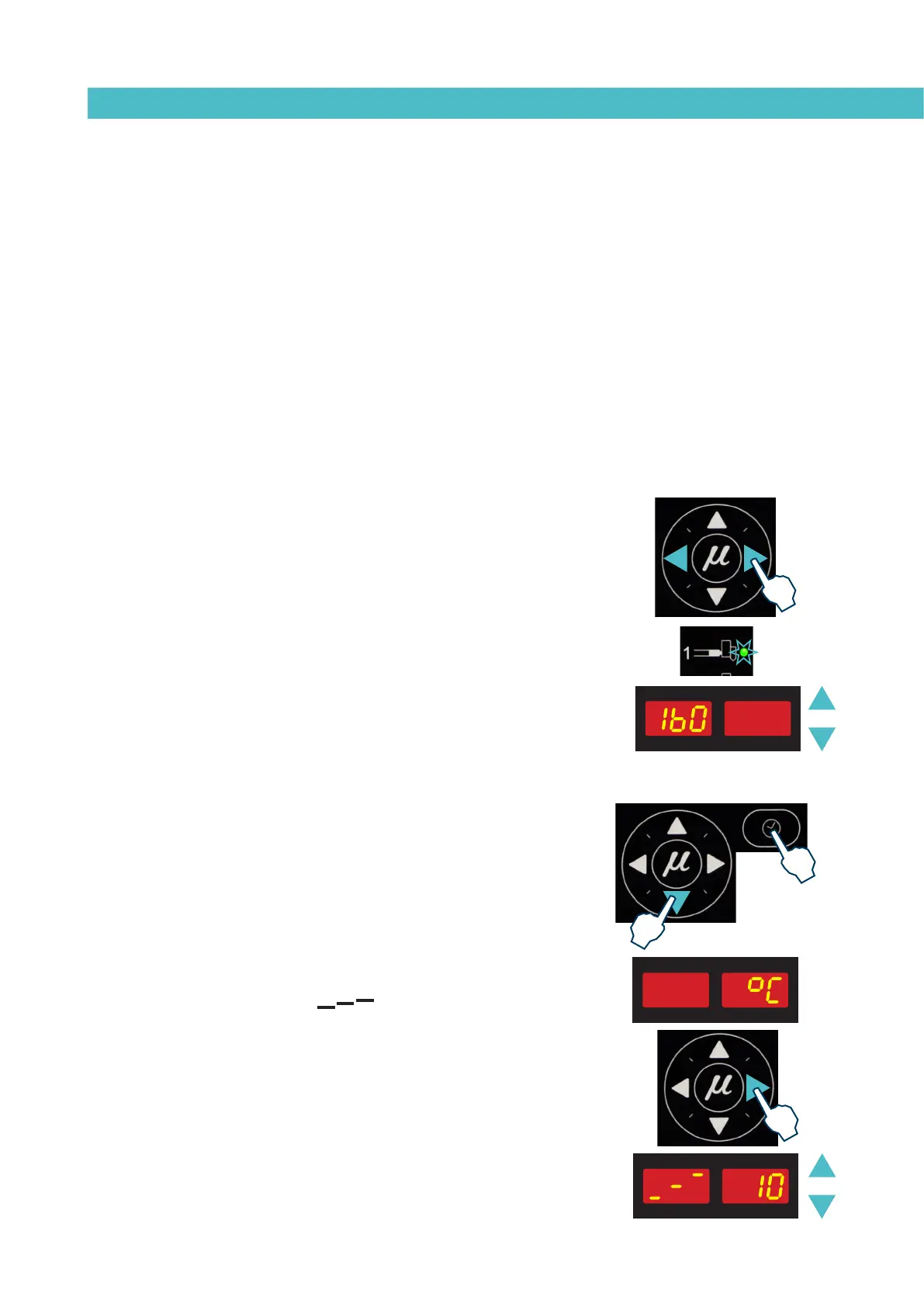
The general process for modifying set up temperature values for any
component is described below.
1. Select the component for which you wish to modify the value with the
left-right arrow.
The corresponding LED will blink quickly.
2. Using the up-down arrow, select the desired value for the set point
temperature.
3. After ten seconds, the LED will stop blinking and the display will
change by default to the set point temperature, saving the changed
data.
This simple process must be repeated for each one of the components
installed on the melter.
Selecting the overheating value
1. Press the buttons with the clock symbol and the down arrow at the
same time to enter the special menu.
The choice of display units (ºC or ºF) will appear on the display.
2. Using the right arrow, we advance to the next screen where the
overheating symbol appears.
3. Select the desired value with the up-down arrow.
The value displayed corresponds to the increase in real temperature
over the set point temperature permitted without activating the alarm
message.



 To Next Page