MELTER OPERATION
4-27
MA-5079-ENG MICRON GEAR ADHESIVE MELTER
Mode of operation with external pumping control and external speed
control
In this working mode, both pumping and speed are controlled from the main
machine.
Follow the steps below to use this operating mode:
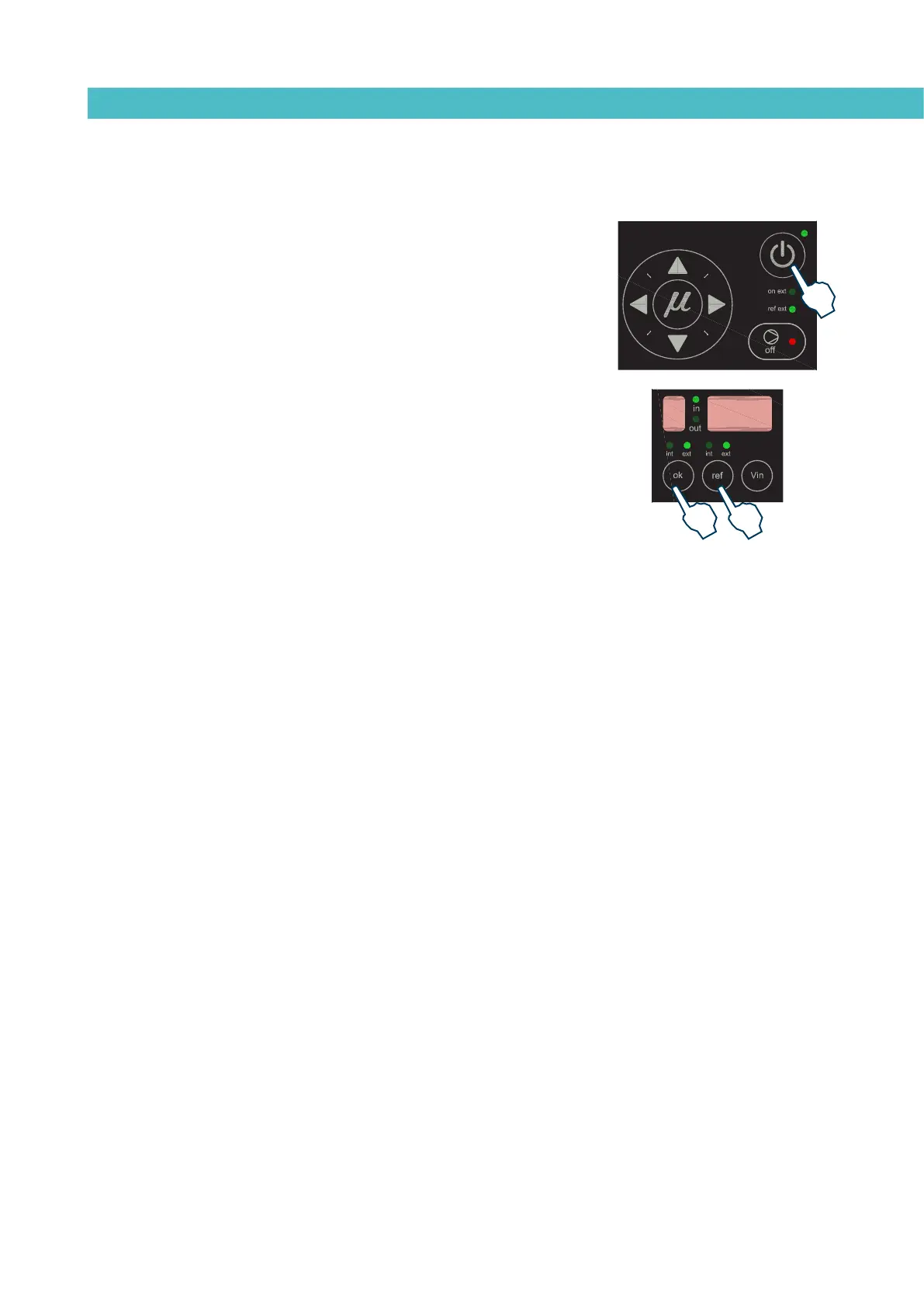
1. Press the ON/OFF button to light up the control card.
2. Select ‘ok’ in the position ‘ext’ and ‘ref’ in the position ‘ext’. The ‘on
ext’ and ‘ref ext’ LEDs will be illuminated when temperature is ok and
voltage is received.
To activate the start-up status, all of the following conditions must be met:
• That the signal from the main machine reaches input E2 and its value
is not 0.
• That the input for pumping permission (E4) at central control is activated, as
pumping is not possible unless the equipment temperature is OK.
• That pumping is enabled with the pumping ON-OFF button (red LED is
turned off).
• If the external ‘ok’ mode (start-stop) is selected, the external ‘ok’ input
(E3) must be activated.
• That the field MAXIMUM RPM is not set to zero (this field is available on
the control card ‘User configuration menu’).
• That the failure input is not activated (E5), in which case starting the
pump would be impossible. In case of the pump be operating and this
input is activated, pumping will cease immediately.
The system will wait for the main machine to send the pumping activation
and rotation speed signals. When this signal has been received, if a speed has
been previously set, this value will appear on the display and the pump will
start to rotate at the indicated speed.
If not, the rotation speed must be adjusted to the value required for the
application. There are three ways to do this:
1. Change the voltage applied from the main machine.
2. Change the full scale (see section ‘1. MAXIMUM RPM’ in the ‘User
configuration menu’).
3. Modify the speed ramp (see section ‘Configuring speed ramp’).
Keeping the ‘Vin’ key pressed will show the voltage sent by the main machine.
The pump will stop whenever:
• The control card is disabled with its ON/OFF button.
• The pumping ON-OFF button is pressed (red LED is illuminated).
• When the pumping permission input is deactivated (E3).
• When a variator error signal is activated (E5).
• When the MAXIMUM RPM ALARM TIME appears.



 To Next Page