FOCKE MELER GLUING SOLUTIONS
4-4
MELTER OPERATION
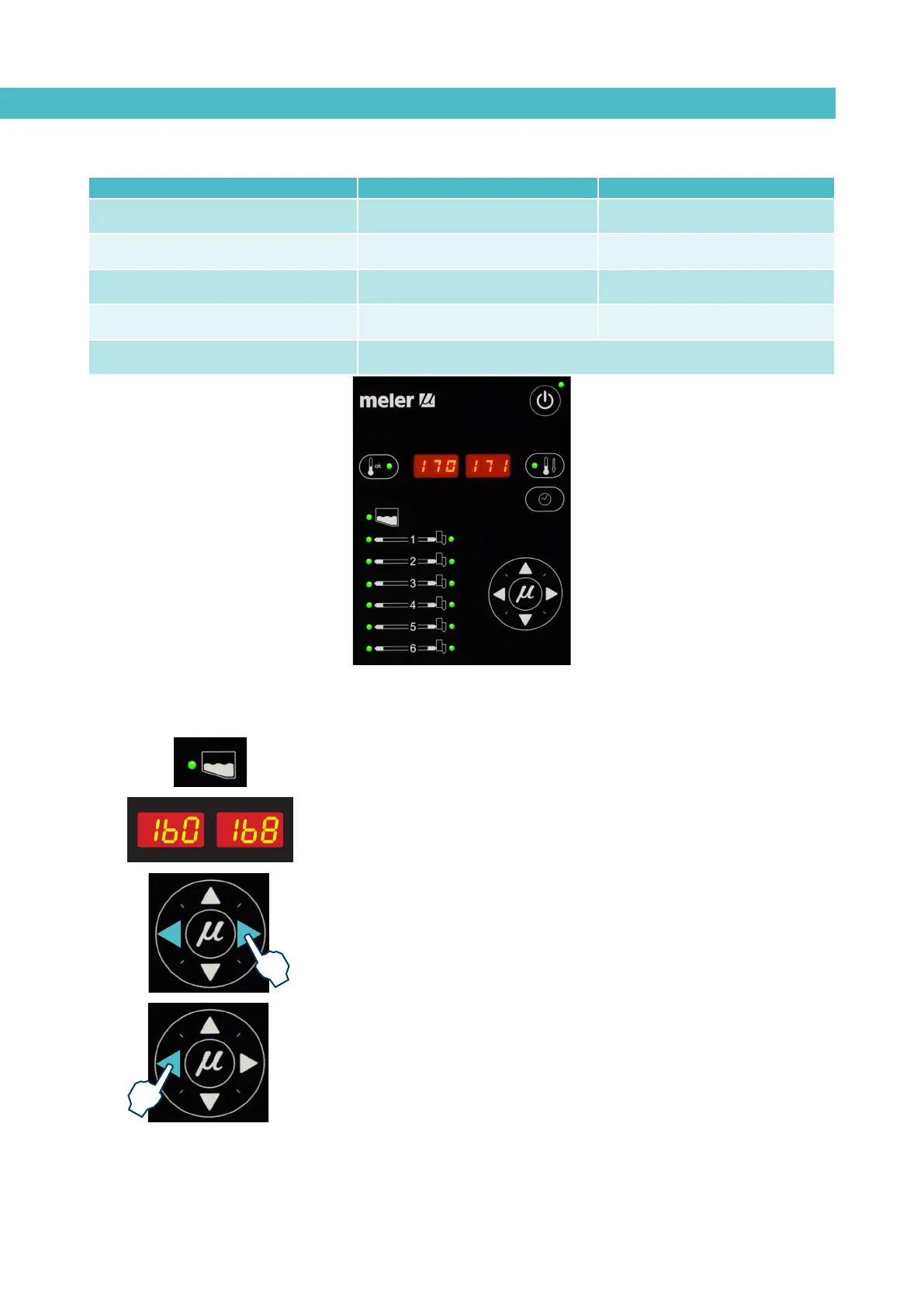
Displaying the temperature for each component
The temperature may be displayed for each component (tank, distributor and
each hose and applicator) by selecting the component with the cursor.
Press the left-right arrow until the desired component is displayed.
After 10 seconds, the display will return to the default component (the tank).
If you wish to keep the component displayed permanently, press and hold the
left-right arrow for 2 seconds while selecting the chosen element.
The following is the display sequence:
distributor<—tank<—hose1<—applicator1<—¡…<—hose6<—applicator6
distributor—>tank—>hose1—>applicator1—>…—>hose6—>applicator6
For units that have two pumps installed, the display sequence is the following:
null<—tank<—distributor1<—Off<—distributor2<—Off<—hose1
<—applicator1<—…<—hose4<—applicator4
null—>tank—>distributor1—>Off—>distributor2—>Off—>hose1
—>applicator1—>…—>hose4—>applicator4
To remove a component from permanent display, simply press either of the
left-right arrows.
LED display On/off Standby
constantly lit turned off unit function activated
blinking slowly
deactivation programmed for the
current day
activation programmed for the
current day
blinking rapidly
activation/deactivation
programming mode
activation/deactivation
programming mode
off unit in operation function deactivated
simultaneous intermittence from leds of
pump activation and main machine signal
timing in progress, once the tank has reached its set point temperature



 To Next Page