MI 3152(H) EurotestXC (2,5 kV) Auto Sequences
162
8 Auto Sequences®
Pre-programmed sequences of measurements can be carried out in Auto Sequences® menu.
The results of an Auto Sequence® can be stored in the memory together with all related
information.
8.1 Selection of Auto Sequences®
The Auto Sequence® to be carried out can be selected from the Main Auto Sequences® menu.
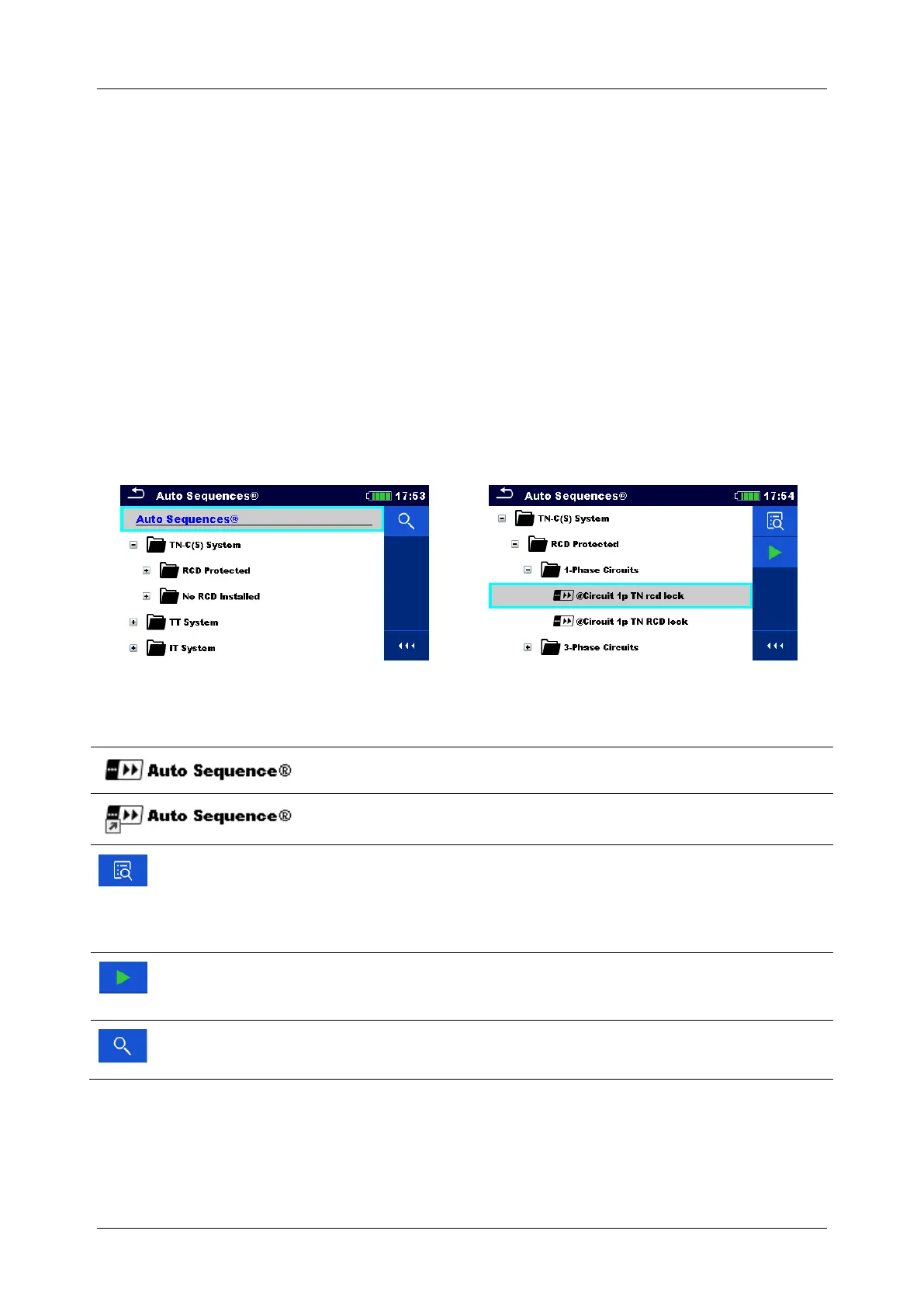
This menu is organized in a structural manner with folders, sub-folders and Auto sequences®.
An Auto Sequence® in the structure can be the original Auto sequence® or a shortcut to the
original Auto Sequence®.
Auto Sequences marked as shortcuts and the original Auto Sequences® are coupled. Changing
of parameters or limits in any of the coupled Auto Sequences® will influence on the original
Auto Sequence® and all its shortcuts.
Figure 8.1: Examples of organized Auto Sequences® in Main Auto Sequences® menu
Options
The original Auto Sequence®
A shortcut to the original Auto Sequence®
Enters menu for more detail view of selected Auto Sequence®.
This option should also be used if the parameters / limits of the
selected Auto Sequence® have to be changed. Refer to chapter
8.2.1 Auto Sequences® view menu for more information.
Starts the selected Auto Sequence®.
The instrument immediately starts the Auto Sequence®.
Searches within the Auto Sequences® menu. Refer to chapter
8.1.1 Searching in Auto Sequences® menu for more information.
Note
The content of preprogramed Auto Sequences® depends on the selected instrument
profile.



 To Next Page
 Loading...